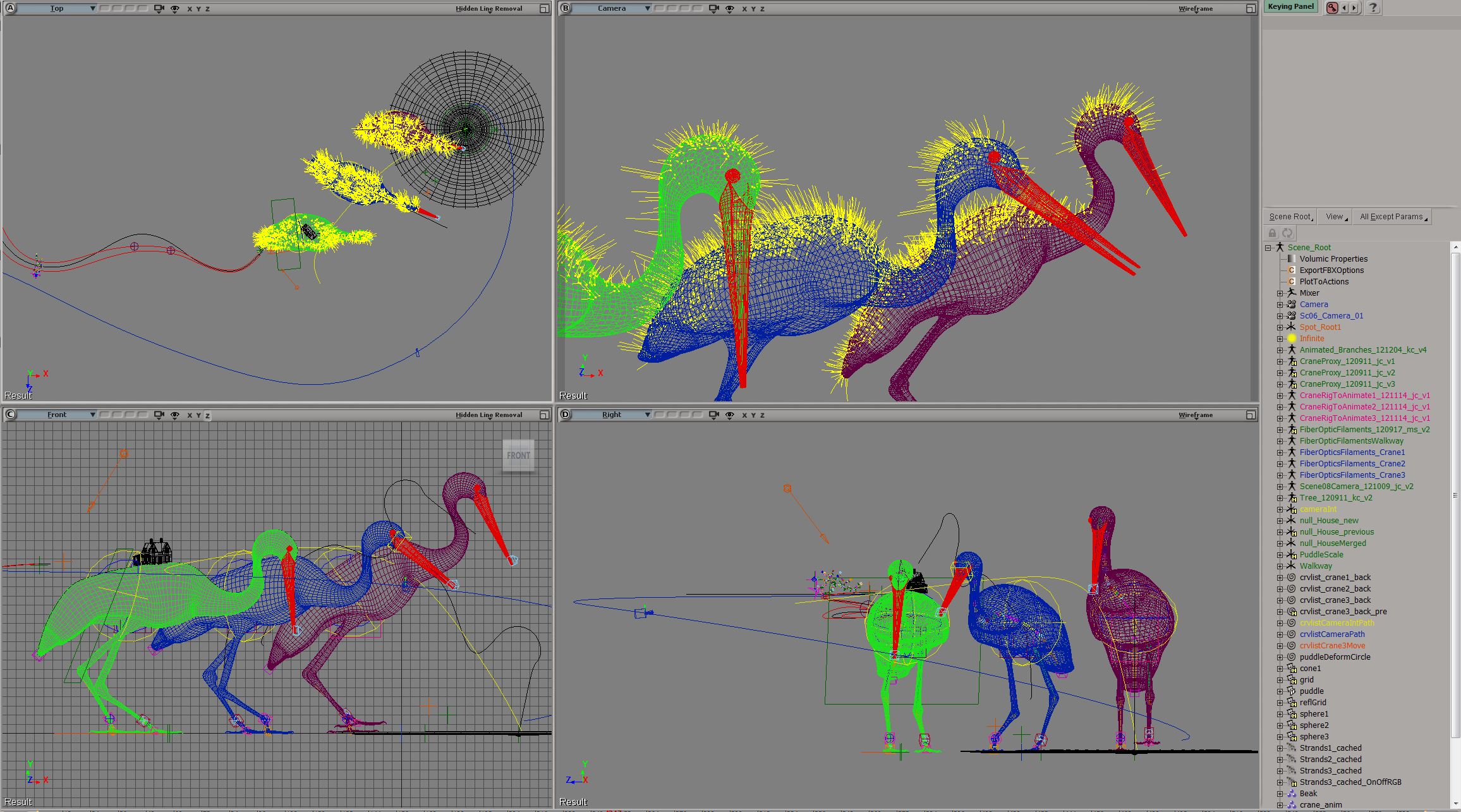
Circa 1995. The last time I wrote any perlscript in XSI, as it was then known.
$array = $Application->GetMarking();
for $item (@$array) {
$Application.LogMessage("Marking: $item");
}
#INFO : Marking: kine.local.pos
Circa 1995. The last time I wrote any perlscript in XSI, as it was then known.
$array = $Application->GetMarking();
for $item (@$array) {
$Application.LogMessage("Marking: $item");
}
#INFO : Marking: kine.local.pos
1997 version of softimage.com
SOFTIMAGE – Discover how our products will transform the industry

softimage.com was first launched in October 1994
So I saved my little trivial scene yesterday and I got this:
' WARNING : 3000 - Save: [1] objects were not saved normally ' WARNING : 3000 - -- [Scene_Root.Camera] was saved, but is disconnected from the scene. (Floating object)
Normally I ignore these warnings, but I didn’t like the idea of saving a scene with a disconnected camera. I remember when you were able to save scenes without a camera; you just couldn’t open them again.
My camera view was still working, so I checked it, and I had an extra camera (that I didn’t create).

Long story short, I saved the scene and it seemed ok after. The extra camera disappeared.
See also this post about WARNING 3000 Objects were not saved normally.
Degenerate polygons are usually zero-area polygons.
Here’s a script that uses the ICE attribute PolygonArea to find polygons with area less than a specified epsilon:
si = Application epsilon = 0.00001 # Get PolygonArea DataArray (which is a tuple) attr = si.Selection(0).ActivePrimitive.GetICEAttributeFromName( "PolygonArea" ) areaData = attr.DataArray # # Find the indices of the bad polys # bad = [ x for x,y in enumerate( areaData ) if y < epsilon] # Select the degenerates with a string like 'cube.poly[112,114,155]' si.SelectGeometryComponents( 'cube.poly[%s]' % ','.join(str(i) for i in bad) ) ### OR ### # # Get the actual Polygon objects # polys = si.Selection(0).ActivePrimitive.Geometry.Polygons bad = [] for i in range( len(areaData) ): if areaData[i] < epsilon: bad.append( polys(i) ) si.SelectObj( polys )
Here’s the Python way:
Application.SelectObj("Pedestrian_Mesh.Actor_Copies", None, None);
o = Application.Selection(0)
a = o.ActivePrimitive.Geometry.GetICEAttributeFromName("Materials")
print len(a.DataArray2D)
print len(a.DataArray2D[0] )
print a.DataArray2D[0][0]
for s in a.DataArray2D[0][0]:
print s
# 1
# 1
# (u'', u'Sources.Materials.PedestrianLib.Shoes', u'Sources.Materials.PedestrianLib.Hair', u'Sources.Materials.PedestrianLib.Legs', u'Sources.Materials.PedestrianLib.Skin', u'Sources.Materials.PedestrianLib.Shirt')
# Sources.Materials.PedestrianLib.Shoes
# Sources.Materials.PedestrianLib.Hair
# Sources.Materials.PedestrianLib.Legs
# Sources.Materials.PedestrianLib.Skin
# Sources.Materials.PedestrianLib.Shirt
And here’s how to do it in JScript:
o = Selection(0);
a = o.ActivePrimitive.Geometry.GetICEAttributeFromName("Materials");
x = new VBArray( a.DataArray2D ).toArray();
y = new VBArray( x[0] ).toArray();
for ( var i = 0; i < y.length; i++ )
{
LogMessage( y[i] )
}
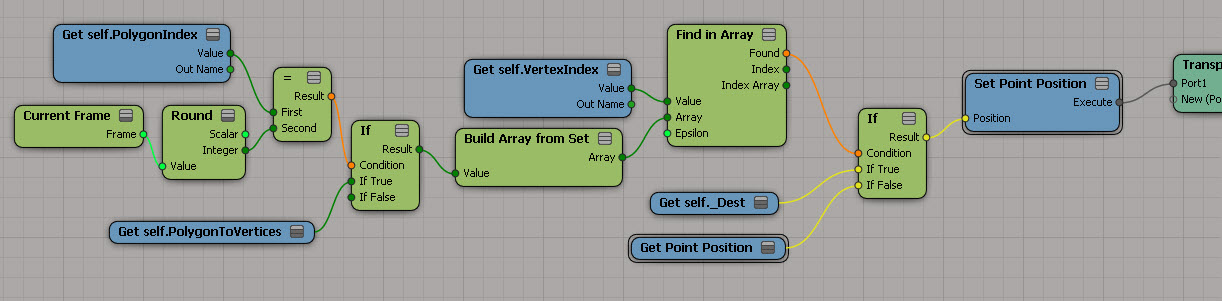
Here’s the basics for “transporting” polygons to another location. At this point, I’m just moving them one at a time (using Get Current Frame to drive it). The tricky part, if I remember correctly, was moving just some of them.
I had to calculate the destination positions in a separate ICE Tree further down the stack:
Topo clipboard (RCTools update)
by rray

Bubble effect
by SI User Notes

ICE Garden vol 16 from CGWorld

Metals
by Maximus

Sierpinski and self-similar sets
by Sue Sauer
ice: find most commonly occurring item in array
by Julian

Biohazard
area.autodesk.jp
XSICollections know how to handle (aka parse) string expressions like ‘cube.pnt[2,4,LAST]’
si = Application import win32com.client c = win32com.client.Dispatch( "XSI.Collection" ) #c.SetAsText( 'cube.pnt[2,4,LAST]' ) c.Items = 'cube.pnt[2,4,LAST]' print c.Count print si.ClassName( c(0) ) print c(0).SubComponent.ComponentCollection.Count print si.ClassName( c(0).SubComponent.ComponentCollection(0) ) print c(0).SubComponent.ComponentCollection(2).Index # 1 # CollectionItem # 3 # Vertex # 7
Back in 1999, this code looked something like this:
CreatePrim "Cube", "MeshSurface" set list = GetCollection( "cube.pnt[2,3,6,LAST]" ) if not typename(list) = "Nothing" then logmessage list end if function GetCollection( in_str ) Dim l_myList set GetCollection = CreateObject( "Sumatra.Collection" ) On Error Resume Next GetCollection.items = in_str if GetCollection.Count = 0 then set GetCollection = Nothing end if end function
More is less
SOFTIMAGE|3D now starting at $4,995

Image courtesy of Digital Domain’s new “Tightrope” short 1998.
Daniel Robichaud, writer/director
Another example usage of Generate Sample Set instead of Repeat. This time, the problem is to find the array element with the most occurrences. This seems kinda long winded (it’s a three-step process), but it does handle the case where you have two or more elements that occur the same number of times.
I used a temporary attribute for formatting purposes (so I didn’t have one big long horizontal tree). And I used a compound to encapsulate the bit that takes an array and converts it to a “per generated element” data set:

If you want, here’s a compound version.