Saturday snippet: XSICollection has no class


Calling Application.ClassName() on an XSICollection object returns “Object”, not the class name. Remember this when you’re using ClassName() to check what type of object is being handled in some piece of script.

# See http://docs.python.org/2/tutorial/errors.html#handling-exceptions
try:
	from win32com.client import Dispatch as disp
	from win32com.client import constants as C
	log = disp('XSI.Application').LogMessage
except ImportError: # pywin not installed
	pass
	
si = disp('XSI.Application') 
x = disp( "XSI.Collection" )

log( si.ClassName( x ) )

# INFO : Object

A long time ago, it was decided not to fix this, because the fix would break existing scripts. Back in those old days, the VBScript function TypeName() was used instead of Application.ClassName(), so you had a fair amount of VBScript that was checking whether TypeName() returned “Object”. (Calling TypeName() on most Softimage objects returns the class name)

You can see an example of this type [haha!] of thing in Application\DSScripts\animation.vbs:

        if TypeName( oObjectList ) = "Object" then
            set out_objs = oObjectList.Item(0)
        else
            set out_objs = oObjectList
        end if
 

Friday Flashback #92


Softimage Awards and Recognitions circa 1996.
Note the Emmy award for the daytime soap “As the World Turns” 🙂

I didn’t expect to see the daytime soap opera As the World Turns on the list. And somewhat ironically (to me), if I google “Softimage as the world turns”, the first hit is an Autodesk jobs page.

I like the Google summary: “Your World. Your Future. undefined

Arnold – Rendering shapes distributed along strands


Arnold always renders shapes as if they were lofted along the strand. It doesn’t matter whether you clear the Loft Shape along Strand checkbox in the Create Strands PPG, the shape will always be lofted in the render, like this:

If you want your instance shapes to be distributed along the strands, you could use a second point cloud to put the shapes along the StrandPositions:

If you find this slows down your viewport, change the Particle Display to points.

Screenshots of the week


Multiple uniquely textured objects – having only one shader

http://vimeo.com/52176053

Strands
Q: If I emit Strands from particles ( like rain streaks), and then spawning particles based on collisions with say a grid, the spawned particles inherit the strands, but they have this behavior where the strands are actually ahead of the actual particle from which they are supposed to trail.
A by PetrZ

Camera Sequence Tool

Face Robot Workflow – Part 7: Working with Mocap Files

Softimage Gear Advanced Character Rigging
http://vimeo.com/52018225

Softimage ICE Rigging Bone Strech

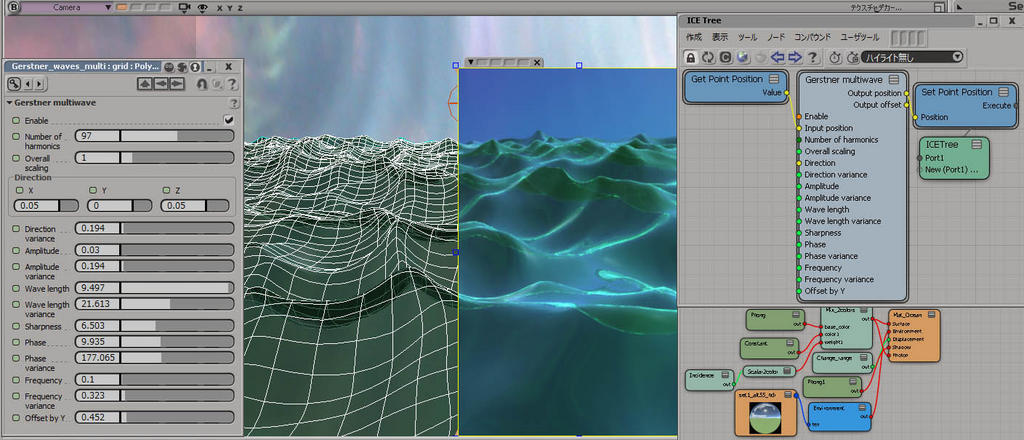
Gerstner muliwave
by SI_UserNotes

Friday Flashback #91


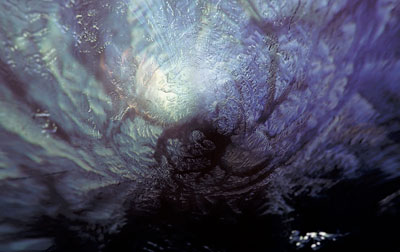
The Yearning3D still images, created in 1993 by Char Davies using Softimage|3D on Silicon Graphics hardware. Char Davies was the Vice President of Visual Research at Softimage.

Char Davies, The Yearning, 1993.
3D digital still image.
Distinction Prix Ars Electronica 93 in the category Computer Graphics.

All of my work, including the paintings I made for many years before using 3D software, is concerned with communicating a particular vision of the world. I do not consider these images, The Drowning (Falling from One into the Other) and The Yearning, to be computer graphics or computer art, but rather art created through computer technology. I call them 3D still-images for they are essentially frames of 3D virtual worlds. They were made interactively with the 3D animation software SoftImage. In my research I am constantly pushing the software’s capacity as an intuitive and emotionally expressive instrument, for it is this capacity that I value most.

Interactive 3D software (and I should specify SoftImage because my creative method is dependent on it and was in fact born from it) enables me to virtually embody the metaphorical content of these images, bringing them across a threshold from the realm of dim intuition into a “real” world of light and three-dimensional form. By working extensively with simulated light and shadow in virtual 3D space, combining photo-realism and abstraction, solidity and transparency, volume and spatial ambiguity, I am able to integrate subjective and objective, metaphysical and physical realms, in a way that technique and content become synonomous.

Char Davies,The Drowning (Falling from One into the Other), 1993.
3D digital still image.
Distinction Prix Ars Electronica 93 in the category Computer Graphic.

Glossy reflections in the Arnold standard shader


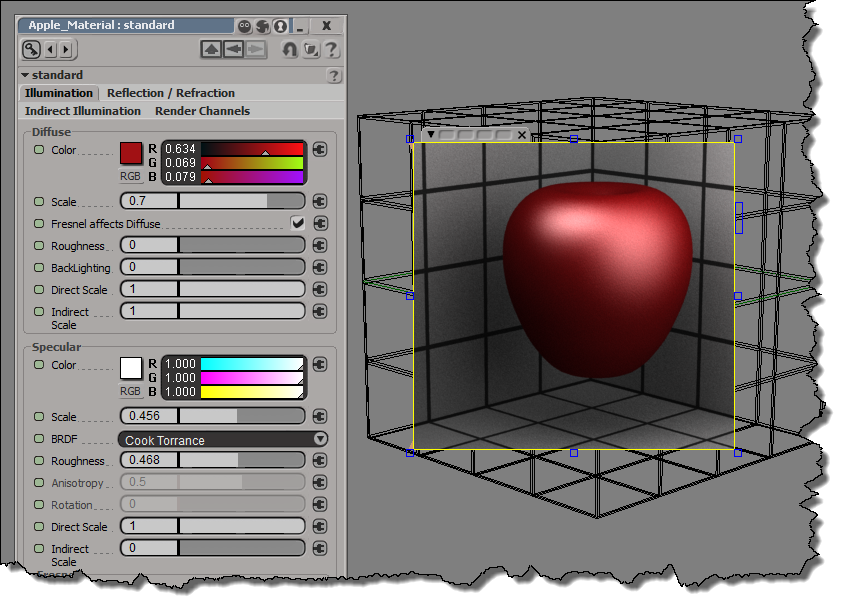
In the Arnold standard shader, you use specular reflections when you want glossy reflections. There’s direct specular (the “classical” specular hightlight) and indirect specular (glossy/blurry reflections), and both are part of the same BRDF behaviour. In this screenshot, direct specular (Direct Scale) is turned off, so you see only the indirect specular reflections. The Roughness makes those reflections glossy.

So what’s up with the separate Reflection/Refraction tab? Well, that tab gives you an alternate way to do sharp, mirror reflections (with no blurring or glossiness). However, with Specular, you can get pretty much the same thing by setting the Roughness to 0:

Finally, since I mentioned the direct specular, here’s the shaderball with just the direct spec: