Saturday Snippet: Getting a list of properties and methods with Python introspection


If you’ve ever wanted to get a list of properties and methods support by an object, here’s how.
Copied from the Softimage wiki

def GetFunctions( dynDisp ):
	"""returns a sorted and unique list of all functions defined in a dynamic dispatch"""
	dict = {}
	try:
		for iTI in xrange(0,dynDisp._oleobj_.GetTypeInfoCount()):
			typeInfo = dynDisp._oleobj_.GetTypeInfo(iTI)
			typeAttr = typeInfo.GetTypeAttr()
			for iFun in xrange(0,typeAttr.cFuncs):
				funDesc = typeInfo.GetFuncDesc(iFun)
				name = typeInfo.GetNames(funDesc.memid)[0]
				dict[name] = 1
	except:
		pass # Object is not the dynamic dispatch I knew
	ret = dict.keys()
	ret.sort()
	return ret

import pprint

funcs = GetFunctions(Application)
Application.LogMessage(pprint.pformat(funcs))

funcs = GetFunctions(Application.ActiveSceneRoot)
Application.LogMessage(pprint.pformat(funcs))

Friday Flashback #90


RIP xsibase.com

Here’s an xsibase article from a little over a decade ago…

XSI Base Team Visits Softimage Headquarters
A part of the XSI Base team visited the headquarters of Softimage in Montreal. Read what came out at this meeting and what we saw there.
August, 3rd, 2002, Written by Bernard Lebel
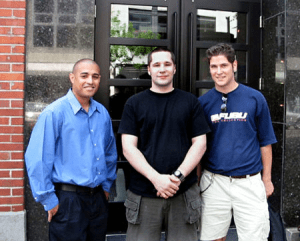
Will Mendez, Bernard Lebel, Raffael Dickreuter in front of the Softimage building.

As some of you know, XSI Base officials (Raffael Dickreuter – raffael3d, Bernard Lebel – Atyss, and Will Mendez – XSIWILL) went to Softimage Headquarters on July 19, 2002. We think that the users of XSI Base should be informed of what came out from this visit as it was intended to create links with Softimage officials.

Our host was Michael Sheasby, Director of Business Development. We visited the building, and we got lost in 10 seconds. The building is built like a kind of donut, though it is split in many sections. It was designed by Daniel Langlois himself, founder of Softimage. It has a very modern design, with lots of glass and aluminium. Lots of sun too that comes inside. The roof is made in glass in the middle of the “donut”, so the sun lights everything in the middle.

Unfortunately the building was almost empty, because it was 2 days before Siggraph and everybody had left to prepare the event. But we saw many known names next to offices.

We met with Pierre Tousignant and said a quick hello to Theo Diamantis (who tried to speak Spanish with Will).

There was a lot of things that Michael couldn’t discuss, for obvious reasons. We had the great privilege of seeing the Manta storyboards. However, even if all of them were on the wall, we couldn’t see the end. Michael started to tell us the story, but when he reached the last boards he nearly threw us out of the office! It’s strange, because he told us that the Manta project will never be finished.

Softimage Headquarters in Montreal

So finally we sat in a conference room and had a good meeting with Michael. Here’s what came out of it as far as XSI Base is concerned:

– Micheal had the kindness of revealing a feature of XSI 3.0 (he asked to not publish it until Siggraph, but now….). You see, they replaced the particle system in this release. Now, you can freeze the particle simulation, put bones inside and envelope it, in order to animate it. Basically you can animate the particle cloud like enveloped geometry. That’s all he said, so don’t email us to try to learn more.

– You might know that a good resource page is on its way for the forum. Since Raffael wants this page to be fully compatible with the Net View (so you can access it through XSI), he had to know if it was feasible. It is, and Softimage assured us that they would collaborate on any issue we have with this system.

– Softimage will collaborate to the creation of the resource page, by providing informations about schools, products and other useful informations.

– We are now part of the media group. Now, whenever Softimage has an annoucement or press release to make, we are among the first to learn about it, thus we can inform you about Softimage news.

– Softimage will give us the details about how to become a Softimage Certified Instructor, as several people asked for this information. We will then share it with you.

– Softimage gave us merchandise (mostly Manta posters) so we can distribute these to the users, through activites (like the monthly contest).

In the end, it was a very interesting meeting, we established a collaboration with Softimage (though we remain independant). Softimage gave us their full support for what we asked, and the XSI Base users will benefit from this.

Using the Select Case node to make multi-way decisions


Here’s my addendum to Manny’s nice video on CrowdFX and goals. I use a CrowdFX setup with multiple emitters and multiple goal groups to illustrate the usage of the Select Case node. If you’re already familiar with scripting or programming, the Select Case is nothing new, it’s just like the switch statement in C/C++. But if you’re not a programmer, this will [I hope] help you understand when and how to use Select Case.

http://vimeo.com/50758123

Introduction to Arnold


I see the October term at fxphd includes ARN101: Introduction to Arnold. The course uses Softimage (yay!) and you get access to Arnold.

I’ve never tried fxphd. It’s not exactly cheap ($359 US for 3 courses, $399 US for 2 courses) so I assume it must be pretty good 😉

ARN101: Introduction to Arnold
Professor: Ulf Lundgren
Software Version:
Original Run Date: October 2012
This course is targeted at anyone who may already be familiar with rendering and lighting but who wants to move over to Arnold; or just wants to know how Arnold can help in production.

Taught by Ulf Lundgren, the goal of the course is to get you up to speed in Arnold and help you understand the differences when using Arnold compared to other Render engines. Prior experiences of rendering and lighting is a plus but not necessary since this course should still help you get on your way to amazing renders.

Workflow, rendering optimization, basic shaders, usefull lighting riggs, sss, volumetrics, linare workflow, Aov and practical work-flow tools might not sound all that sexy but you’ll come to love the results. Furthermore this course is designed to mix more theoretical classes with in-depth case studies of Arnold working on real projects, giving a better understanding of how to use Arnold in production. This course gives you a very good understanding of how to do both full CG projects as well as taking you through all the steps of a production for using Arnold to integrate CG into a live action plate.

Even though the course is using Softimage as it’s main application all the classes are kept generic and should be as relevant for any implementation of Arnold; be it Maya, Softimage or feature implementations in Houdini or Light Wave. No knowledge of Softimage should be needed. Course members will be able to have access to the the Arnold renderer software, thanks to a partnership with Solid Angle.

Ulf Lundgren is a VFX supervisor and director at Lost Liner Productions in Stockholm Sweden. He’s worked on a number of international feature films and well known commercials like Harry Potter 1 and 2, Golden Compass, James Bond Die another day and Xbox Mosquito before starting his own studio and tackling the Swedish movie scene of ghosts and Zombies.

class syllabus

Class 1: A brief history of Arnold and how it integrates into a production workflow and the good vs bad when comparing Arnold with other renderers.
Class 2: How to setup and render with a linear workflow using color managment in Arnold, followed by and an in depth look at all the types of lights Arnold has to offer.
Class 3: An in depth look at shading with Arnold and how to use the different types of shaders in production.
Class 4: An in depth look at render effects and settings and learn how to export ASS files to do batch rendering of sequences using kick.
Class 5: Shading for production, a case study of how to create shaders for all objects in a scene.
Class 6: Working efficiently with Arnold, optimizing renders and setting up a good workflow.
Class 7: Case studies of how to do lighting and shading in a full CG productions.
Class 8: A case study of how to do lighting and shading for live action integration. Part 1. Using lightprobes and other on-set data to better integrate the CG elements into the plate.
Class 9: A case study of how to do lighting and shading for live action integration. Part 2. Rendering with AOV’s and how to best use them in compositing.
Class 10: Wrap up any questions from the forums.

True or false?


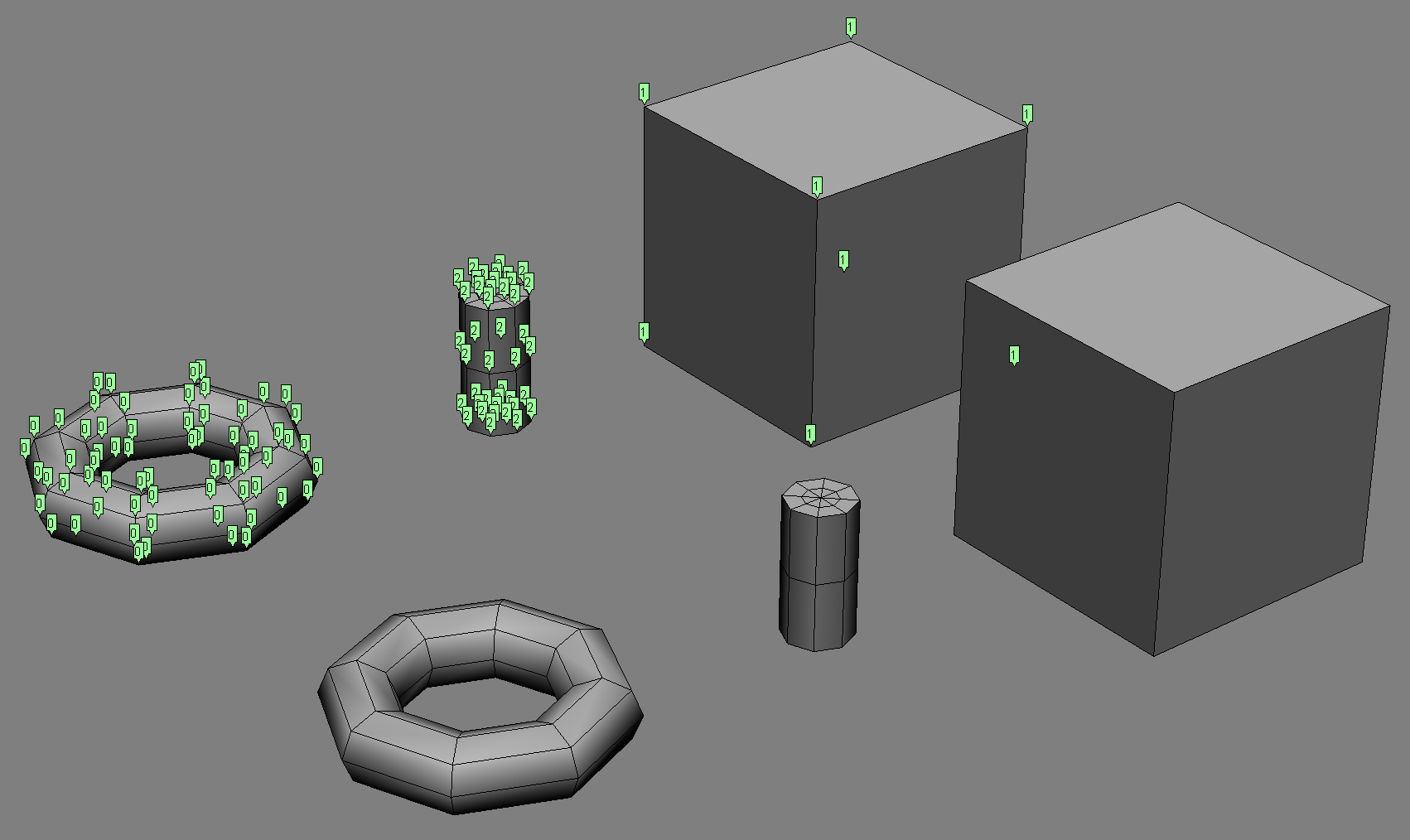
For the purposes of ICE, the Boolean value True is always the integer value 1, and False is always 0.

But like most (all?) programming languages, any non-zero value corresponds to True, and only zero is False.

Note that negative values are also True; I could stick a Negate node inbetween Get Point ID and Integer to Boolean and get the same set of booleans.

However, in ICE you cannot plug an integer into an If node, so this point is rather moot. In programming, you can do things like “if ( !n )”, where !n evaluates to true if n=0. Or you can do something like “if ( NbPoints )” instead of “if ( NbPoints > 0 )”.

Saturday snippet: Using the connection stack to find all expressions driven by a given parameter


#
# Softimage 2013 SP1 Python snippet
#
from sipyutils import si			# win32com.client.Dispatch('XSI.Application')
from sipyutils import siut		# win32com.client.Dispatch('XSI.Utils')
from sipyutils import siui		# win32com.client.Dispatch('XSI.UIToolkit')
from sipyutils import simath	# win32com.client.Dispatch('XSI.Math')
from sipyutils import log		# LogMessage
from sipyutils import disp		# win32com.client.Dispatch
from sipyutils import C			# win32com.client.constants

si=si()
siut=siut()
from xml.etree import ElementTree as ET

def getExpressionsDrivenByLocalParameter( obj, param="posx" ):
	stack = siut.DataRepository.GetConnectionStackInfo( obj.Parameters(param) )
#	print stack

	expressions = XSIFactory.CreateObject("XSI.Collection")
	expressions.Unique = True
	xmlRoot = ET.fromstring(stack)
	for xmlCnx in xmlRoot.findall('connection'):
		if xmlCnx.find('type').text == 'out' and xmlCnx.find('localparameter') is not None and xmlCnx.find('localparameter').text == param:
			item = xmlCnx.find('object').text
			if item.endswith('.Expression'):
				expressions.AddItems(item)

	return expressions


# Create an expression where the Scene Material diffuse red drives the diffuse red of a Lambert shader
Application.SetExpr("Sources.Materials.DefaultLib.Lambert.Lambert.diffuse.red", "Sources.Materials.DefaultLib.Scene_Material.Phong.diffuse.red") 

x = getExpressionsDrivenByLocalParameter( si.Dictionary.GetObject("Sources.Materials.DefaultLib.Scene_Material.Phong.diffuse"), param="red" )
log( x )
# INFO : Sources.Materials.DefaultLib.Lambert.Lambert.diffuse.red.Expression

Reference and credits:

Friday Flashback #89


Courtesy of Ed Harriss, here’s some pics of the old SOFTIMAGE Creative Environment boxes. I haven’t seen one of these boxes since we moved out of the Softimage offices on St Laurent; if you went down to the doc team area, you’d see these Creative Environment docs on the bookshelves.


The Softimage product was known as “Creative Environment” until 1995, when it became SOFTIMAGE|3D. Here’s a version history of the SOFTIMAGE Creative Environment (CE) and SOFTIMAGE|3D (SI3D) products.

1988 CE v0.8
1989 CE v1.5
Sep-90 CE v2.1
1991 CE v2.5
CE v2.51
CE v2.52
CE v2.65
CE v2.66
1995 SI3D v3.0 (NT)
1996 SI3D v3.5
SI3D v3.51
1997 SI3D v3.7
SI3D v3.7 SP1
Jul-98 SI3D v3.8
Jan-99 SI3D v3.8 SP1
Aug-99 SI3D v3.8 SP2
Mar-00 SI3D v3.9
May-00 SI3D v3.9.1
Dec-00 SI3D v3.9.2
Mar-01 SI3D v3.9.2.1
May-01 SI3D v3.9.2.2
Feb-02 SI3D v4.0

Finding phantom passes created with Duplicate


As I mentioned last year around this time, it is possible to end up with passes that don’t show up in the explorer. This happens when you Duplicate a pass, and the Hierarchy option “preferences.duplicate.hierarchy” is set to None. So your new pass has no parent, and is disconnected from the rest of the scene (aka floating).

These phantom passes have names like “#Pass”, and you can select them if you know how.

Here’s how, in Python, with the 2013 SP1 Python shortcuts.

from sipyutils import si			# win32com.client.Dispatch('XSI.Application')
from sipyutils import siut		# win32com.client.Dispatch('XSI.Utils')
from sipyutils import siui		# win32com.client.Dispatch('XSI.UIToolkit')
from sipyutils import simath	# win32com.client.Dispatch('XSI.Math')
from sipyutils import log		# LogMessage
from sipyutils import disp		# win32com.client.Dispatch
from sipyutils import C			# win32com.client.constants

si=si()

sClassID = siut().DataRepository.GetIdentifier( si.ActiveProject.ActiveScene.Passes(0), C.siObjectCLSID )
passes = si.FindObjects( None, sClassID ).Filter( "", None, "#Pass*" )
print passes.Count
print passes.GetAsText()

#
# The following don't work! At least not all the time 😦
#
si.DeleteObj( passes )

#si.ParentObj( "FloatingPasses.Passes", "#Pass<61>" )
#si.CopyPaste( passes(0), "", si.Dictionary.GetObject("FloatingPasses.Passes") )

si.SelectObj( passes )

When I was testing this, sometimes I was able to delete those phantom passes, and sometimes I wasn’t.
Sometimes those passes disappeared when I saved the scene, did New Scene, and then reloaded the scene. Sometimes they didn’t (disappear that is).

When DeleteObj didn’t work, I’d use the explorer to view the phantom passes (since I called SelectObj on them, I could just show selected in the explorer).