The case that wouldn’t clone points


Select Case doesn’t want to clone points. Suppose you have a set up like this:

If you plug Clone Point nodes into two consecutive Case ports, the first Clone Point only is executed.
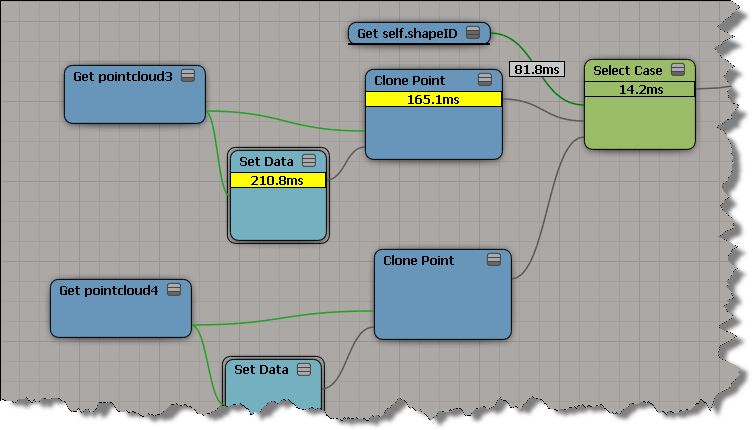
If you plug something else into a Case port, between two Clone Points, then both Clone Points work:

But unfortunately I couldn’t trick ICE by multiplying the shapeID by 2. When I did that, ICE went back to evaluating the first Clone Point only.

Randomize Values by Range and integers


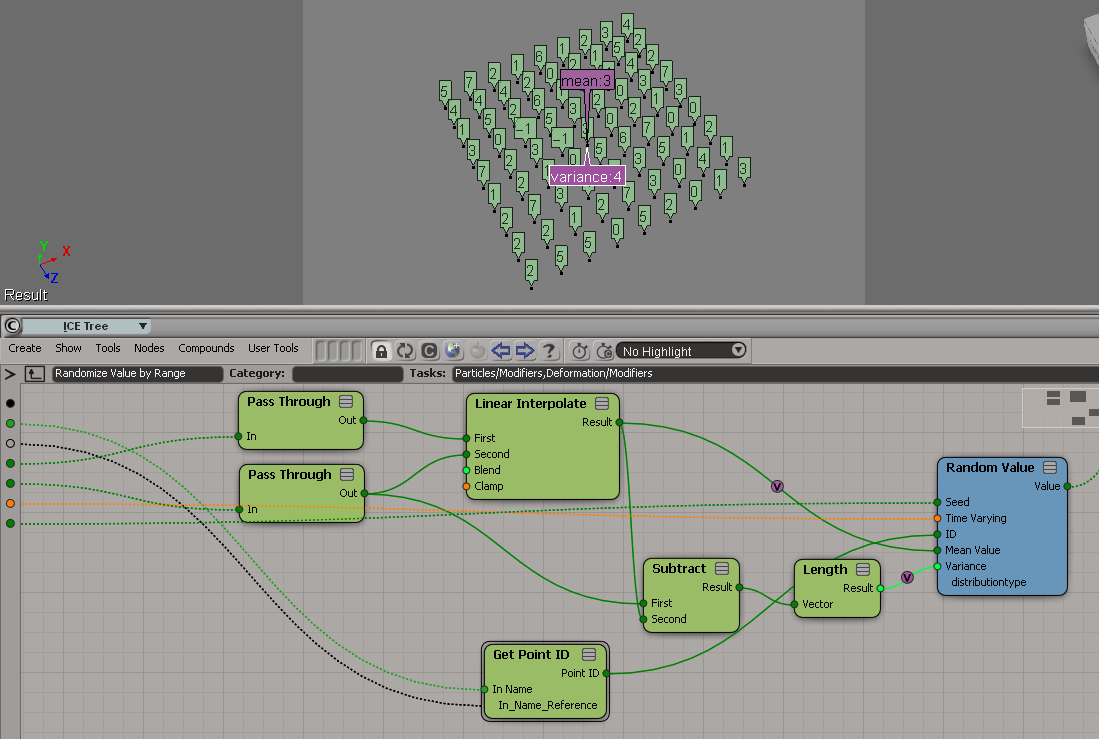
Randomize Value by Range doesn’t quite work with integers. Consider what happens when you try get a random integer between 0 and 7.

Randomize Value by Range was not designed to work with integers. By forcing it to integer type, you end up with a Random Value node that has a mean of 3 and a variance of 4 (hence the -1, which is the result of 3 – 4).

A Random Value node with a mean of 4 and a variance of 3.5 would give you an integer between 0 and 7 (because when you force the random value into an integer, ICE truncates the scalar, so 7.5 would be 7, 0.5 would be 0).

A better way may be to use Floor on the scalar output of Random Value. I know some users have done their own Randomize Integer by Range compounds.

ICE Modeling – extruding polygons with random lengths


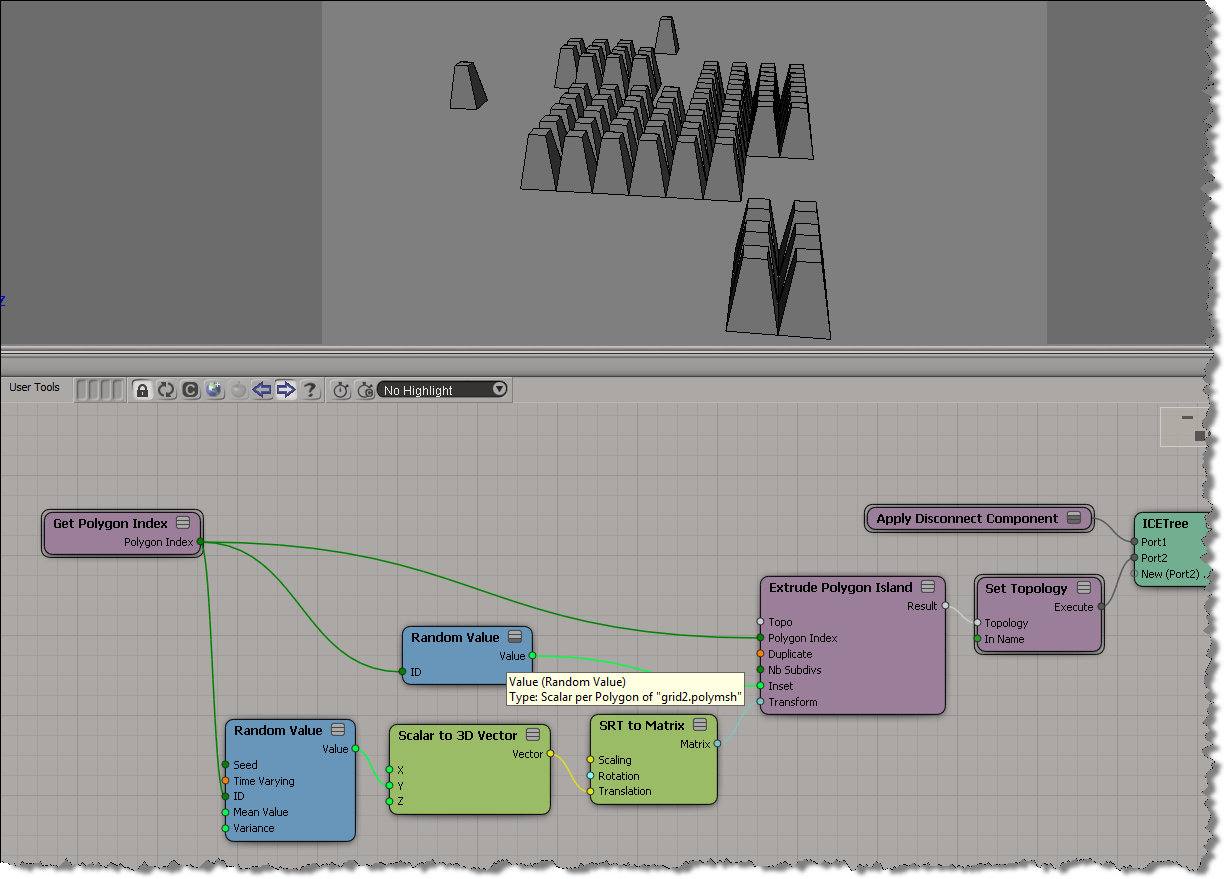
I didn’t look yet at the Random Extrusion compound Guillaume posted yesterday, because I wanted to work through the basics on my own (but do go get his compound, it’s sure to be pretty useful). Here’s a simple ICE tree that uses a different random length for each extruded polygon:

.

You can’t get different extrusion lengths for different polygons without using the Repeat node. That’s because the length, inset, and transform are basically per-object, even though you can plug seemingly per-poly values into those ports.

Spawning particles into a different point cloud


Spawning into different point clouds is [supposed to be] easy to set up and allows you to use different shaders on different clouds, which gives you more control over the look of your particles.

Spawn on Collision, however, doesn’t seem to work with a different point cloud. As soon as you change Self to a different point cloud, everything goes red and there’s all kinds of errors and warnings. Look at the Show Messages for Spawn on Collision:

It’s like that all the way back to 7.01. If there’s a way to do it right, I don’t know it yet.

To spawn particles into a new point cloud, try using Spawn on Trigger instead.

Copying tangent data in a crowd


Here’s a video walkthrough that shows how to get tangent data on the source actor and copy it to the actor copies. It’s basically a two-step process: first, copy the tangent data to a custom attribute on the mesh proxy, and the copy the attribute from the proxy to the actor copies. That’s basically what CrowdFX does for you for the default Texture_Projection.

I did this video for a customer who wanted the tangent data for the normal maps on the actor copies.

http://vimeo.com/41905747

Copying tangent data with ICE modeling


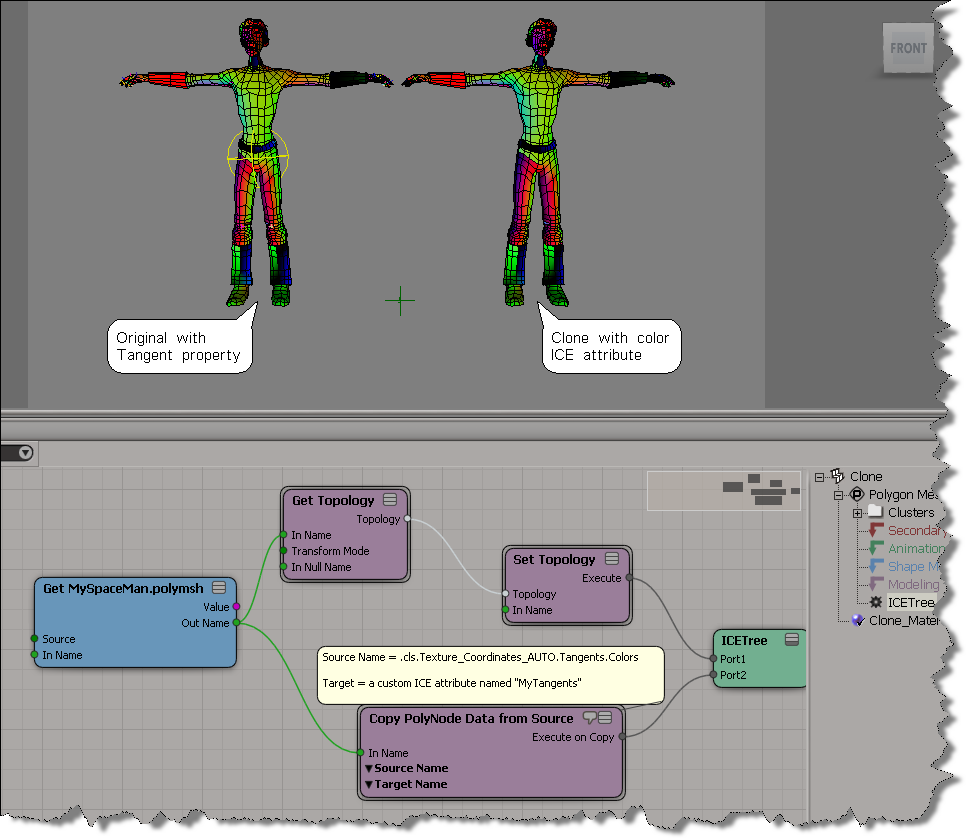
Here’s an example of using Copy PolyNode Data from Source to copy tangent data from a source mesh to a cloned mesh. Typically you would plug this into the Execute on Copy port of a Create Copies from Polygon Mesh or Clone Polygon Mesh, but here I’ve done something more basic.

To display the tangent data of the clone in the viewport, I’m using the Vertex Color Display Property setting (OpenGL Display tab of the material applied to the clone).