Plugin user data


If you look up “UserData” in the index, you’ll see three different UserData properties that apply to a plugin.

Plugin.UserData is probably the most useful. It allows you to store global data that you can access from anywhere in the plugin code. You can use it to share data between external code and the plugin, between instances of the plugin, or between any callback (in a scripted plugin, not all callbacks get a context argument).

Context.UserData allows you to share data between callbacks (except for those callbacks that don’t get a context, like the OnClicked callbacks in a scripted plugin).

PluginRegistrar.UserData allows you to share data between XSILoadPlugin and XSIUnloadPlugin.

Updating a combo box from an OnClicked callback


To update the contents of a combo box from a button OnClicked callback, you use the PPGItem.UIItems property.

Here’s a simple example that shows how:

import win32com.client
from win32com.client import constants

null = None
false = 0
true = 1

def XSILoadPlugin( in_reg ):
    in_reg.Author = "blairs"
    in_reg.Name = "ComboTestPlugin"
    in_reg.Major = 1
    in_reg.Minor = 0

    in_reg.RegisterProperty("ComboTest")

    return true

def XSIUnloadPlugin( in_reg ):
    strPluginName = in_reg.Name
    return true

def ComboTest_Define( in_ctxt ):
    oCustomProperty = in_ctxt.Source
    oCustomProperty.AddParameter2("List",constants.siInt4,0,0,100,0,100,constants.siClassifUnknown,constants.siPersistable + constants.siKeyable)
    return true

def ComboTest_DefineLayout( in_ctxt ):
    oLayout = in_ctxt.Source
    oLayout.Clear()
    oLayout.AddEnumControl("List", ("chocolate", 0, "vanilla", 1, "strawberry", 2), "Flavor", constants.siControlCombo )
    oLayout.AddButton("Update")
   
    return true

def ComboTest_Update_OnClicked( ):
    Application.LogMessage("ComboTest_Test_OnClicked called")
    x = ("Coffee Heath Bar Crunch", 0, "Cherry Garcia", 1, "Dulce Delux", 2 )
    PPG.PPGLayout.Item("List").UIItems = x
    Application.LogMessage( PPG.PPGLayout.Item("List").UIItems )
    PPG.Refresh()

DENIED: Licensed number of users already reached


I’ve been asked several times about “Licensed number of users already reached” errors that appear in the LMTOOLS debug log file for render farm nodes that are running xsibatch.

If you have more than one render node running xsibatch, it is normal to see “Licensed number of users already reached” in the logs.

There are five Batch licenses (for brevity, I’ll call them B1, B2, B3, B4, and B5 because the real license names are like 79000SFTIMASIB1_F).
Each machine will take one of these Batch license.
xsibatch always tries to check out B1 first, then B2, then B3, and so on.

For example:

The machine “example1” starts xsibatch, and checks out the “B1” license.
The second machine “example2” starts xsibatch and tries to check out “B1” but cannot, because the B1 license is already in use.
So “example2” tries to check out the “B2” license.

This is what we see in the LMTOOLS debug log file:

14:47:29 (adskflex) OUT: "79000SFTIMASIB1_F" render@example1  
14:47:29 (adskflex) OUT: "85563SFTIMSIB1_2011_0F" render@example1  
14:48:19 (adskflex) DENIED: "79000SFTIMASIB1_F" render@example2  (Licensed number of users already reached. (-4,342))
14:48:19 (adskflex) DENIED: "85563SFTIMSIB1_2011_0F" render@example2  (Licensed number of users already reached. (-4,342))
14:49:00 (adskflex) OUT: "79100SFTIMASIB2_F" render@example2  
14:49:00 (adskflex) OUT: "85563SFTIMSIB2_2011_0F" render@example2  

In “render@example1”, “render” is the name of the user, and “example1” is the name of the machine.

Softimage on the Macbook Air?


Actually, this picture shows a video tutorial of Softimage 😉 on my 11″ MacBook Air.

You can run Maya on a MacBook Air, so I think I’ll be able to get Softimage to work.

According the Apple support, you need an optical drive to install Windows with Bootcamp. But I did find this post on reviews.cnet.com that shows to install Windows 7 on a MacBook Air from a USB drive, so I’m going to try that. As soon as I decide whether to spend yet more money and purchase Windows 7.

Photo post


I walked by this sign on the way to work Friday morning. I didn’t see the other side.

Closer to work is the old Darling Foundry building, which houses an art center (that’s a metal sculpture on the roof).

Autodesk has the best coffee machines of anywhere I’ve worked.
I believe this machine is the original Discreet Logic expresso machine.

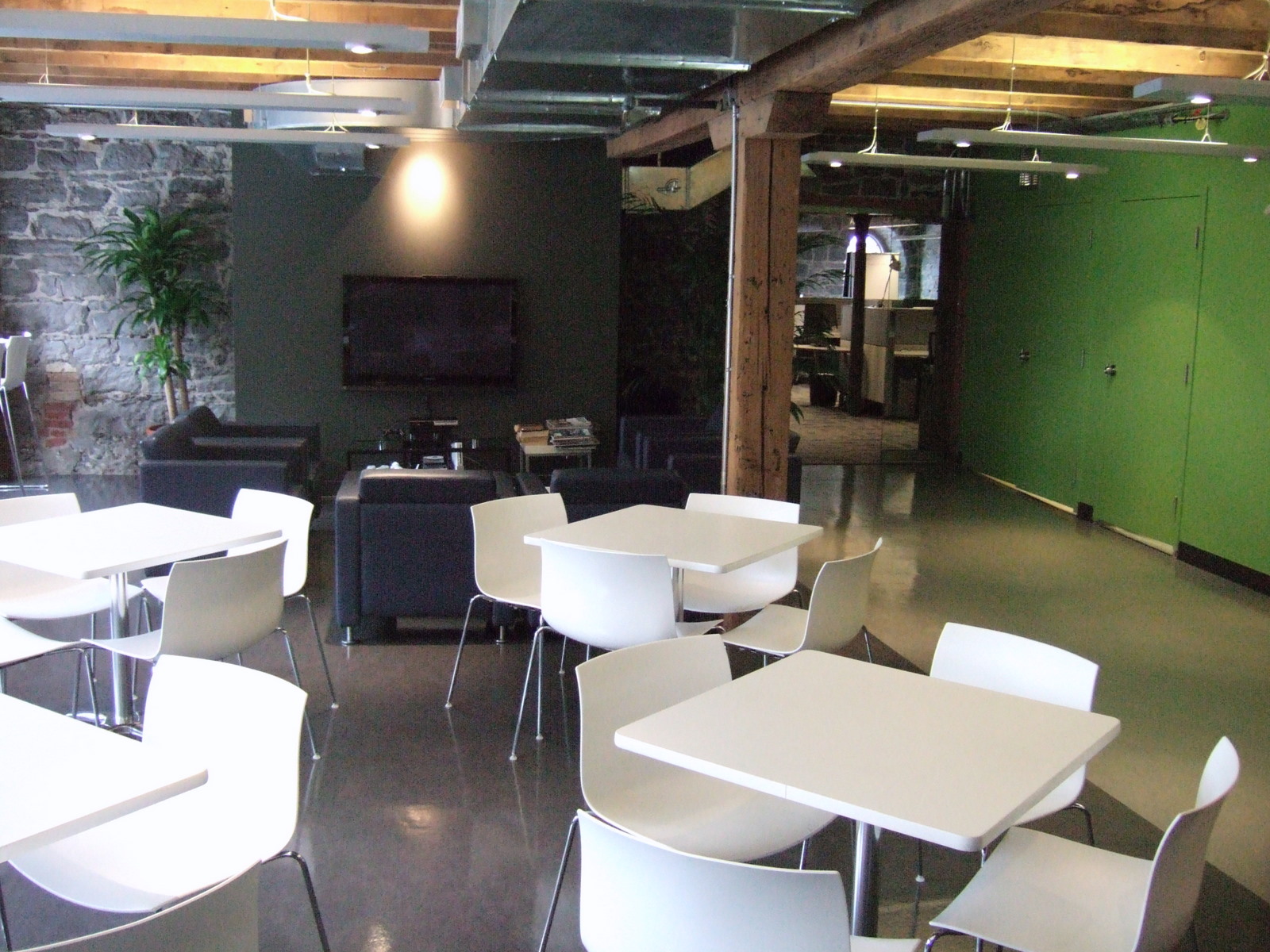
The cafeteria. The support team sits in the adjacent section, behind the glass doors.

I had lunch at the Cluny artbar in the Darling Foundry.

My Macbook Air. Got it for Christmas from my wife. I couldn’t have been more surprised 🙂 and I love it.
The top-right picture shows the Macbook Air sitting on my work laptop.

View of downtown on the walk back to the train station.