
Here’s a post I recovered from my old and now deleted XSI_Support_Blog page on the Softimage wiki.
XSI ships with over 23002600 commands. Not all of them are logged in the script editor, and not all of them are documented. Here’s a crude way to search for commands with certain strings in their names.
var c = Application.Commands;
LogMessage( c.Count );

oEnum = new Enumerator( c  ) ;

// Search for commands whose scripting name
// contains a specific string of characters.
// The search string is specified between the forward slashes.
//
var re = /SetGlobal/ig;

for (;!oEnum.atEnd();oEnum.moveNext() )
{
	var oSelItem = oEnum.item() ;
	if ( oSelItem.ScriptingName.match( re ) )
	{
			LogMessage( oSelItem.scriptingname );
			//EditCommand( oSelItem.scriptingname );

	}
}
Here’s a related post from the Softimage community forumAREA.
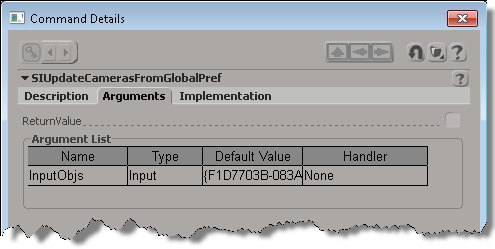
If you want to find out a little more about an undocumented command, uncomment the EditCommand call to pop up the Command Details dialog box.


 eX-SI
eX-SI 