Pretzel
by Daniel Brassard
Inverted normals
by Wats

The wave
by TwinSnakes007


Quick primitive tool
by origin


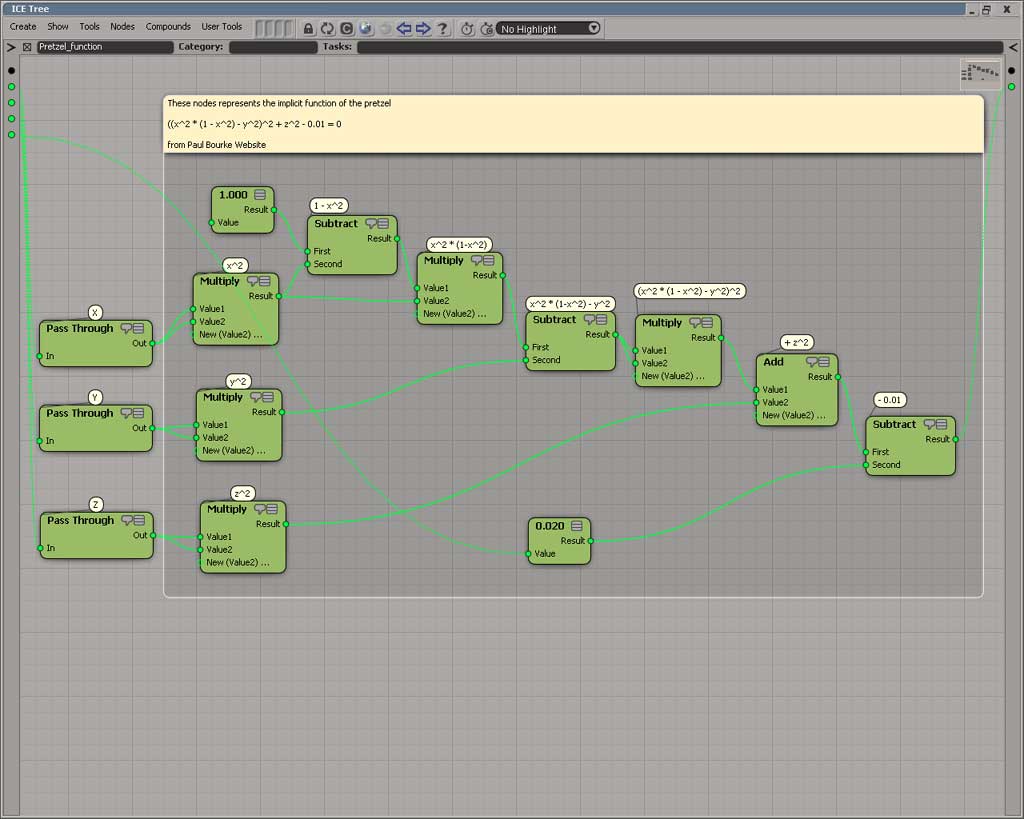
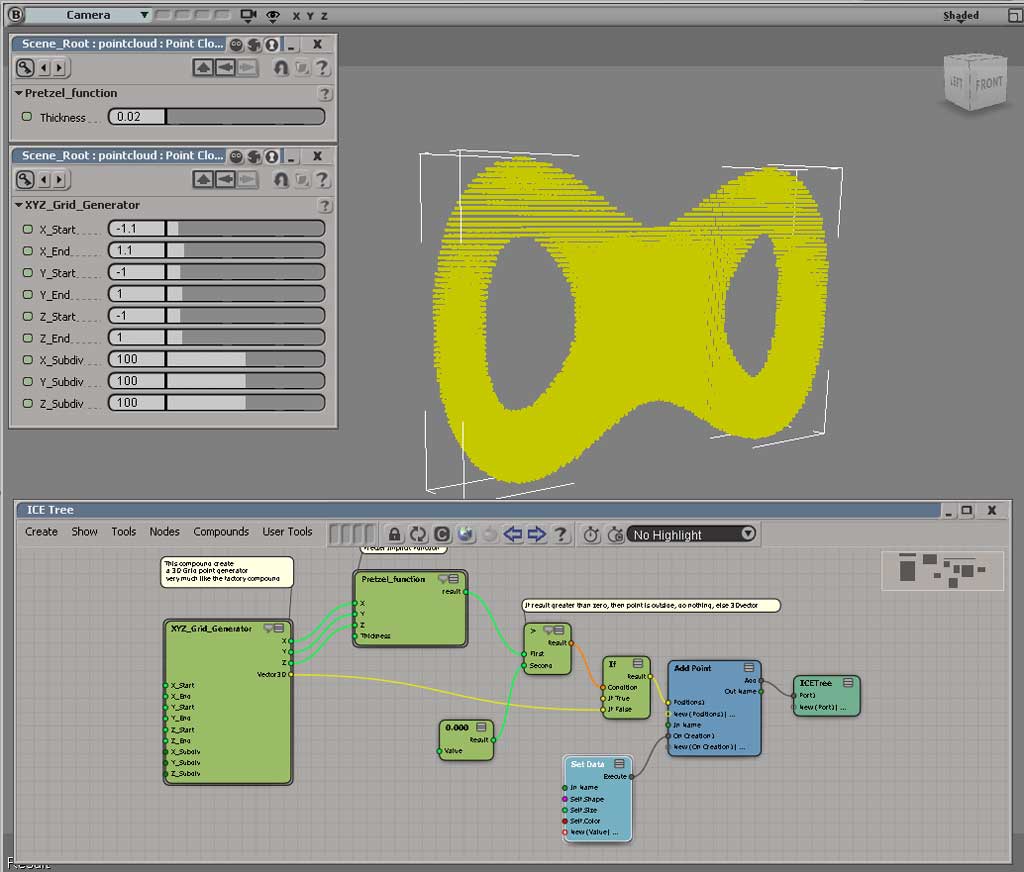
Pretzel
by Daniel Brassard
Inverted normals
by Wats
The wave
by TwinSnakes007
Quick primitive tool
by origin
Turn on Collapse Points For Snapping/Absolute Translation to move all the selected points to the same absolute location when translating with Snap, or typing values into the Transform panel. When this option is off, points keep their relative distances to each other and are never collapsed even when COG is off and Snap is on.

Back in 1999, you would use this dialog editor to build custom dialogs for SOFTIMAGE|3D shaders and plugins:
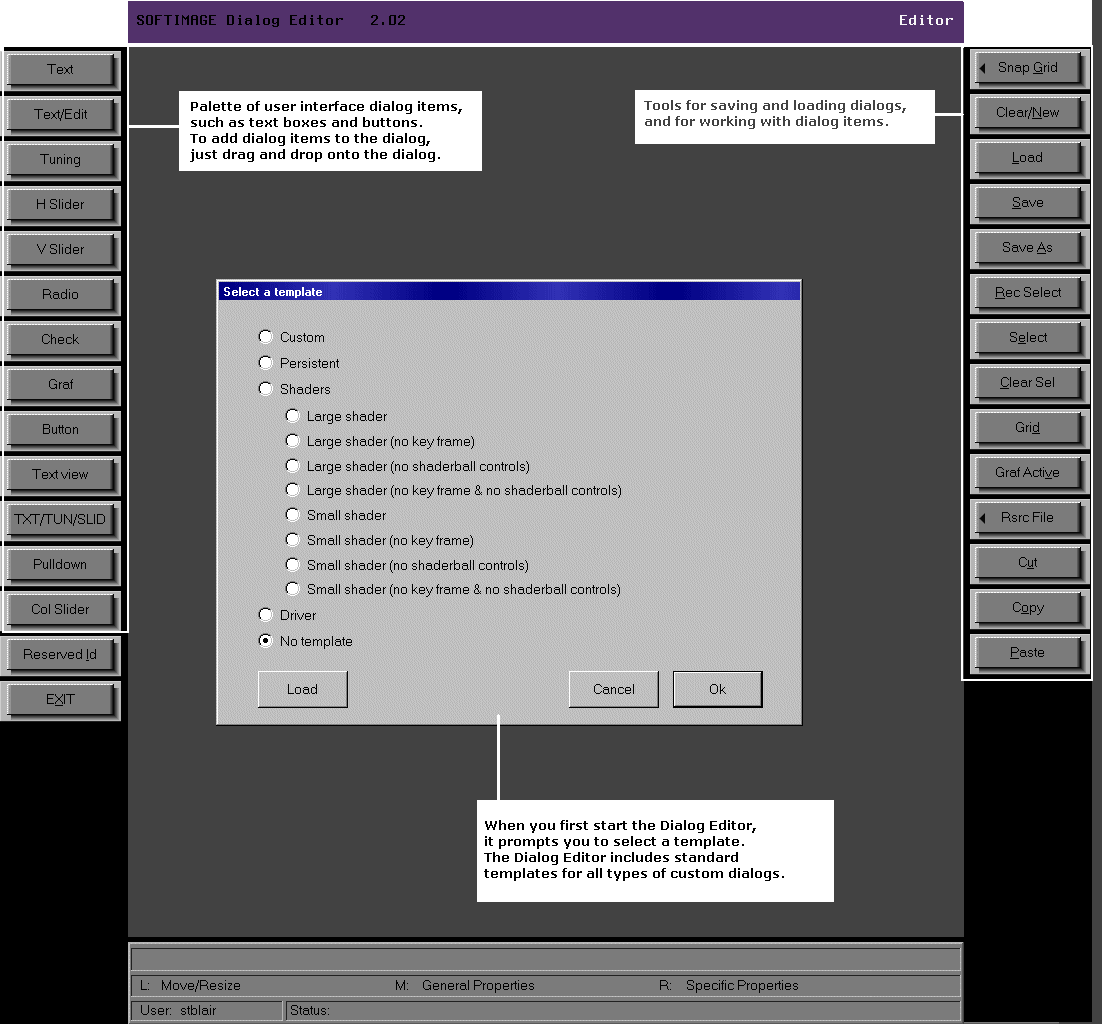
The dialog editor would generate the .cus file that specified the layout of the custom dialog. For example, this simple dialog box:
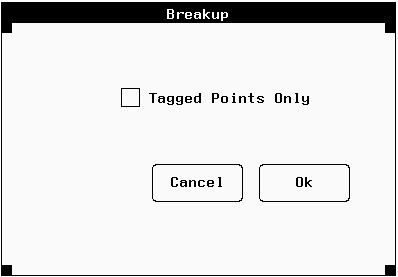
was defined by this .cus file:
Dialog
1200, "Breakup", 12, 1, -1, 442, 385, 836, 638
1, 2, "Ok", 700, 459, 790, 496, 0
2, 2, "Cancel", 593, 459, 683, 496, 0
3, 0, "", 697, 459, 697, 459, 0
4, 0, "", 697, 459, 697, 459, 0
5, 0, "", 697, 459, 697, 459, 0
6, 0, "", 697, 459, 697, 459, 0
7, 0, "", 697, 459, 697, 459, 0
8, 0, "", 697, 459, 697, 459, 0
9, 0, "", 697, 459, 697, 459, 0
10, 0, "", 697, 459, 697, 459, 0
11, 0, "", 697, 459, 697, 459, 0
12, 3, "Tagged Points Only",590, 565, 772, 580, 0

_SYMBOLS
TAG 12
_END
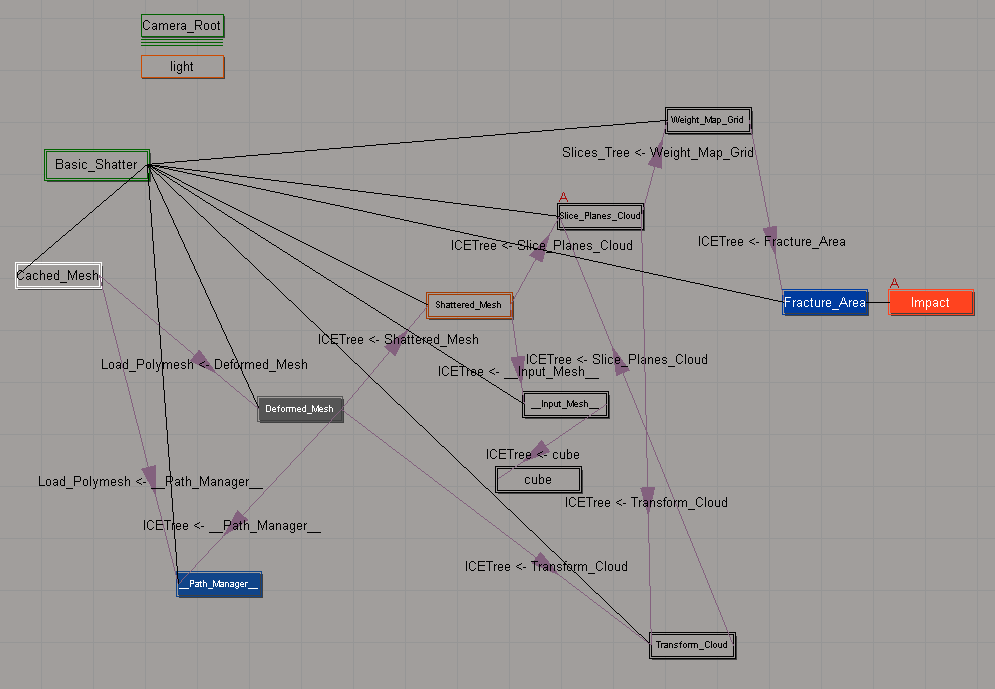
The Schematic view can show you the ICE scene references that “connect” different objects in a scene.
In this example:
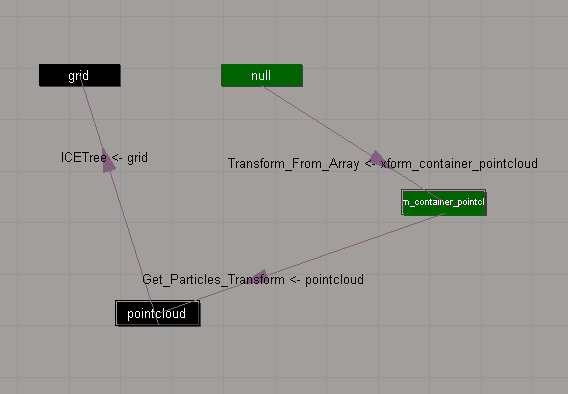
Here’s a slightly more complicated schematic, for the Modeling_Basic_Shattering sample scene:
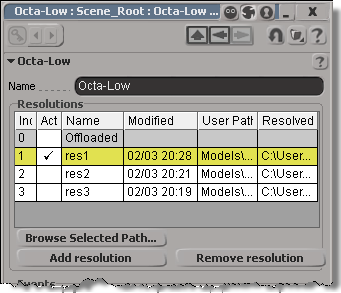
You can get at the Resolutions through scripting (via NestedObjects or Dictionary.GetObject), but you can get the resolution name and file only.
from siutils import si		# Application
from siutils import sidict	# Dictionary
from siutils import sisel	# Selection
from siutils import log		# LogMessage

def getResolutionFileName( m, res ):
	if ( m.Type == "#model" and m.Parameters("referenced_model").Value==True):
		return sidict.GetObject( m.FullName + ".resolutions." + res + ".file" ).Value

log( getResolutionFileName( sisel(0), 'res1' ) )
log( getResolutionFileName( sisel(0), 'res2' ) )
log( getResolutionFileName( sisel(0), 'res3' ) )

# INFO : Models\Octa-Low.emdl
# INFO : Models\Octa-Med.emdl
# INFO : Models\Octa-High.emdl
Going through NestedObjects is a bit more of a hassle:
from siutils import si		# Application
from siutils import sidict	# Dictionary
from siutils import sisel	# Selection
from siutils import log		# LogMessage

import win32com.client.dynamic

def getResolutions( m ):
	if ( m.Type == "#model" and m.Parameters("referenced_model").Value==True):
		return m.NestedObjects( "Resolutions" ).NestedObjects

resolutions = getResolutions( sisel(0) )

for r in resolutions:
	name = sidict.GetObject( r.FullName + ".name" ).Value
	file = sidict.GetObject( r.FullName + ".file" ).Value
	log( name )
	log( file )

	# This errors out with the dynamic dispatch fix:
	name = r.NestedObjects( "name" )
	log( si.ClassName( name ) )
	log( win32com.client.dynamic.Dispatch(name).Value )
UPDATE: In the comments, Vladimir suggests a better way to do this: use the scntoc. That way, the scene will always open at frame 1.
Use a text editor to add Application.SetValue(“PlayControl.Current”, 1) to the onload script. This script will run when you open the scene, and move the timeline pointer back to frame 1 to avoid the re-simulation.
   <PostLoadScript>
      <Language>Python</Language>
      <Function>postLoad</Function>
      <Script_Content>
	<![CDATA[
Application.SetValue("PlayControl.Current", 1)
	]]></Script_Content>
   </PostLoadScript>
After you save the scene, Softimage will write out the scntoc without the CDATA section (Softimage will replace special characters like < and ” with entities).
<PostLoadScript>
<Language>Python</Language>
<Function></Function>
<Script_Content>
Application.SetValue("PlayControl.Current", 1)</Script_Content>
</PostLoadScript>

So you have a heavy simulation, and you saved the scene with the timeline pointer at frame 1000. Now when you open the scene, you have to sit and wait while the scene re-simulates.
You can fix this by using xsibatch to move the timeline pointer back to frame 1.
It’s probably a good idea to save heavy sim scenes with the timeline pointer at frame 1 😉
var sScene = "C:\\Users\\blairs\\Support\\Scenes\\Test.scn"
OpenScene(sScene, null, null);
SetValue("PlayControl.Current", 1, null);
SaveScene();
xsibatch -processing -script C:\Users\blairs\Documents\resetPlayControlCurrent.js
Now you can open your scene without it resimulating.
Use the SKip Default Values During Display or Show Values Computed at Current Frame options when you do a Show Values on the output of a Filter node.
With the default Show Values settings, you’ll see default values for the elements that didn’t pass the filter condition:
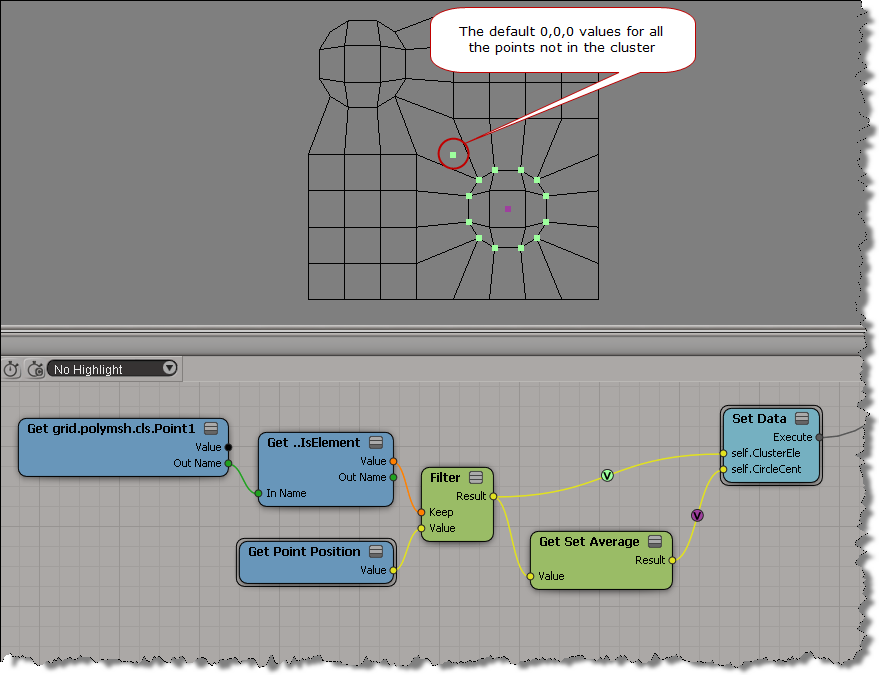
If you enable SKip Default Values During Display or Show Values Computed at Current Frame , then you see values for the filtered elements only:

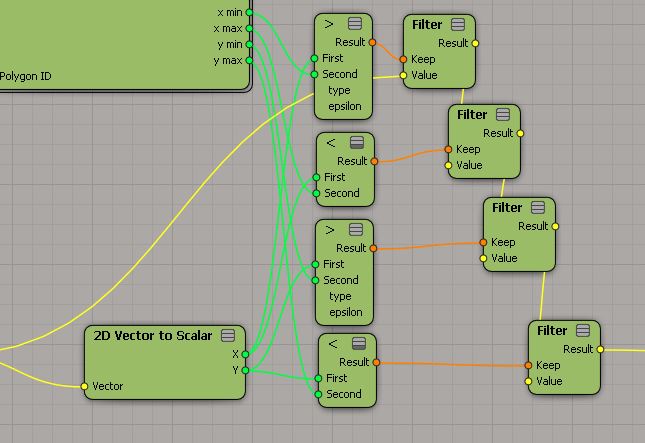
Using a chain of Filters instead of And
by gustavoeb
Combining RealFlow point clouds and transferring colors
by Mr.Core

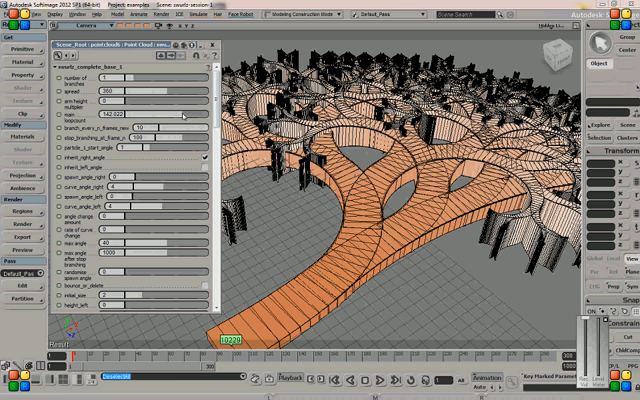
Building swirling patterns
by Chris Marshall
DOF in FxTree
by Oaklet

Create Points using UV Data
by Gustavo Eggert Boehs

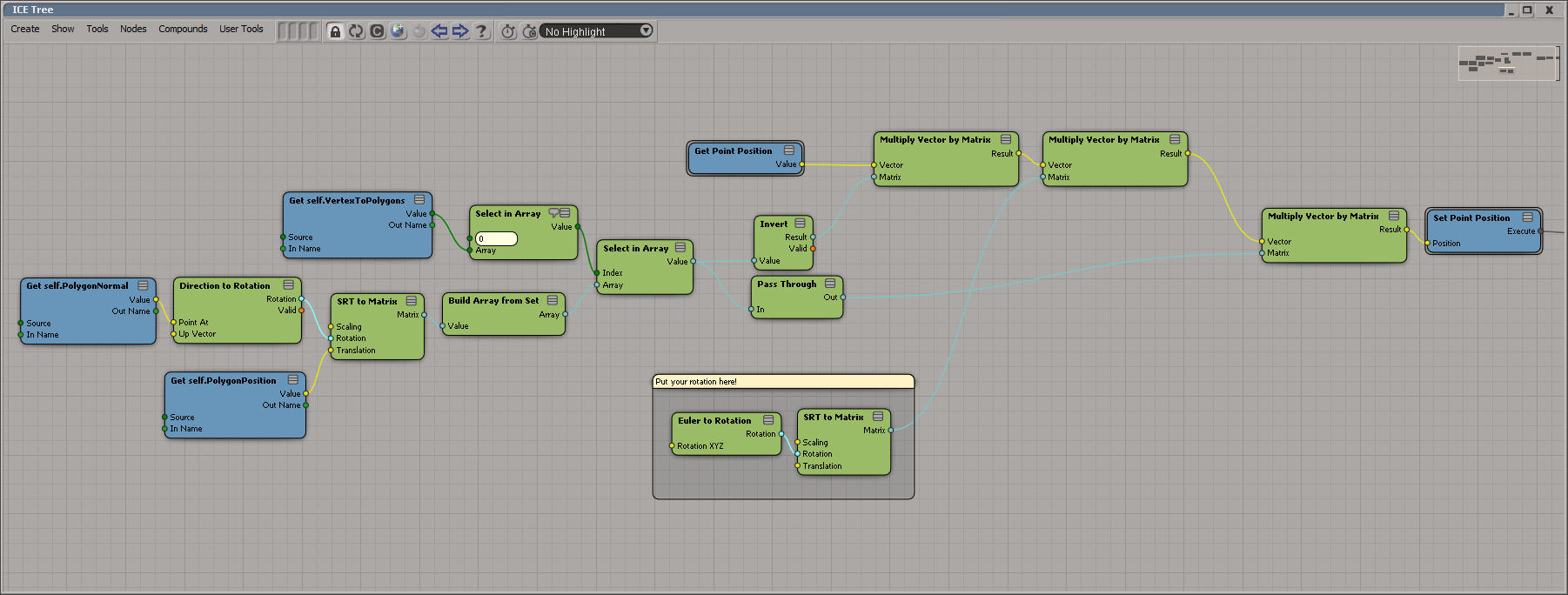
Rotate and scale polygons in local space
by César Sáez
Texture map lookup
by Leonard

Do you have what it takes to be a support agent? 😉
Can you solve this problem?
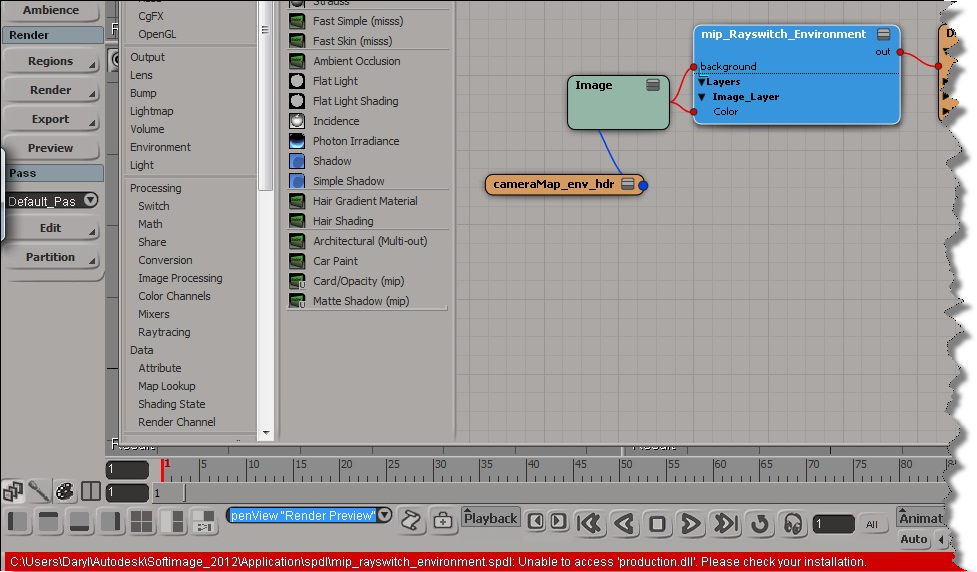
I get these errors when I try to connect the mip_rayswitch_environment shader:
PHEN 0.9 error 051011: shader "mip_rayswitch_environment"not found.
Unable to access 'production.dll'. Please check your installation.
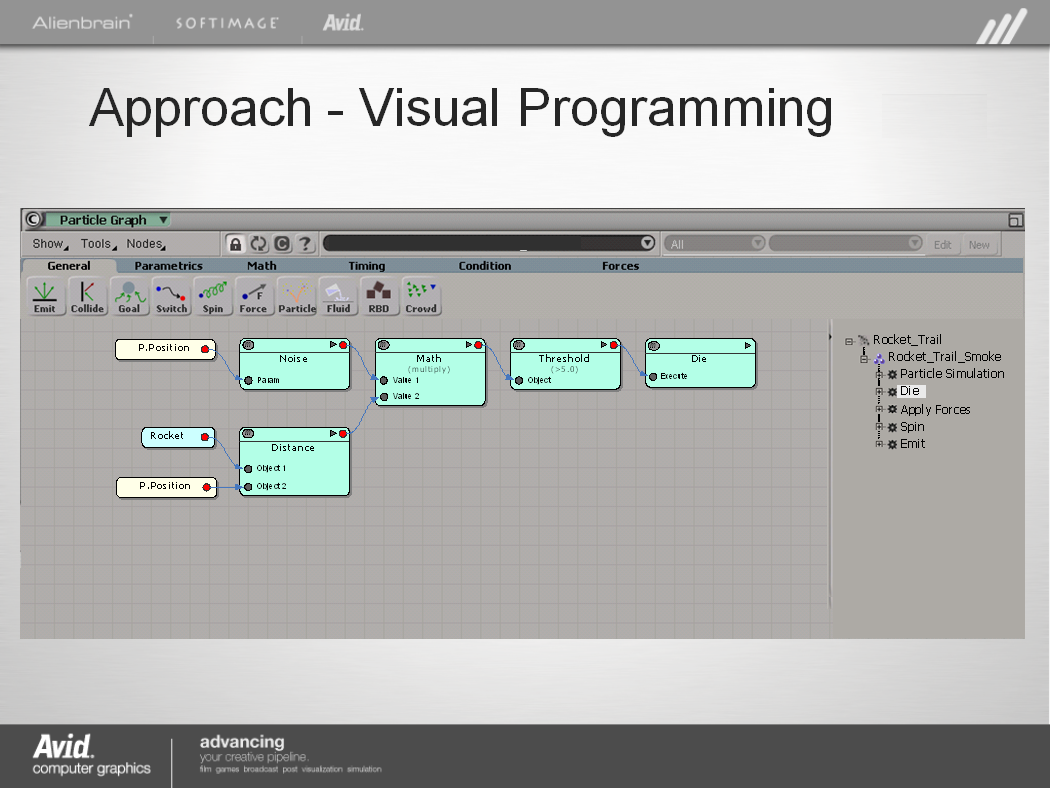
An early mock-up of a Moondust (codename) “particle graph”, from mid 2006.
 eX-SI
eX-SI 