XSI v2.0 Special Competitive Trade in Program, valid till 31-December 2001

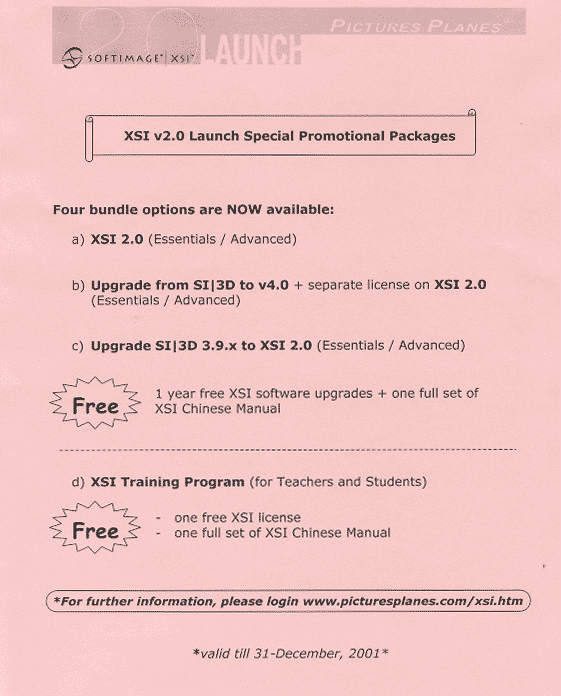
I wonder where they got the XSI Chinese Manual?

XSI v2.0 Special Competitive Trade in Program, valid till 31-December 2001
I wonder where they got the XSI Chinese Manual?
Here’s a simple ICE tree that emits strands from a polygon cluster.

A general technique for these kinds of filtered emissions is to delete the points you don’t want. In this case, we check Cluster.IsElement. The tricky part is that Cluster.IsElement is a bool-per-polygon attribute, so we need to get into a per-point context. To do that, we get the emit location, which is per-point, and then at that location, the value of Cluster.IsElement. Now we’re in a per-point context, and we can use those per-point boolean values to delete points.
Note the use of Not instead of an If. We know IsElement is False for points that were not emitted from the polygon cluster, so we can logically negate it with Not to get True and feed that into Delete Point.
In pseudocode, we do this:
if not( IsElement ) delete point
instead of
if (IsElement == False) then delete point
Of course, for filtering we could just drill down into Emit Strands and set the filter on the Generate Sample Set nodes.

It used to be possible to add a ReferenceWidget by calling oLayout.AddItem( “Param”, “ref”, “ReferenceWidget” ) in your DefineLayout. But that was four or five years ago, and it no longer works.
def MyProperty3333_DefineLayout( in_ctxt ):
	oLayout = in_ctxt.Source
	oLayout.Clear()

	# Test some other control types
	oLayout.AddItem( "Param", "txt", "Texture Space" )
	oLayout.AddItem( "Param", "scnref", "SceneReferenceWidget" )

	# Doesn't work
	oLayout.AddItem( "Param", "ref", "ReferenceWidget" )

	# Doesn't work
	oPPGItem = oLayout.AddItem( "Param", "", "dscontrol" ) ;
	oPPGItem.SetAttribute( "UIType", "ReferenceWidget" );
For reference 😉 this is a ReferenceWidget:

And this is how a ReferenceWidget is added in SPDL:
	Parameter "inst_source" input
	{
		title = "Instance source";
		guid = "{5620730D-AEFC-4C4A-B1DF-9377E808E27B}";
		type = reference;
	}
...
	inst_source
	{
		Name = "Source Object";
		UIType = "ReferenceWidget.ReferenceWidget.1"
		{
			filter = "{6B579D20-3DC5-11D0-9449-00AA006D3165}";
			mode = "single";
		}
	}
LKFabric Tutorial 01: Blend Between Shapes
emTopolizer2 experiments
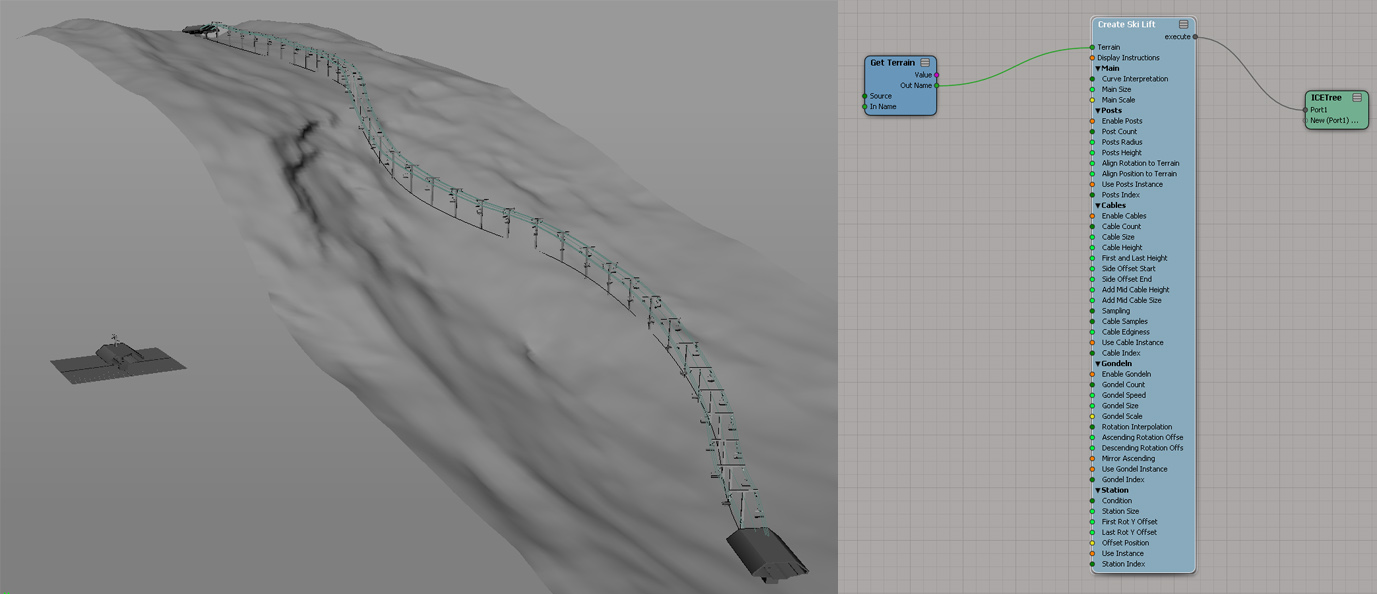
Ski lift compound
by caledonian_tartan
Squash Stretch Volume Preservation with ICE (Fstretch like)
Using attributes to assign matte IDs
by NNois

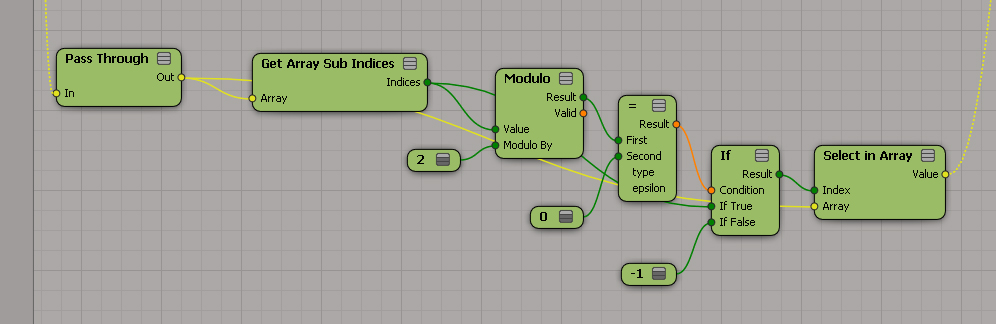
Remove every other value from array
by caledonian_tartan
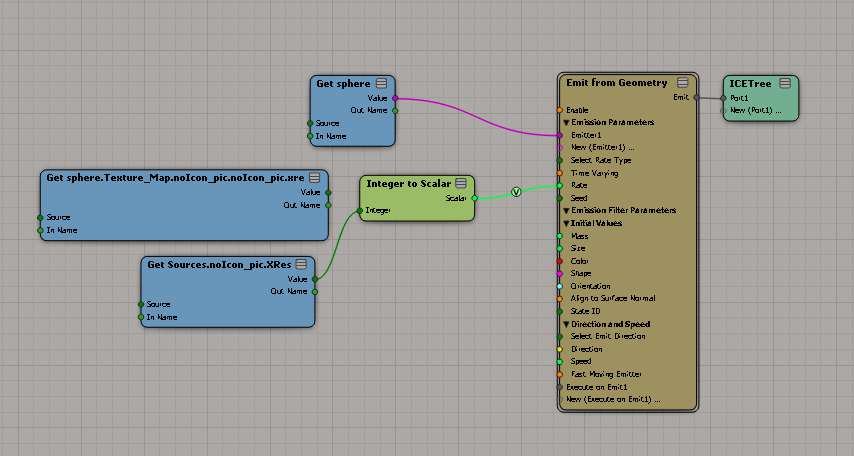
Using image xres to drive ICE emission
by Letterbox
emPolygonizer4 Update
by Mootzoid
http://vimeo.com/80782236
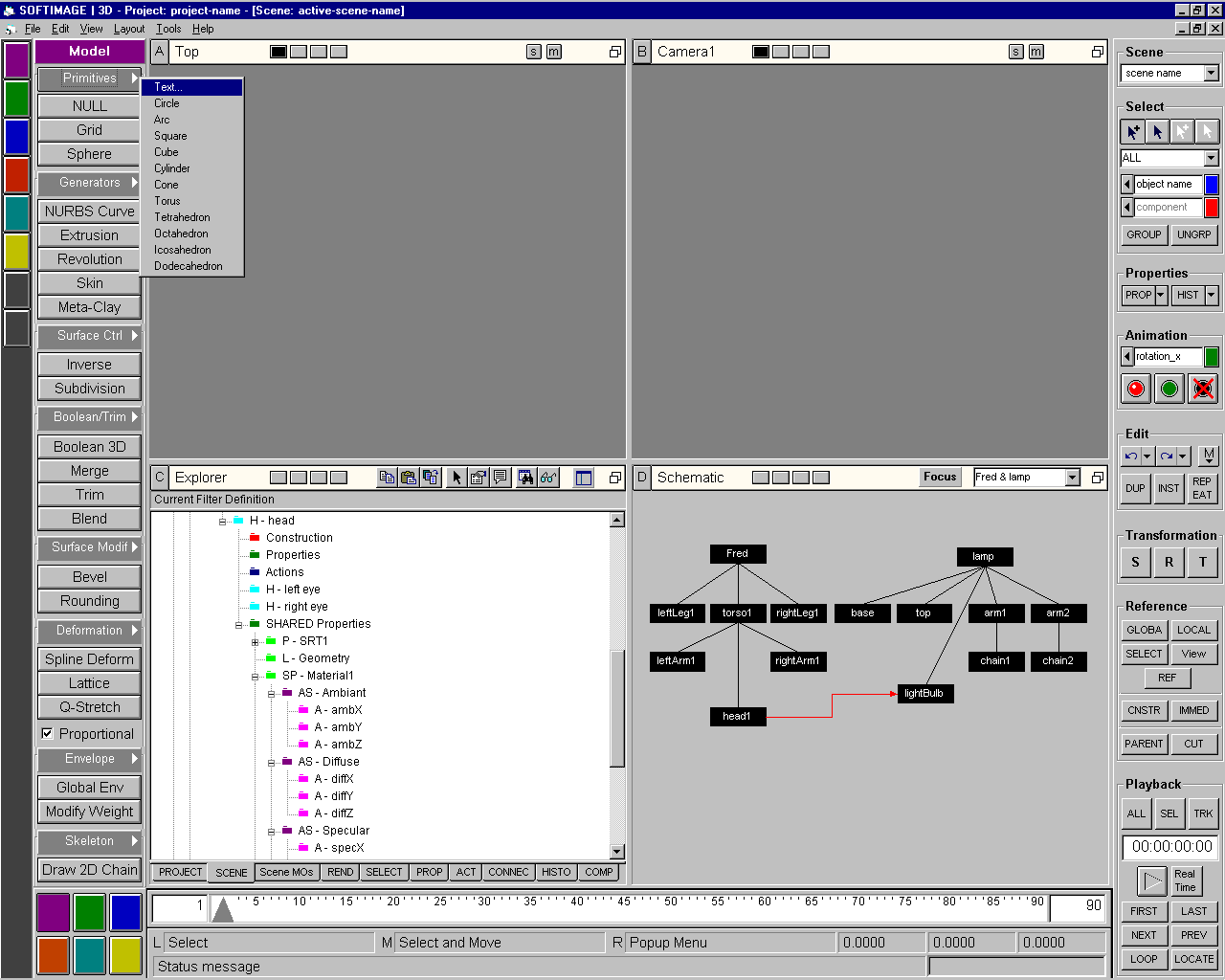
Here’s a 1996 mock up of what SOFTIMAGE|3D might have looked like in an alternate universe.
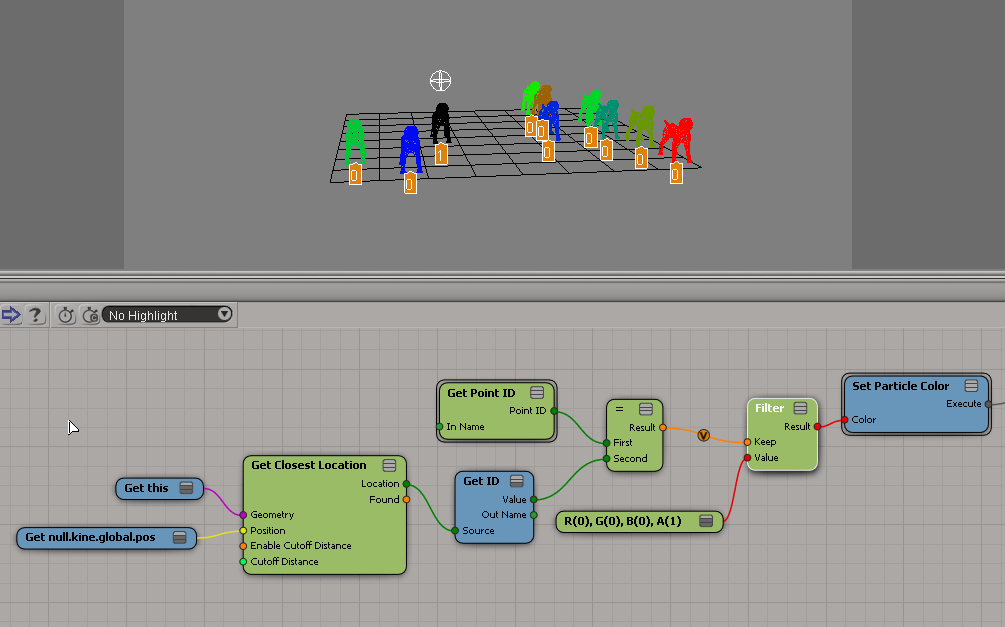
Here’s a couple of examples of how to use a geometry query to modify certain points in a point cloud. The geometry queries return locations, and you can’t plug locations into Set Data nodes, so you need to take a different approach.

The interesting part (to me) is generating the sequence of indices. It’s too bad I have to create a second array to do it, but I keep the size down to an Nth of the original.

Meet the Experts Webinar Series: Particles Effects with the Entertainment Creation Suite
Merging material IDs
by NNois

ICE Trick. Get closest filtered point
Release v1 of Fuzz
Creating puzzle effect in ICE
Flocking effect
Softimage to Unity3D using Exocortex Species plugin
Faux Pas (1989) by Softimage, Daniel Langois, Georges Mauro and Char Davies.
When I was Six (1993) by Michelle Robinson
Some commentary from Algorithmic Video Art: an internship report
Exemplary for this stage is the use of the Softimage software in some of the ISEA videos. Softimage is the creator and publisher of software tools for artist whom work with computer generated imagery (CGI). Though Softimage mainly focuses itself on graphic tools for the creators of commercial films and video games, the company also supports educational and artistic projects23. During an early ISEA symposia one such project was Faux Pas (1989) created by artists Daniel Langois and Char Davies amongst others. This short animation of the anthropomorphism of a giant board of chess on which a rook (a chess tower) stumbles to his death, is surprisingly (hyper)realistic for the time it was made. One revels in the level of technological complexity, rather than in the tragedy which befall the chess pieces. Softimage is credited in both the animation itself and in most background information on the video. This means the technology used is flaunted explicitly and it becomes an important element of the work itself (almost to the point of it being an advertisement for Softimage).
The display of the capabilities of the current technology in Faux Pas, as if it were a technical experiment, seems to outweigh the artistic content. Through its derivation of conventions of realism, technology becomes the object of the work. The video When I was Six (1993) by Michelle Robinson uses Softimage software as well, but here the technology seems more secondary to Robinsons creative input. When I was Six is an animation filmed entirely from one perspective. Presumably it is the perspective of an imaginative six year old lying in bed and scared of the dark, for we see a dim room with bedchamber furniture which turns alive (much like the chess pieces in Faux Pas). The furniture, such as a closet and a chair, looms towards the “camera”, casting eerie shadows and threatening the viewer/six year old.
Although the software has undoubtedly improved since Faux Pas, it does not appear to be the main focus of Robinson. However, the film still derives conventions from other media forms such as animation and cinema. The graphic technology used in this work is no longer the object, but more of a means to an end and though the basic aesthetics are visibly different from the aesthetics of either animation or cinema, not much has changed in either form or content. These videos exemplify the critique Greenfield refers to on computer art which merely uses technology and software as a set of tools.
Here’s a question that came up on si-community awhile ago. How do I copy vertex attributes to the corresponding polygons?
This answer is the companion to this polygon-to-vertices post. I basically do the same thing, but in the opposite direction.


