PIXEL 92 July/August 2004
SOFTWARE… HARDWARE… TECHNOLOGIES… ETC.
test bench
3D CREATION
XSI 4.0
The new version of Softimage XSI is betting everything on implementing highly productive features to make the software as accessible as possible and highly collaborative with production professions.
The developers of Softimage XSI have visibly made a very clear choice: to prioritize user friendliness above all else, even for non-specialists, and to make the most complex functions accessible. In short, to create a tool that is fast from every point of view. There are therefore not many major innovations in version 4.0 on the market; there aren’t any! This seems to be a general trend today among 3D software publishers, who all seem to be slowing down on innovation to prioritize product stability, user comfort, etc.
It is as if, ultimately, everything had gone too fast over the last four or five years and there was a felt need to take a little breather…
A Redesigned Interface
Many new features are worth noting around the user interface, which is less rigid and brings more ease of use. For instance, the famous Net View, which gives access to all available internet resources, is enriched with a good search engine. We see the appearance of new toolbars, notably to store shader presets, plus a certain number of new views and new Layouts (screen arrangements).
A strong emphasis is also placed on openness and development possibilities with the SDK view, which will appeal to technical directors of production. Other notable new views: those dedicated to textures and materials, like the Material and Texture Explorer, which aligns with a more visual use of the software.
…the software, in a constant effort to manage libraries of material elements in a more intuitive way.
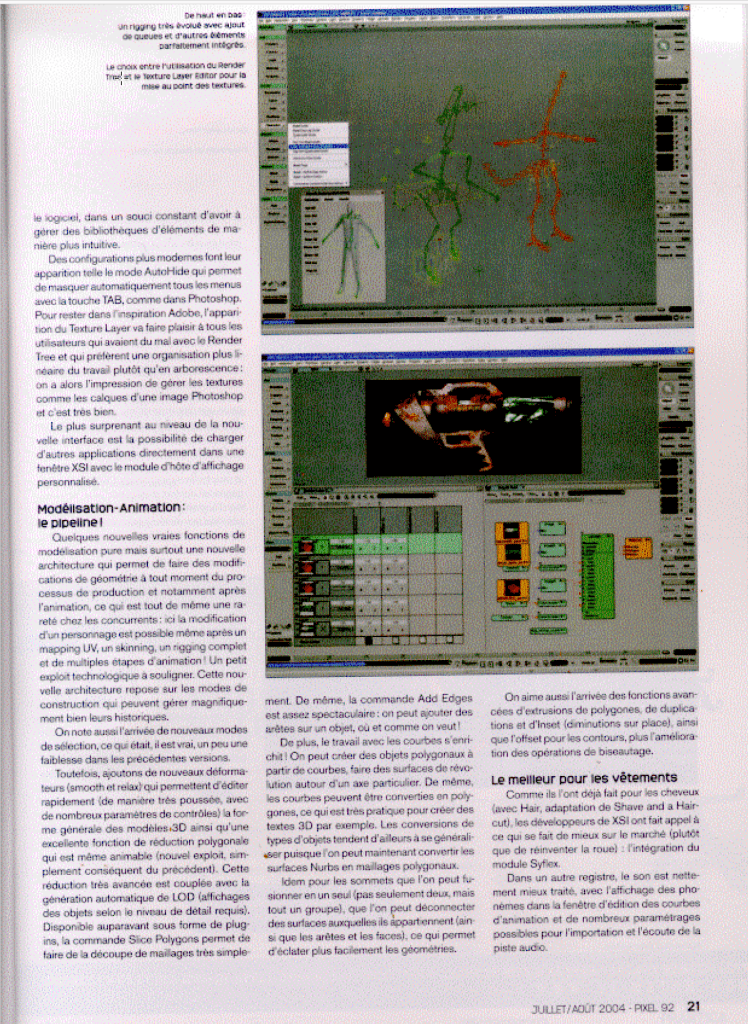
More modern configurations make their appearance, such as the AutoHide mode, which allows you to automatically hide all menus using the TAB key, just like in Photoshop. Staying with Adobe inspiration, the addition of the Texture Layer is sure to please all users who struggled with the Render Tree and prefer a more linear organization of work rather than a tree structure: you then have the impression of managing textures like layers of a Photoshop image, and it works very well.
The most surprising thing about the new interface is the ability to load other applications directly within an XSI window using the custom display host module.
Modeling-Animation: The Pipeline!
A few new true modeling features, but above all a new architecture that allows for geometry modifications at any time during the production process, and especially after animation—which is quite a rarity among competitors. Here, modifying a character is possible even after UV mapping, skinning, a complex rigging setup, and multiple animation steps! This is a minor technological feat worth highlighting. This new architecture relies on construction modes that can, however, severely penalize their histories.
We also note the arrival of new selection modes, which was admittedly a bit of a weakness in previous versions.
However, let’s add new deformers (smooth and relax) that allow for quick editing (in a very advanced way, with numerous control parameters) of the general shape of 3D models. XSI also features an excellent polygon reduction tool that is even animateable (a small exploit, fully complementing the previous one). This highly advanced reduction is coupled with the automatic generation of LODs (Level of Detail displays depending on the required level of detail). Previously available as a plugin, the Slice Polygons command allows you to cut meshes very easily. Similarly, the Add Edges command is quite spectacular: you can add edges to an object, wherever and however you want!
Furthermore, working with curves is enriched! You can create polygon objects from curves, make surface-of-revolution objects around a specific axis. Likewise, curves can be converted into polygons, which is very practical for creating 3D text, for example. Conversions of these types of objects tend to generalize, as you can now convert Nurbs surfaces into polygon meshes.
The same goes for vertices, which can be merged into a single one (not just two, but a whole group), or disconnected from the surfaces they belong to (along with the edges and faces), allowing you to break apart geometries more easily.
We also like the arrival of advanced polygon extrusion, duplication, and Inset (reductions in place) features, as well as offsetting for contours, plus the improvement of beveling operations.
The Best for Clothing
Just as they did for hair (with Hair, an adaptation of Shave and a Haircut), XSI developers have called upon what is best on the market (rather than reinventing the wheel): the integration of the Syflex module.
In another register, audio is handled significantly better, featuring the display of phonemes in the animation curve editing window, and numerous parametric options for importing and listening to the audio track.