Python decorators explained…in comic form…in Japanese

Review article of Softimage 2014

Stuff happens
by Softimage 2014 SP2
Creating Particle Galaxies in ICE

Python decorators explained…in comic form…in Japanese
Review article of Softimage 2014
Stuff happens
by Softimage 2014 SP2
Creating Particle Galaxies in ICE
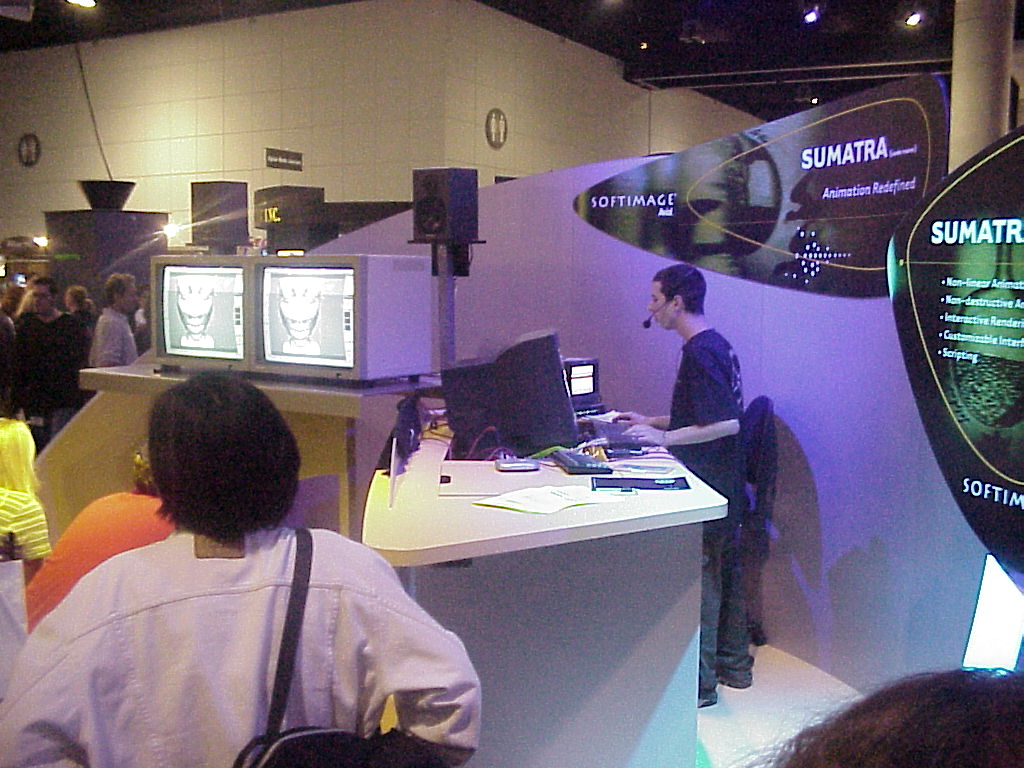
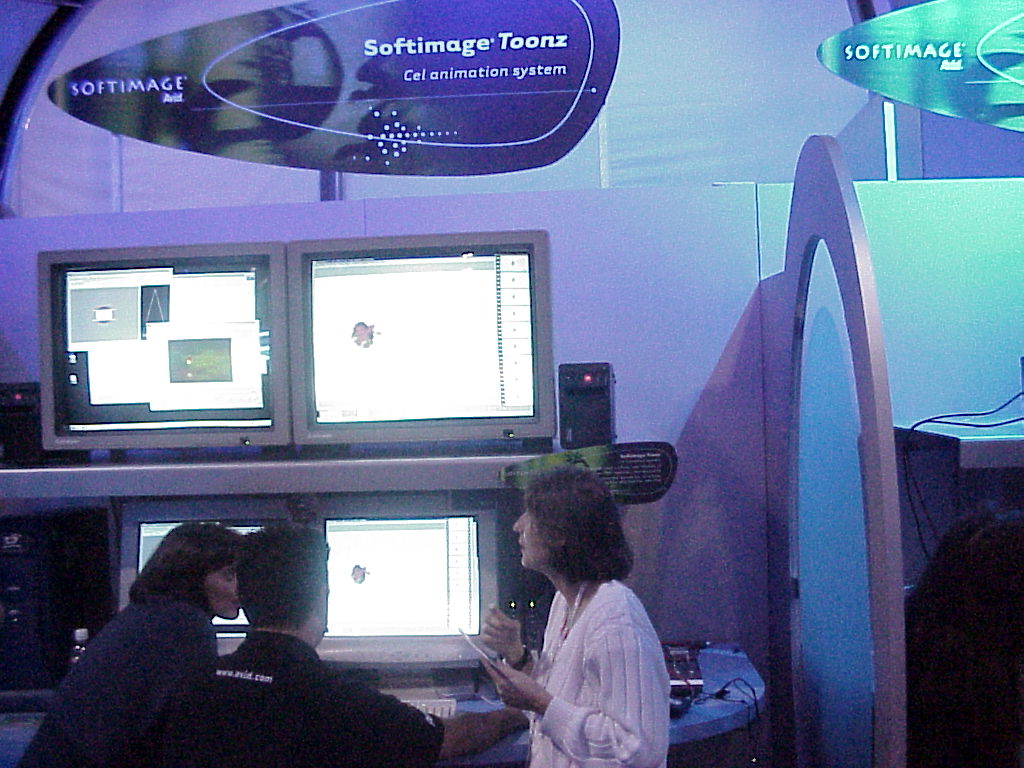
SIGGRAPH 1999 booth pictures: Sumatra [codename], Toonz, and DS

Here’s something I noticed when I started up Softimage 2014 SP2 for the very first time. It spent about 26 seconds writing some cachedat and cachehdr files in my User folder:

During subsequent startups, Softimage just reads in the cachedat, which takes a lot less time (eg < 0.005 seconds).
I looked back at my previous versions of Softimage, and it seems these cache files were new in 2014. There's actually two cachedat files, each with an associated cachehdr header. You'll find them in your %XSI_USERHOME%\Cache folder:
C:\Users\xsisupport\Autodesk\Softimage_2014_SP2\Cache\{870AB238-90C2-4336-8D46-B2CDD31C8A34}.cachedat
C:\Users\xsisupport\Autodesk\Softimage_2014_SP2\Cache\{870AB238-90C2-4336-8D46-B2CDD31C8A34}.cachehdr
C:\Users\xsisupport\Autodesk\Softimage_2014_SP2\Cache\{AD8CCDD2-C275-46E3-9881-265DB5BC84BB}.cachedat
C:\Users\xsisupport\Autodesk\Softimage_2014_SP2\Cache\{AD8CCDD2-C275-46E3-9881-265DB5BC84BB}.cachehdr
One cache is read at startup. The other is updated when you first drag an ICE node into an ICE tree (and then if you start a new XSI.exe session and drag the same node into an ICE tree, Softimage will read from the cache). Running strings on these cache files showed lots of ICE node/compound names, so they seem to be strictly for some sort of ICE-node caching (eg ports, layouts, logic, …).
An xsisupport word cloud where each word is a clickable link that takes you to the Google search results for that word on xsisupport. Created with tagul.com.
[gigya src=”http://cdn.tagul.com/cloud.swf” movie=”http://cdn.tagul.com/cloud.swf” flashvars=”id=http://cdn.tagul.com/clouds/174114@1″ allowscriptaccess=”always” swfversion=”10″ expressinstall=”http://cdn.tagul.com/expressInstall.swf” wmode=”transparent”]
Tear-off menus have the type “Menu Window”, and GetAttribute returns the name of the tear-off menu no matter what string you pass in.
si = Application
for v in si.Desktop.ActiveLayout.Views:
	if v.Type == "Menu Window":
		print v.GetAttributeValue("!@#$@!#$!")

ICE Guide
by Autodesk
Heh.
Golden Stair Plugin
by Lancelot

Modeling usage for Voronoi shattering effect
by nika ragua

Falling Bodies, the Softimage|3D plug-in for creating your own fall stunts.

From the Animats web site:
Animats introduced ragdoll physics technology in 1997. The Animats Falling Bodies> product was for years the most advanced ragdoll dynamics system on the market. Our technology for high-quality ragdolls is patented. This broad patent covers most spring/damper character simulation systems. If it falls, it has joints, it looks right, and it works right, it’s usually covered by our patent. This technology has been licensed to a major distributor of game development middleware.
https://vimeo.com/69759819
This is the original “ragdoll falling down stairs” animation, shown at the Softimage user group meeting in 1997. This is the first ragdoll demo ever. U.S. Patent #6,067,096.
–quote from the youtube version of this video (which wouldn’t play properly in Chrome, hence the vimeo version above)
Because of how ICE is optimized, it won’t bother setting data if you never use that data (see Beware of ICE Optimizations here). For example, suppose I have a point cloud where I set a per-point scalar value, but I never use that scalar data (because I just want to cache that value and use it later).
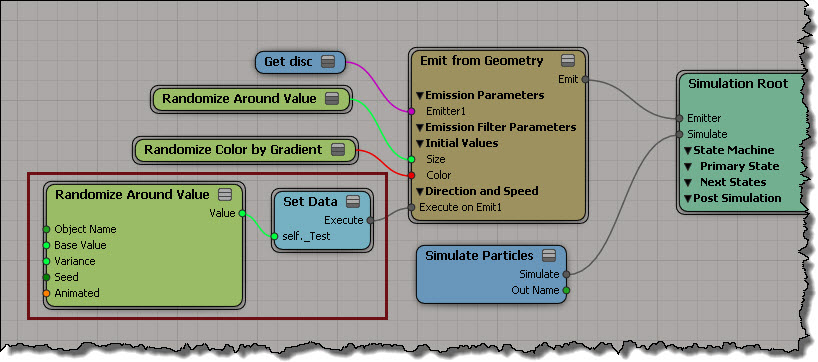
That scalar attribute is never used, so it is optimized away (it makes sense: you’re not using it, so why keep it?). You won’t see that attribute in the Cache Manager, and the Cache on File node won’t write it out (even if you add that attribute to the list).
One way to force ICE to evaluate the attribute so you can cache it is to create an Attribute Display property for the attribute, but disable Show Values.

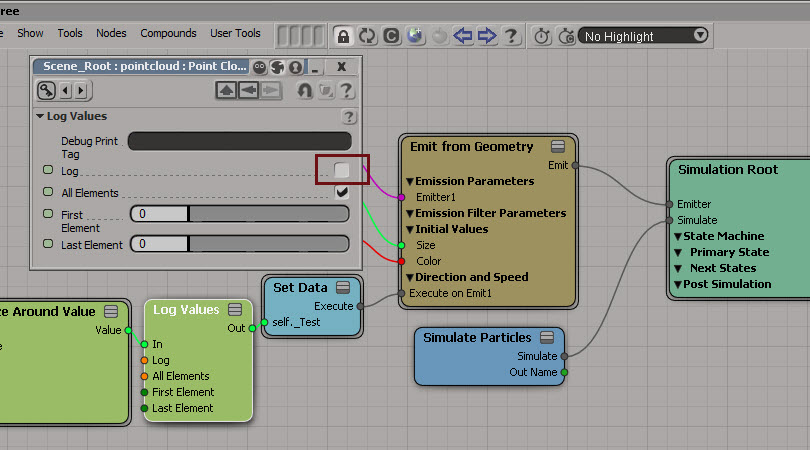
Another way is to insert a Log Values node, and disable logging.
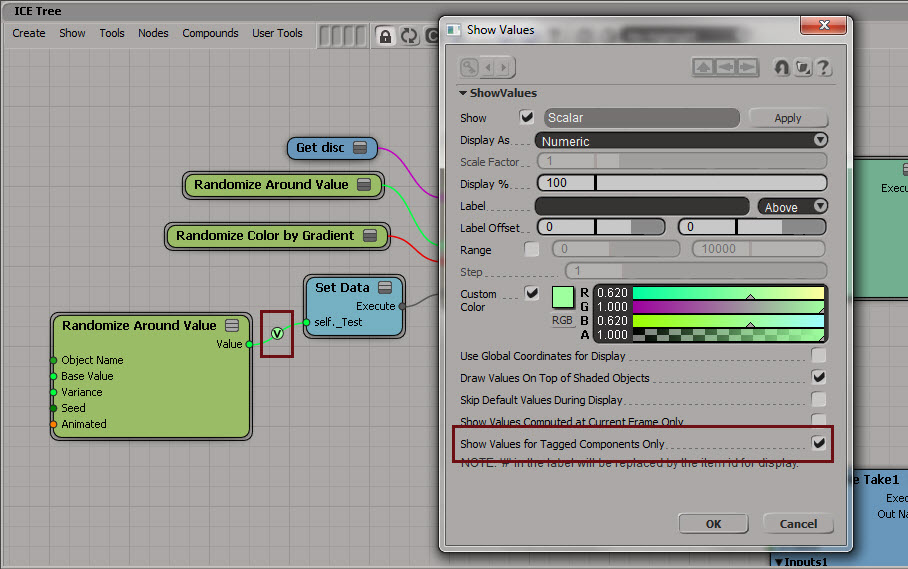
Yet another way is to use Show Values. Enable Show Values for Tagged Components Only to hide the values (if you’re going to tag components, you could set the Display % to 1).
And last but not least, if you have emTools from Mootzoid, you can use the Force Value Evaluation node, which uses a Show Values on a value that is never set.
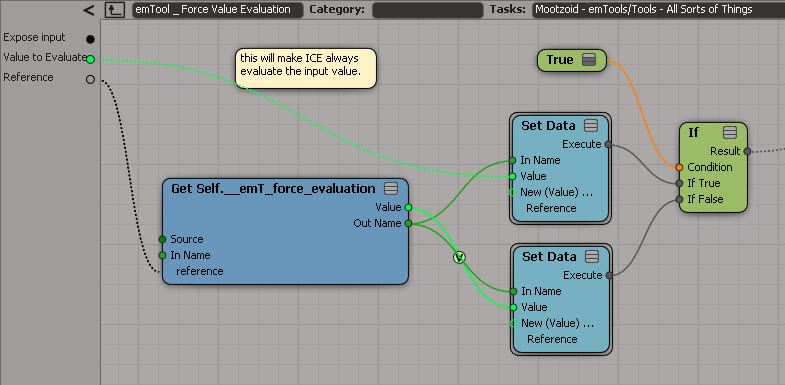
hat tips to Stefano, Mathieu, and Vincent on the SItoA list
Autodesk Softimage 2014 Service Pack 2 is available for download.
Bugs Fixed in this Release
To take advantage of the fix for slow attribute access, you’ll probably need to recompile your plugins.
Also of interest is this known issue:
The workaround: don’t use the skip flag 🙂
Instead, you’ll need to specify frame ranges.
Here’s one way to get the materials used by model. Note that this will also get any materials applied to clusters.
si=Application

def get_mdl_materials( m ):
	from win32com.client import constants as c
	return m.FindObjects( c.siMaterialID )

Application.GetPresetModel("Man_Character", "Man_Character", "", "Character.Character_Designer")
for m in get_mdl_materials( si.Dictionary.GetObject( 'Man_Character' ) ):
	print m
And here’s an old-school way that uses a couple of string expressions:
si=Application
mdl = si.Dictionary.GetObject( 'Man_Character' )

import win32com.client
mats = win32com.client.Dispatch( "XSI.Collection" )
mats.Items = '{0}.{1},{0}.{2}'.format(mdl.Name, "*.cls.*.material", "*.material")

for m in mats:
	print (m)

