I struggled with this for awhile–it wasn’t easy to get my custom ShirtColor attribute to show up in the Color Attribute shader.
http://vimeo.com/40657685
Coloring crowds – using a custom ICE attribute for the shirt color
1

I struggled with this for awhile–it wasn’t easy to get my custom ShirtColor attribute to show up in the Color Attribute shader.
http://vimeo.com/40657685
Here’s my re-make of Guillaume Laforge’s “Crowd colors” video that was posted on the Softimage mailing list.
In this video, we show you how to:
Here’s a little intro video that shows how to chain together some ICE Modeling nodes to build extrusions on top of extrusions.
See Extrude and extrude and extrude… on si-community.
Here’s another workaround to force the evaluation of ICE attributes:
Use a material with GetAttribute shaders pointing to the ICE attributes that you want to to be evaluated.
You can plug them into a color pass-through shader channel ports, so it won’t affect the render.
–Guillaume Laferriere

Here’s a simple example that extrudes the polygons in a grid, and then applies a second extrude op to the extruded polygons.
I modified the Disconnect compound to output the Topo, just to make it easter to connect things. Really, I should probably daisy-chain everything in this example.
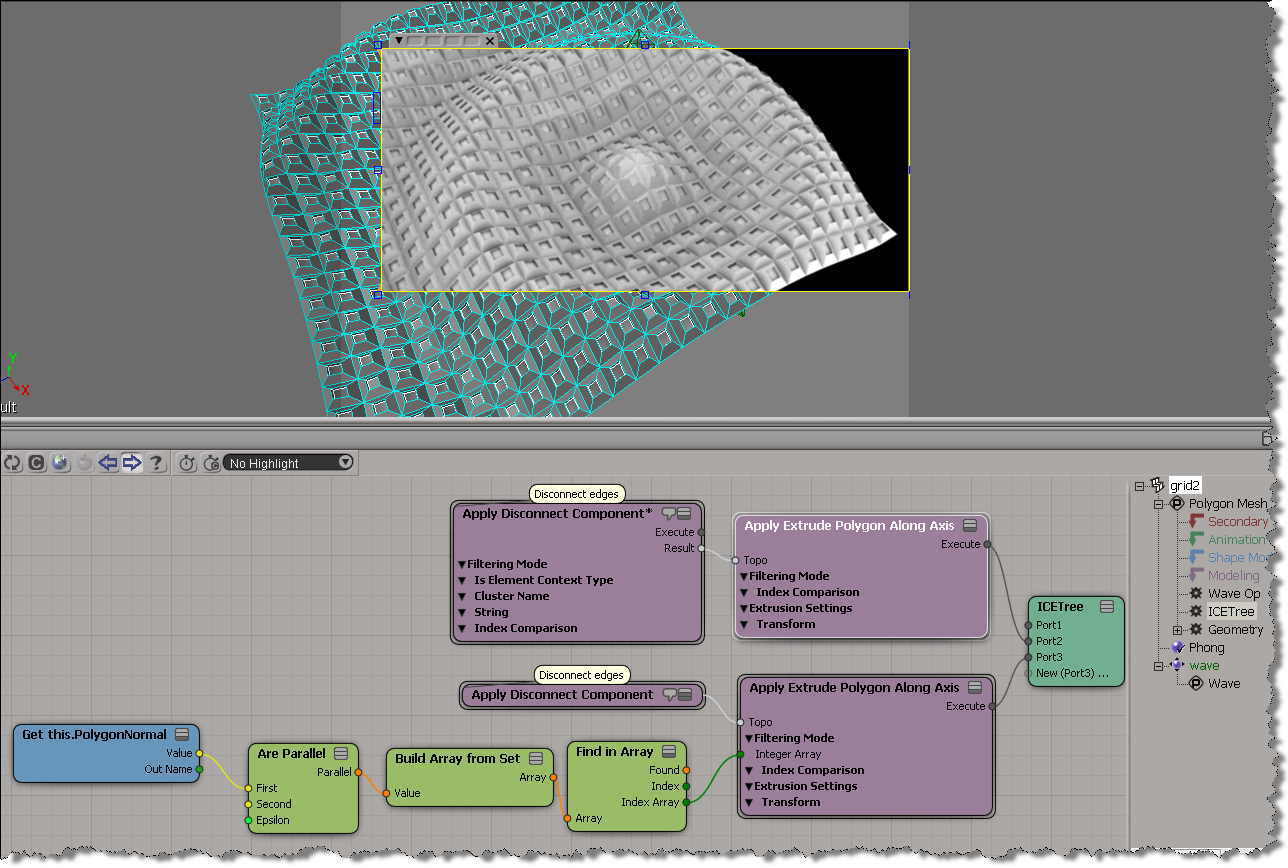
Chris_TC did something more sophisticated here.
You can drop scene objects or other ICE nodes onto existing ICE tree nodes, and if possible, Softimage will automatically connect the nodes.
As an exercise, I built this ICE tree that prevents any overlapping particles (for non-rotated particles only). It works by comparing the X, Y, and Z values of the vector between two points with the combined size of the two particle shapes (which are boxes in this example).
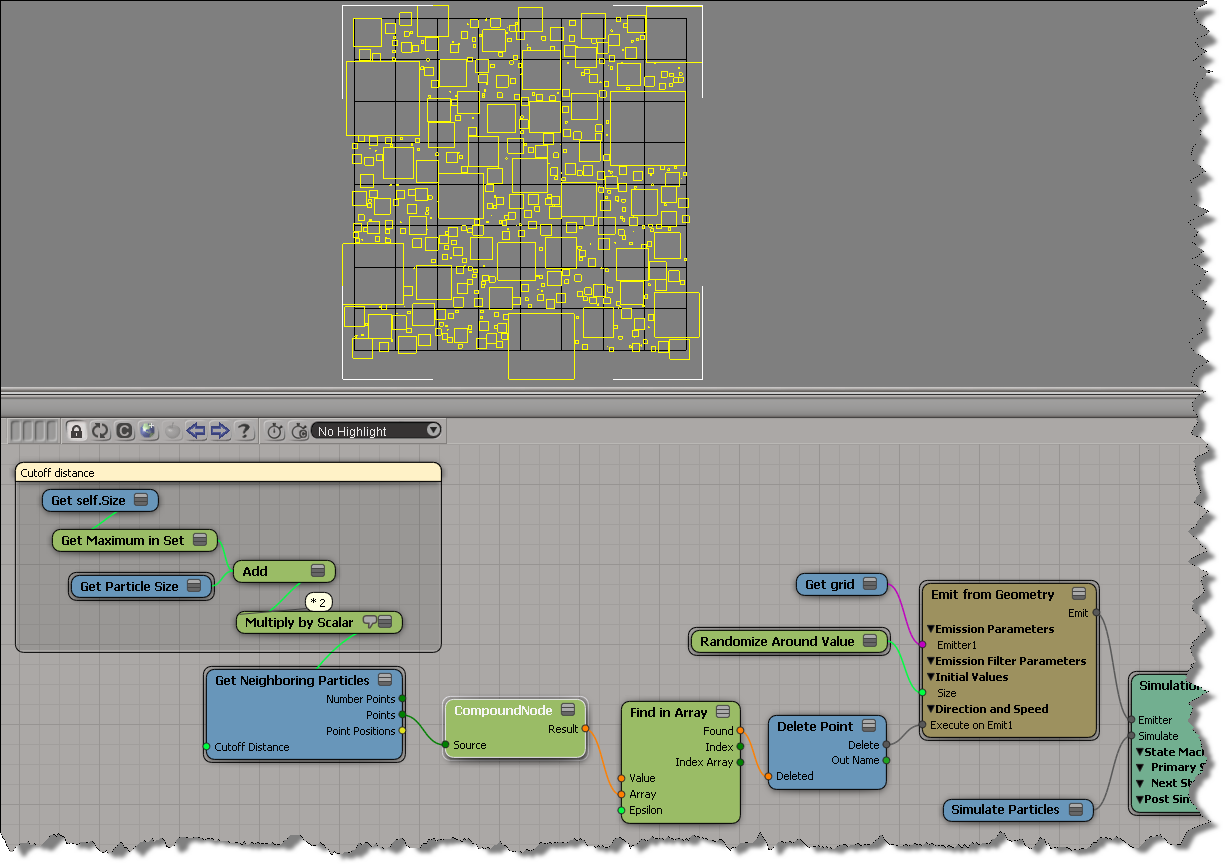
The compound node returns an array of booleans, one for each neighbour. The boolean flags indicate whether or not the particles would overlap, so if at least one is True, then I delete the particle. If you must see it, here’s the compound:

This is an intro-level post about ICE that shows two simple examples of how you could change things “on collision”.
In this example, I use the Execute On Collide ports of the Bounce off Surface compound.
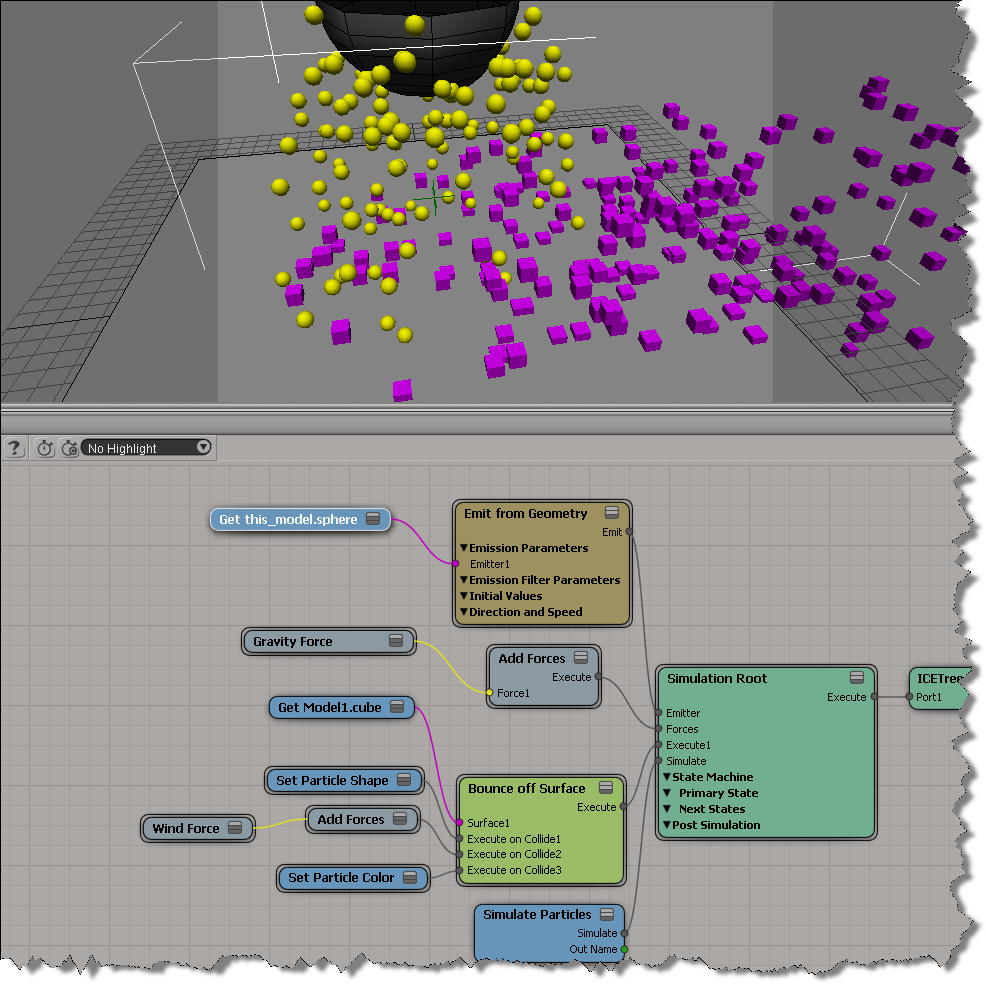
In this example, I used States with Test for Collision as a trigger.

In this video, I simplify an Emit compound to get a specific effect: in this case, a flow of particles along a curve where there is a specific time interval between each particle.
Here’s a previous post about emitting particles at regular intervals.
This Deduplicate Array 1.2 compound from Julian Johnson can remove duplicate values from any type of array: integer, scalar, location, and vector.

Deduplicate Array uses Find in Array, which can find all occurrences of a value in the array. That means it pushes some of the looping down to a compiled FindInArray node, and gives a little better performance than if you did all the looping in ICE with Repeat nodes. A fully compiled node would probably be even faster (see this XSI list post).
To understand/visualize how Deduplicate works, I took the body of its Repeat loop, disconnected it, duplicated it six times, and plugged them all into an Execute node. That way I could Show Values for each “iteration” of the loop. So, for example, with my test array of 14 elements, I could see that took just 4 loops to remove all the duplicates. After that, in the real Deduplicate compound, each loop would basically do nothing (so I suppose you could convert it to a While loop?)

To compare performance, I built a simple “remove duplicates” tree that didn’t use Find in Array (I just used one of the first algorithms I found on google):
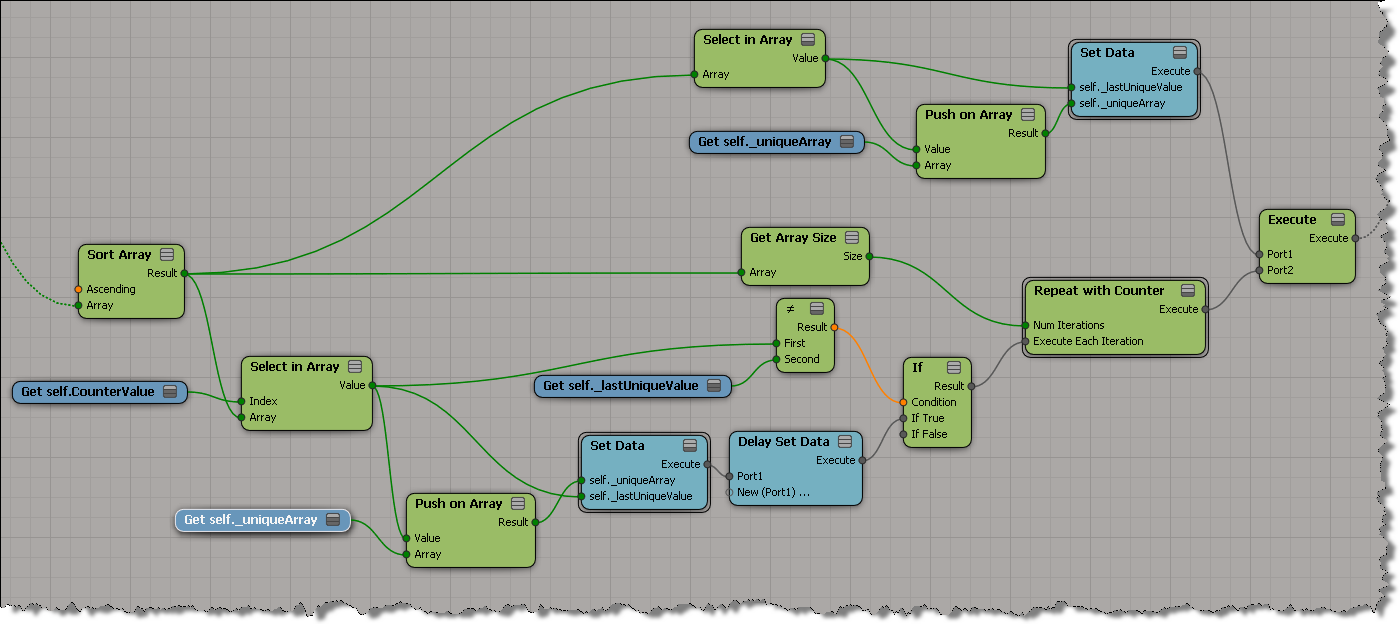
In one test, Deduplicate took 3 seconds while my ICE tree took 14!
 eX-SI
eX-SI 