VFX software firms need to standardise tools and processes if the industry is to continue to create high-quality images, according to Autodesk senior media and entertainment vice-president Marc Petit
Autodesk calls for VFX standard
Reply

VFX software firms need to standardise tools and processes if the industry is to continue to create high-quality images, according to Autodesk senior media and entertainment vice-president Marc Petit
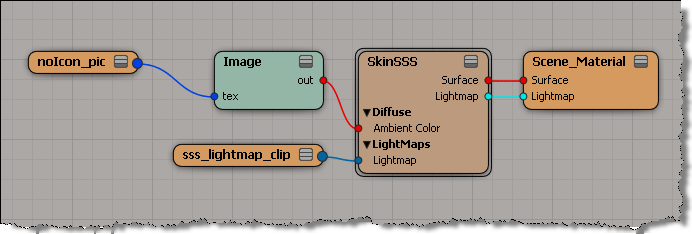
Here’s a little Python snippet that finds out where image clips are plugged in.
mat = Application.Dictionary.GetObject("Sources.Materials.DefaultLib.Scene_Material")

images = mat.Shaders(0).ImageClips
for img in images:
	for p in img.GetShaderParameterTargets():
		print img.Name + " : " + p.fullname
This script will print out this:
# noIcon_pic : Sources.Materials.DefaultLib.Scene_Material.Image.tex
# sss_lightmap_clip : Sources.Materials.DefaultLib.Scene_Material.SkinSSS.light
for this render tree:
Entertainment Webcast Series: Autodesk Softimage 2012 – The Incredible Power of ICE
Date & Time: Wednesday, May 11, 2011, 11:00 a.m. – 12:00 p.m. PST
Keynote Speakers: Mark Schoennagel
To register for this webcast, simply fill out the form below.
Description:
In this webcast, technical specialist Mark Schoennagel will take you through a comprehensive tour of the Autodesk® Softimage® Interactive Creative Environment, better known in the 3D industry as ICE. ICE is a powerful, node-based, multi-threaded visual programming language found only in Autodesk Softimage 2012. ICE is used by studios around the globe for creating stunning particle effects, deformations, character rigs, and now with 2012, procedural modeling effects.
During the webcast Mark will take viewers through the basics of ICE, creating and deploying user created tools as well as dive into some of the more advanced capabilities of this amazing technology. If you are in to visual effects this will be one webcast you wont want to miss!
via Autodesk – Entertainment Webcast Series: Autodesk Softimage 2012 – The Incredible Power of ICE.
At Autodesk, we have a friendly bike-to-work competition to see which Autodesk city could save the most carbon emissions. Last year, we [Montreal] beat our nearest competition, San Rafael by a factor of 1.5 and we saved almost 2000 kg in carbon emissions, showing how environmentally-conscious and biking-friendly Montreal is.
Me, I just like to bike;-) and I’ve got a pretty nice 28k commute (some pics here).
Last year, I got the bragging rights for most “commute miles”, with 3274 miles (5269 km).
This year’s challenge started on Monday, but the season is not off to a great start, weather wise, in Montreal:

When I’m not sure how a node processes its input, I’ll build a little test tree to find out. For example, if I connected arrays to the Index and Value ports of Set in Array, I wasn’t sure if I would get this:
Result[ Index[i] ] = Value[ Index[i] ]
or this:
Result[ i ] = Value[ Index[i] ]
or this:
Result[ Index[i] ] = Value[ i ]
So, I used Build Array from Constant to build an array with a given size, then, for convenience, I use String to Array to build a Index array and a Value array. Then I connected the output to a Set Value, and Show Values showed me that Given these two arrays, Set in Array does this:
Result[ Index[i] ] = Value[ Index[i] ]

In practice, you’re probably more likely to use an Index array like [0,1,2,…], so you’ll effectively have this:
Result[ i ] = Value[ i ]
On the XSI mailing list, Guillaume Laforge posted some interesting information about how to build an efficient duplicator compound. He also posted a new version of Create Copies from Polygon Mesh.
Basically, if you want to lots of duplicates, then you’ll find Create Copies from Polygon Mesh to be a bit slow. That’s because it uses Merge Topo Array, which is designed to handle the merging of meshes with different topologies. To duplicate an object, it’s better to use Create Topo.
To use Create Topo, you need two arrays:
Guillaume goes through all this in his post, but here’s my take, starting with the vertex position array.
To build this array, we start by getting an array of the point positions for the original mesh, and then building a new array that contains a copy of the point positions for each duplicate. So if the original mesh has M vertices, and we want to create N duplicates, the array will contain M*N elements.
To build this vertex position array, we use the modulo trick to repeatedly select elements from the array. There are two reasons for doing it this way: we can allocate the array size just once, and we don’t use any repeat nodes.
I find it helpful to visualize this with a simple case. So here’s a screenshot for a single polygon mesh. Note the array created with the modulo operator. By feeding this into the Select in Array node, we end up duplicating the original point position array once for each duplicate.
Note also the use of Build Array from Set, to build a singleton array out of the per-point PointPosition data set.

CM_ICECacheDragDrop is a plugin that adds support for dragging and dropping of ICE caches into a Softimage scene.
At emit, the particles are colored based on the noicon texture map.
When the particles collide with grid1, they pick up the color of the XSI logo texture map.

Wildcards
You can use the wildcards * and ?.
* matches one or more characters, and ? matches a single character.
Special Characters Ignored
The following special characters are ignored and treated as white-space:
[ ] ^ $ . | + ( ) ` ~ ! # % & – = { } ; ‘” ,
Stop words
Common words like “a”, “an”, “the”, and “get” and “set” are filtered out of searches, even if you do a phrase search.
Note that searches like “g?t s?t sum” won’t find the ICE node “Get Set Sum”.

Thanks to Octavian from the XSI mailing list, here’s a reel from an old XSI CD he had.
Not sure if it is from XSI 1.5 or XSI 2.0.
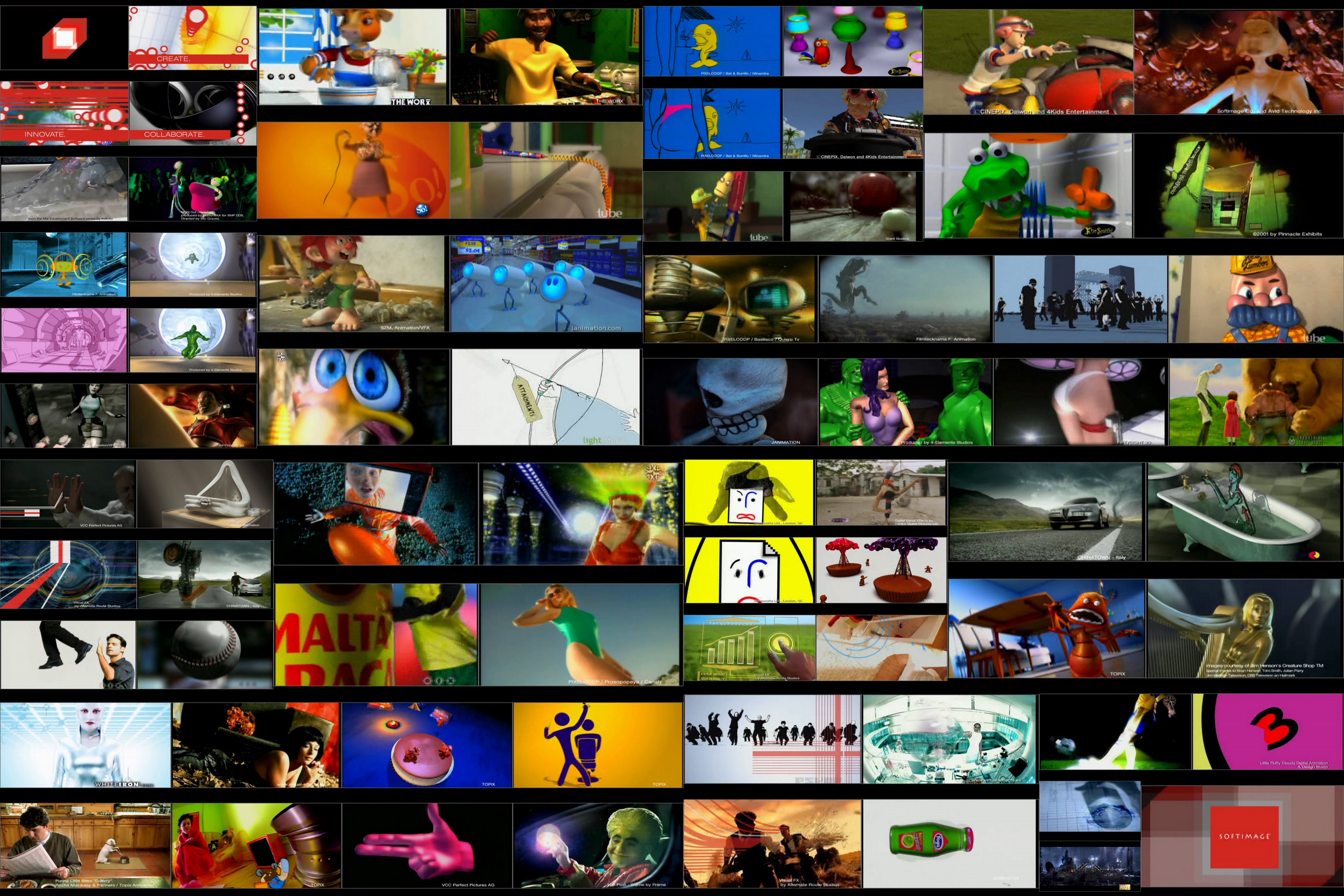
Here’s a collage of frames from the reel: