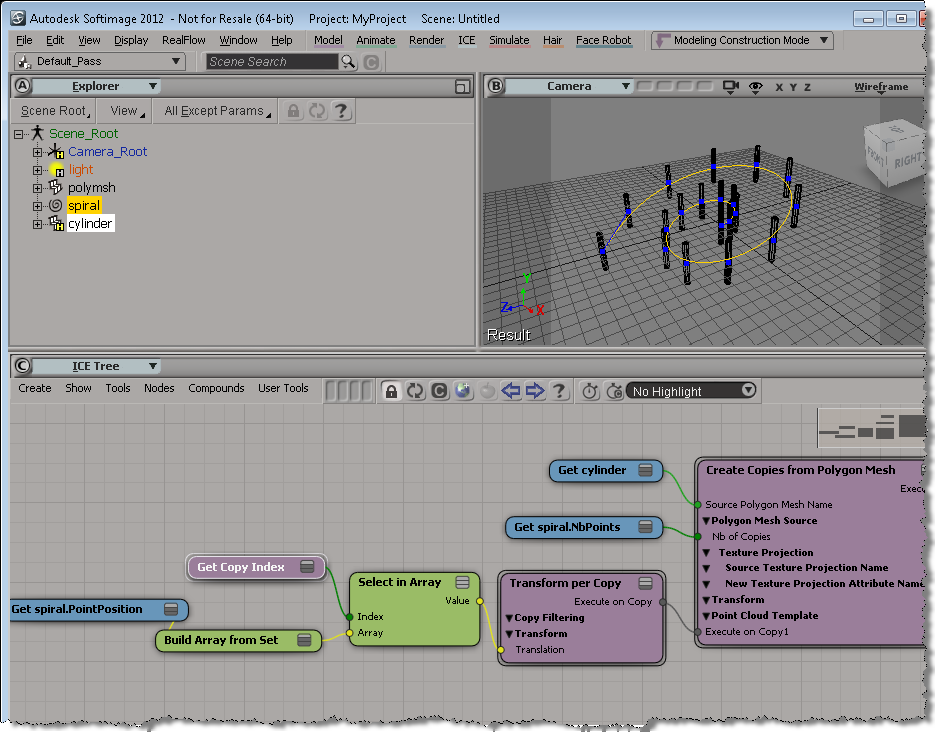
In my auto-fence videos, I showed how to use a curve to position the copies made by Create Copies from Polygon Mesh. In brief, you use the Transform per Copy and Get Copy Index nodes. Note that you need to freeze the transforms on the source mesh, if you scale or translate or rotate it.
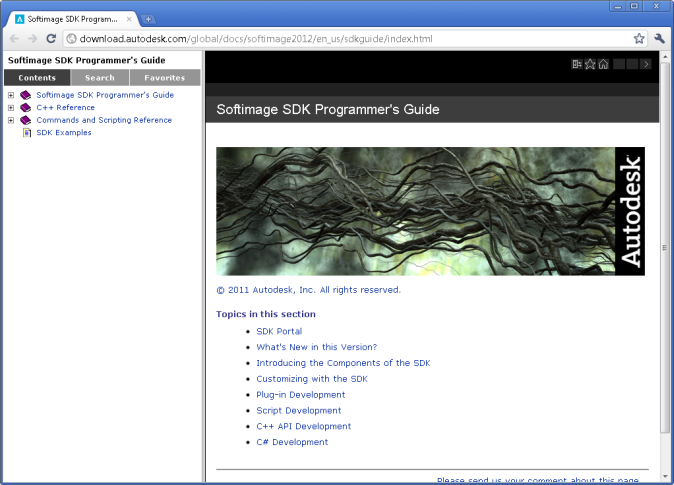
Setting the default browser for online help

On Windows, Softimage uses the default Web browser to display help.
On Linux, the default is Mozilla, and if that is not available, then Firefox.
You can use the SI_HELP_PROGRAM_ENV environment variable to override the default help browser.
If the folder containing the executable program is not in your system PATH environment variable, you must include the full path to the executable in this variable.
Diagnosing startup crashes: testing xsibatch
When you’ve done all the usual startup troubleshooting (running runonce.bat, resetting your preferences, and testing the display driver), but you still crash, it’s a good idea to test whether xsibatch can run. Sometimes this will give us a different error message, or another clue as to what’s going wrong.
- Open a Softimage command prompt
- In the command prompt, run these commands:
- You should see something like this:
======================================================= Autodesk Softimage 10.0.422.0 ======================================================= License information: using [Processing] COMMAND: -processing -script C:\Users\blairs\AppData\Local\Temp\test.vbs ' INFO : Hello
echo LogMessage "Hello" > %TEMP%\test.vbs xsibatch -processing -script %TEMP%\test.vbs
ICE modeling – aligning copies to edges
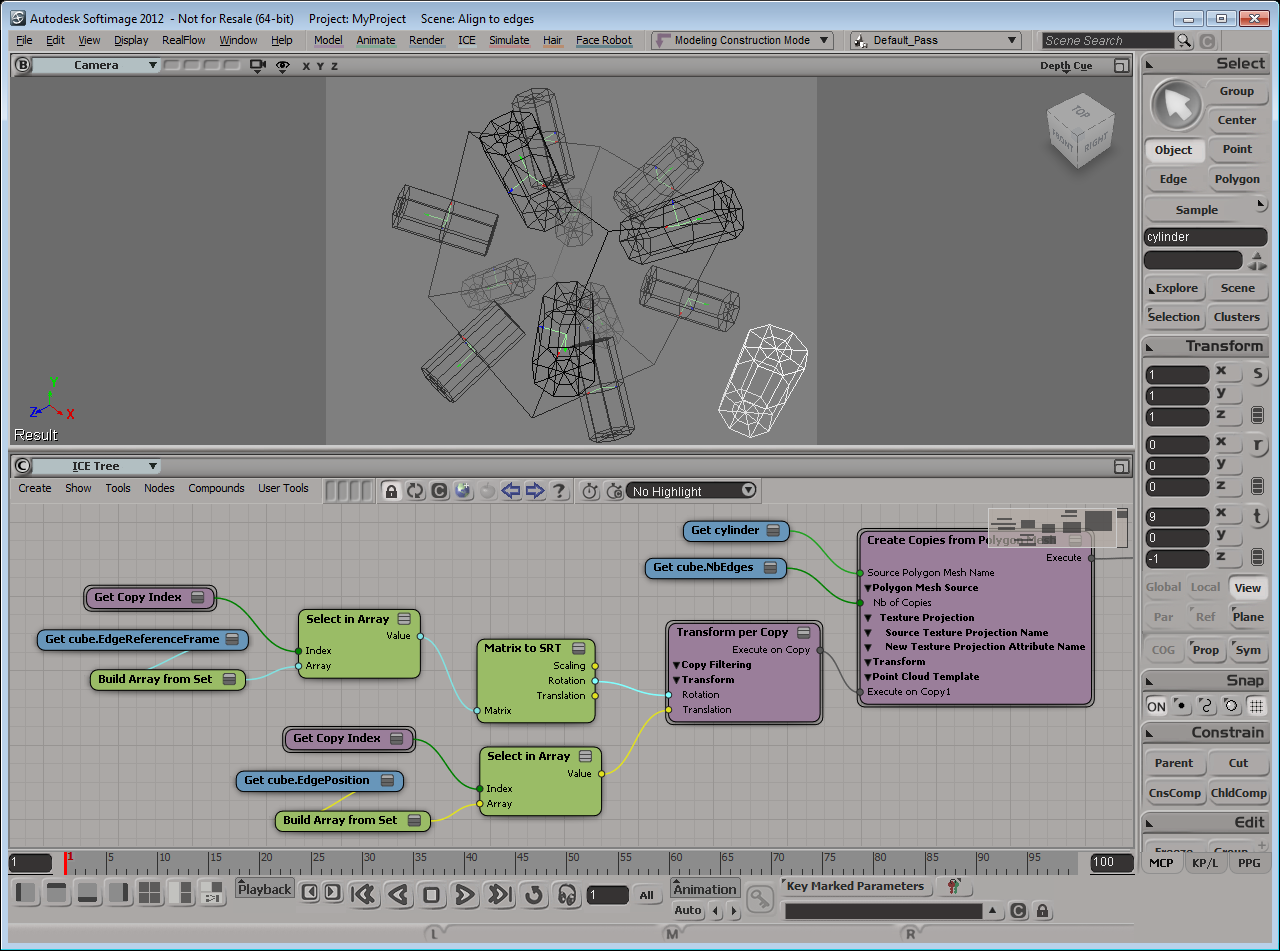
Here’s my first try. I used the EdgePosition attribute to position the copies of the cylinder on the edges of a cube. Notice how the cylinder is aligned along the Y axis of the EdgeReferenceFrame.
If I rotate the cylinder center by 90 degrees in Z, I get this:
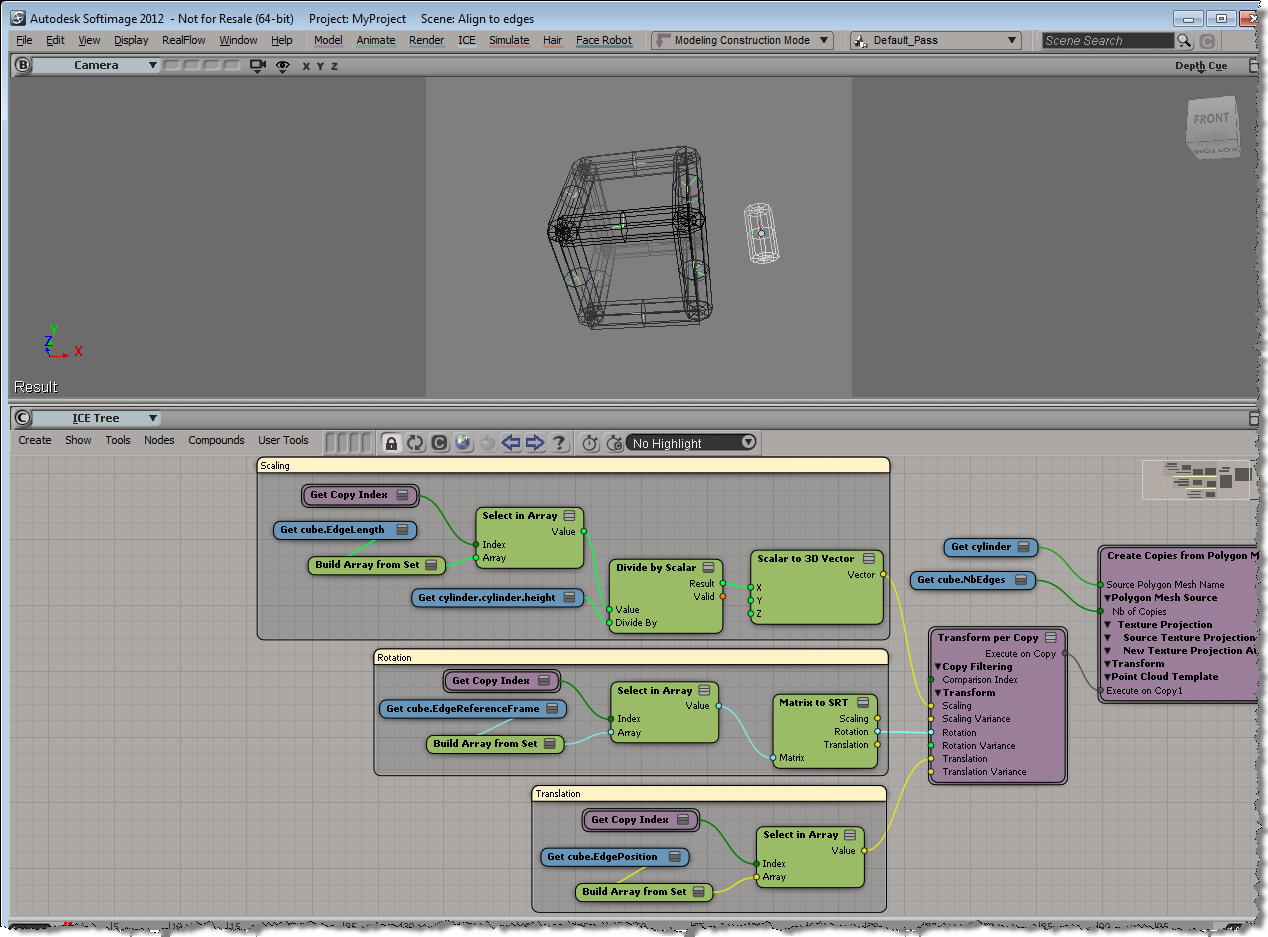
Finally, I can use the EdgeLength to scale the cylinder copies:
ICE modeling videos
Here’s some ICE modeling videos recorded by Guillaume Laforge, the principle developer working on ICE modeling.
- ICE Modeling 01 and 02 look at the Columns from Strands example scene.
- 03 and 04 look at the Shattering example.
- 05, 06, 07, and 08 look at the Road example.
- 09 looks at the Desk example.
ShaderOp.com | Using wxPython with Autodesk Softimage
Using wxPython with Autodesk Softimage
“Here’s the issue as far as I understand it: On Windows operating systems, every process that has a window (i.e. any none-console application) also has a message loop, and each process can only have one message loop. The problem with PyQT and wxPython is that they will try to create their own message loops inside the Softimage process, which somehow leads to the whole process shutting down. I don’t know Linux that well, but the same issue should arise there.
It turns out that the solution to this is to run wxPython or PyQT on their own separate threads, so that both message loops will run in isolation from each other.
Apparently Houdini 9.5 had the same thing happening with PyQT, and its documentation contains a code sample that addresses this issue. All I had to do was repackage it inside a Softimage plug-in, although I used wxPython instead of PyQT because I’m more familiar with it. But it should be trivial to change the code to use PyQT instead.”
–ShaderOp
Autodesk’s 2012 strategy: it’s all about the suites | CG Channel
If you’re wondering about the changes to the Animation Editor, or about Send To, …
Autodesk’s 2012 strategy: it’s all about the suites | CG Channel.
Softimage 2012 Info
Here’s some hopefully helpful links:
- Installing Softimage 2012
- Download a local version of the help
- Release notes (new features and fixes)
- Activating your Softimage 2012 network license
- Softimage 2012 – Setting up satellite rendering
2012 Service Packs
2011 Service Packs: