ICE: Getting data from other frames


In ICE, you can’t get data from any arbitrary frame. You get whatever data comes though through your input ports for the current evaluation time. There’s no way (except for Get Data at Previous Frame) for you to read the scene graph at any other time than the time at which the ICE Tree operator is being evaluated.

A few related notes:

  • In a simulated ICE tree, you could cache values from previous frames and then access them during playback of the simulation.
  • With Get Action Source at Frame, you can get the value at a specific frame of an item stored in an animation source.
  • On a non-simulated ICE tree, you might be able to use an at_frame expression (hat tip: grahamef)
  • You might consider writing a custom ICE node that accesses values on other frames, but I don’t know that this such a good idea. According to the docs, that isn’t recommended for custom ICE nodes.

Finding shader nodes with no connections


Here’s a JScript snippet that finds render tree nodes that are not connected to anything in the render tree.

LogMessage( isConnected( Selection(0) ) );

function isConnected( o )
{
	var oDR = XSIUtils.DataRepository ;

	var strOpInfo = oDR.GetConnectionStackInfo( o )
//	LogMessage( strOpInfo );
	var oTopNode = ParseXML( strOpInfo ) ;

	var oConnections = oTopNode.childNodes ;
	if ( oConnections.length == 0 )
	{
		return false;
	}
	return true;
}

function ParseXML( strXML )
{
	var oXMLParser = new ActiveXObject("Microsoft.XMLDOM") 
	oXMLParser.async = false	
	oXMLParser.loadXML( strXML ) ;

	if (oXMLParser.parseError.errorCode != 0) 
	{
		logmessage( "Invalid XML " + oXMLParser.parseError.reason , siError ) ;	
		return null ;
	}

	// the xsi_file node
	// If this is NULL we must have failed to load the XML
	var oTopNode = oXMLParser.documentElement ;

	return oTopNode ;
}

Most of this JScript came from the SDK Explorer code in $XSI_HOME\Addons\sdkui\Application\Plugins\SDKExplorer.js, because I noticed that disconnected shaders would have an empty connection stack, and I didn’t want to go through all the parameters individually looking for connections.
SDK_Explorer_Connection_stack_is_empty

Here’s a Python version that does a little more: it follows the output connections to check whether or not the shader is ultimately connected the material.

# Python Code
import xml.etree.ElementTree as etree

def is_connected( o ):
	if not o.IsClassOf( 52 ):
		print "Input is not a shader"
		return False
		
	sXML = XSIUtils.DataRepository.GetConnectionStackInfo( o )
	root = etree.fromstring( sXML )
	for connection in root:
		if connection.find('type').text == 'out':
			x = Application.Dictionary.GetObject( connection.find('object').text )
			return True if x.IsClassOf( 64 ) else is_connected( x )
				
	return False

print is_connected( Application.Selection(0) )

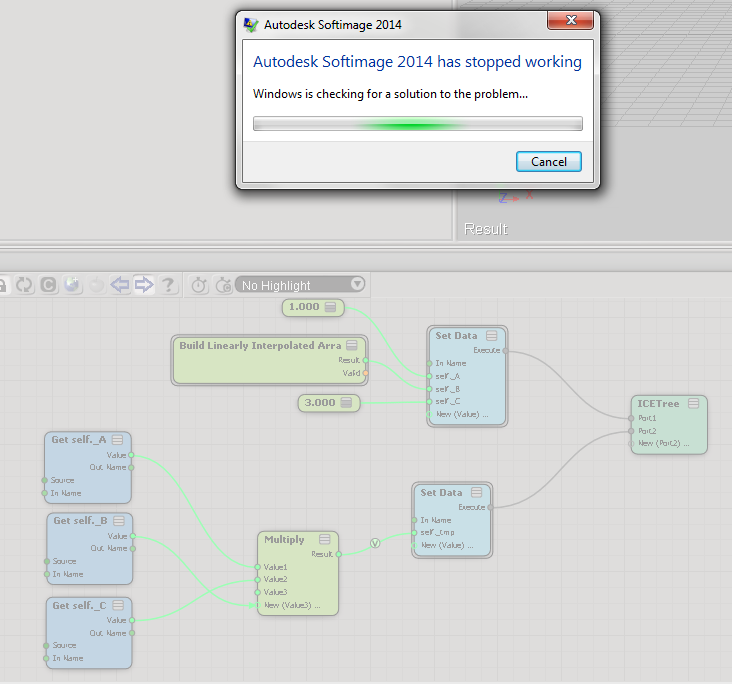
ICE: Building an array from an fcurve


Suppose you have an animated scalar value, and you want to store its values as you play through a simulation. And suppose you also want to keep a running total of all the values up to the current frame.

My first try used two arrays: one to store the values at each step through the simulation, and one to hold the running total.
FcurveArray1

Calculating the array sum at every step seems wasteful. So, here’s my second try at keeping a running total of the values from the fcurve. I use just one attribute and one array. The attribute was necessary because if I plugged Pop from Array directly into Add, I got nothing.
FcurveArray2

Softimage 2014 cachedat files


Here’s something I noticed when I started up Softimage 2014 SP2 for the very first time. It spent about 26 seconds writing some cachedat and cachehdr files in my User folder:
Startup_file_summary
During subsequent startups, Softimage just reads in the cachedat, which takes a lot less time (eg < 0.005 seconds).

I looked back at my previous versions of Softimage, and it seems these cache files were new in 2014. There's actually two cachedat files, each with an associated cachehdr header. You'll find them in your %XSI_USERHOME%\Cache folder:

C:\Users\xsisupport\Autodesk\Softimage_2014_SP2\Cache\{870AB238-90C2-4336-8D46-B2CDD31C8A34}.cachedat
C:\Users\xsisupport\Autodesk\Softimage_2014_SP2\Cache\{870AB238-90C2-4336-8D46-B2CDD31C8A34}.cachehdr
C:\Users\xsisupport\Autodesk\Softimage_2014_SP2\Cache\{AD8CCDD2-C275-46E3-9881-265DB5BC84BB}.cachedat
C:\Users\xsisupport\Autodesk\Softimage_2014_SP2\Cache\{AD8CCDD2-C275-46E3-9881-265DB5BC84BB}.cachehdr

One cache is read at startup. The other is updated when you first drag an ICE node into an ICE tree (and then if you start a new XSI.exe session and drag the same node into an ICE tree, Softimage will read from the cache). Running strings on these cache files showed lots of ICE node/compound names, so they seem to be strictly for some sort of ICE-node caching (eg ports, layouts, logic, …).