Finding degenerate polygons by area


Degenerate polygons are usually zero-area polygons.

Here’s a script that uses the ICE attribute PolygonArea to find polygons with area less than a specified epsilon:

si = Application
epsilon = 0.00001

# Get PolygonArea DataArray (which is a tuple)
attr = si.Selection(0).ActivePrimitive.GetICEAttributeFromName( "PolygonArea" )
areaData = attr.DataArray

#
# Find the indices of the bad polys
#
bad = [ x for x,y in enumerate( areaData ) if y < epsilon]

# Select the degenerates with a string like 'cube.poly[112,114,155]'
si.SelectGeometryComponents( 'cube.poly[%s]' % ','.join(str(i) for i in bad) )


### OR ###

#
# Get the actual Polygon objects
#
polys = si.Selection(0).ActivePrimitive.Geometry.Polygons
bad = []
for i in range( len(areaData) ):
	if areaData[i] < epsilon:
		bad.append( polys(i) )

si.SelectObj( polys )

Getting the DataArray2D for the Materials ICE attribute


Here’s the Python way:

Application.SelectObj("Pedestrian_Mesh.Actor_Copies", None, None);
o = Application.Selection(0)

a = o.ActivePrimitive.Geometry.GetICEAttributeFromName("Materials")
print len(a.DataArray2D)
print len(a.DataArray2D[0] )
print a.DataArray2D[0][0]
for s in a.DataArray2D[0][0]:
    print s

# 1
# 1
# (u'', u'Sources.Materials.PedestrianLib.Shoes', u'Sources.Materials.PedestrianLib.Hair', u'Sources.Materials.PedestrianLib.Legs', u'Sources.Materials.PedestrianLib.Skin', u'Sources.Materials.PedestrianLib.Shirt')
# Sources.Materials.PedestrianLib.Shoes
# Sources.Materials.PedestrianLib.Hair
# Sources.Materials.PedestrianLib.Legs
# Sources.Materials.PedestrianLib.Skin
# Sources.Materials.PedestrianLib.Shirt

And here’s how to do it in JScript:

o = Selection(0);

a = o.ActivePrimitive.Geometry.GetICEAttributeFromName("Materials");

x = new VBArray( a.DataArray2D ).toArray();
y = new VBArray( x[0] ).toArray();
for ( var i = 0; i < y.length; i++ )
{
    LogMessage( y[i] )
}

Saturday snippet: Converting strings to objects


XSICollections know how to handle (aka parse) string expressions like ‘cube.pnt[2,4,LAST]’

si = Application
import win32com.client
c = win32com.client.Dispatch( "XSI.Collection" )

#c.SetAsText( 'cube.pnt[2,4,LAST]' )
c.Items = 'cube.pnt[2,4,LAST]'

print c.Count
print si.ClassName( c(0) )
print c(0).SubComponent.ComponentCollection.Count
print si.ClassName( c(0).SubComponent.ComponentCollection(0) )
print c(0).SubComponent.ComponentCollection(2).Index
# 1
# CollectionItem
# 3
# Vertex
# 7

Back in 1999, this code looked something like this:

CreatePrim "Cube", "MeshSurface"
set list = GetCollection( "cube.pnt[2,3,6,LAST]" )

if not typename(list) = "Nothing" then
	logmessage list
end if

function GetCollection( in_str )
	Dim l_myList 

	set GetCollection = CreateObject( "Sumatra.Collection" )

	On Error Resume Next
	GetCollection.items = in_str

	if GetCollection.Count = 0 then
		set GetCollection = Nothing
	end if

end function

ICE: Finding the array elements that occur the most frequently


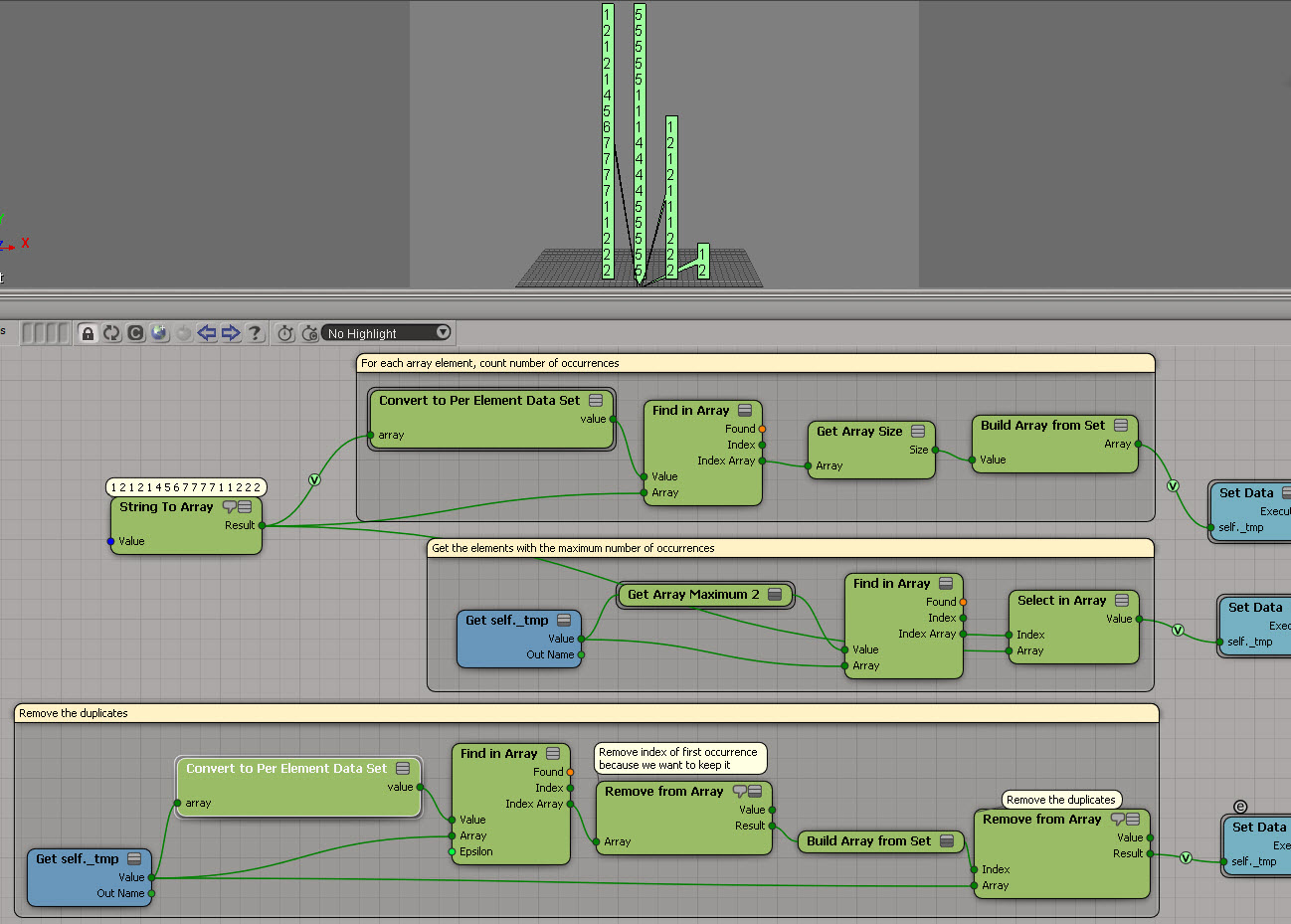
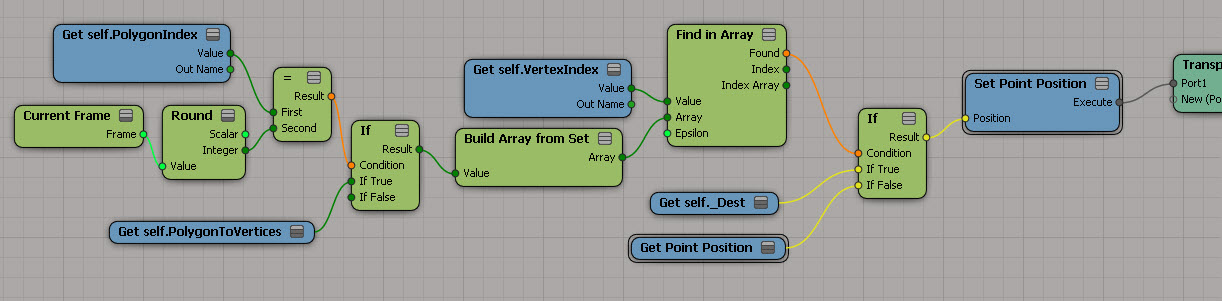
Another example usage of Generate Sample Set instead of Repeat. This time, the problem is to find the array element with the most occurrences. This seems kinda long winded (it’s a three-step process), but it does handle the case where you have two or more elements that occur the same number of times.

FindMaxOccurrences

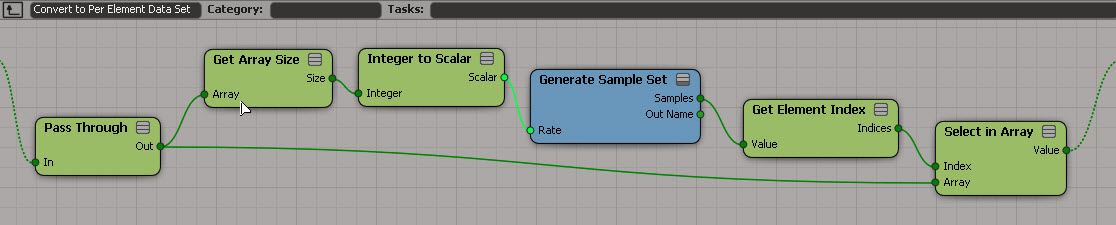
I used a temporary attribute for formatting purposes (so I didn’t have one big long horizontal tree). And I used a compound to encapsulate the bit that takes an array and converts it to a “per generated element” data set:
ArrayToPerElement

If you want, here’s a compound version.

ICE: Removing duplicates from arrays


Here’s an ICE tree that removes all duplicate elements from an array. It uses Generate Sample Set, so there’s no repeat nodes. But it relies on the fact that you can feed in an array of indices into Remove from Array, and Remove from Array doesn’t care if that array of indices itself contains duplicate. So, if you plug the array [1,1,1,2,2,2,3,3,3] in the Index port, Remove from Array will nicely remove elements 1, 2, and 3 with no complaints.

GenerateSampleSet_Remove_Duplicates

Unlike some other methods, this works with scalars too:

GenerateSampleSet_Remove_Duplicates_Scalar

Collection methods and the documentation


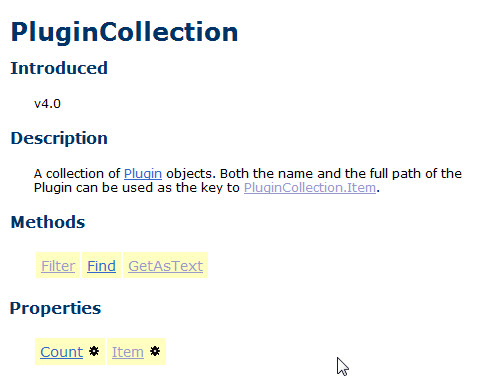
The SDK reference page for PluginCollection says that it implements the inherited methods Find, Filter, and GetAsText.
plugincollectiondoc
But it doesn’t. And according to the object hierarchy, it doesn’t have a base class (so where do those inherited methods come from 🙂

I can’t really remember anymore, but I think all the collection objects derive from a now-undocumented base class; or at least the documentation pretends they do (that made it simpler to auto-generate the pages). That’s why they all have inherited methods and properties, and they all have the same scripting examples.

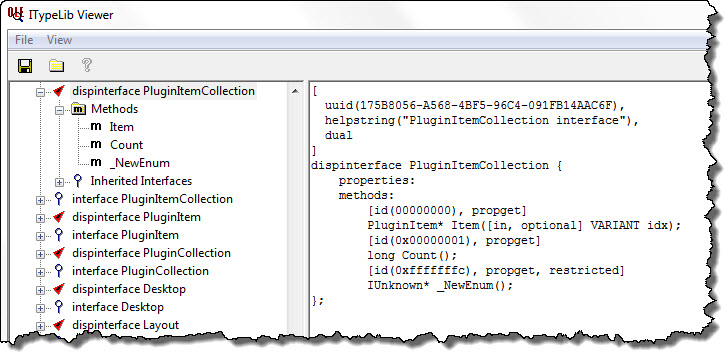
If we use the OLE-COM Object Viewer that comes with the Windows SDK 7.1, we can check out the object model type library and see what methods PluginCollection really does support:
ITypeLib Viewer

Note: On a reference page, the yellow highlighting marks inherited methods and properties.