Clone and disconnect, and you’ve broken up an object into separate polygons…

I touched on this in this video, but I wanted to call it out with a separate post.
Hat tip to Guillaume Laforge

Clone and disconnect, and you’ve broken up an object into separate polygons…
I touched on this in this video, but I wanted to call it out with a separate post.
Hat tip to Guillaume Laforge
Back when I was a programmer-writer on the SDK team, I’d never heard of a dongle and I’d never had to deal with any licensing stuff (I just installed the overnight build and it ran). Those were the days.
Then in late 2005 I was moved to the Support team and I found out all about dongles and licensing.

Dongles were always a hassle: getting the OS to recognize the dongle, getting the driver installed, verifying whether or not the dongle was bad/defective,… For awhile my xsibase account sig included the phrase “I hate dongles”.
Dongles often got damaged or lost, for various reasons, including but not limited to:
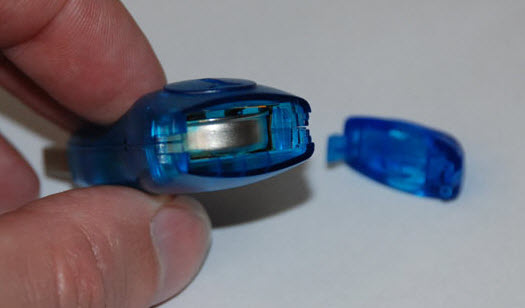

Softimage used various types of dongles over the years, but I really only had experience with the blue iButton dongles.
Here’s some of the other dongles…
SOFTIMAGE|3D

Softimage XSI 1.5

Softimage XSI 3.0 and later



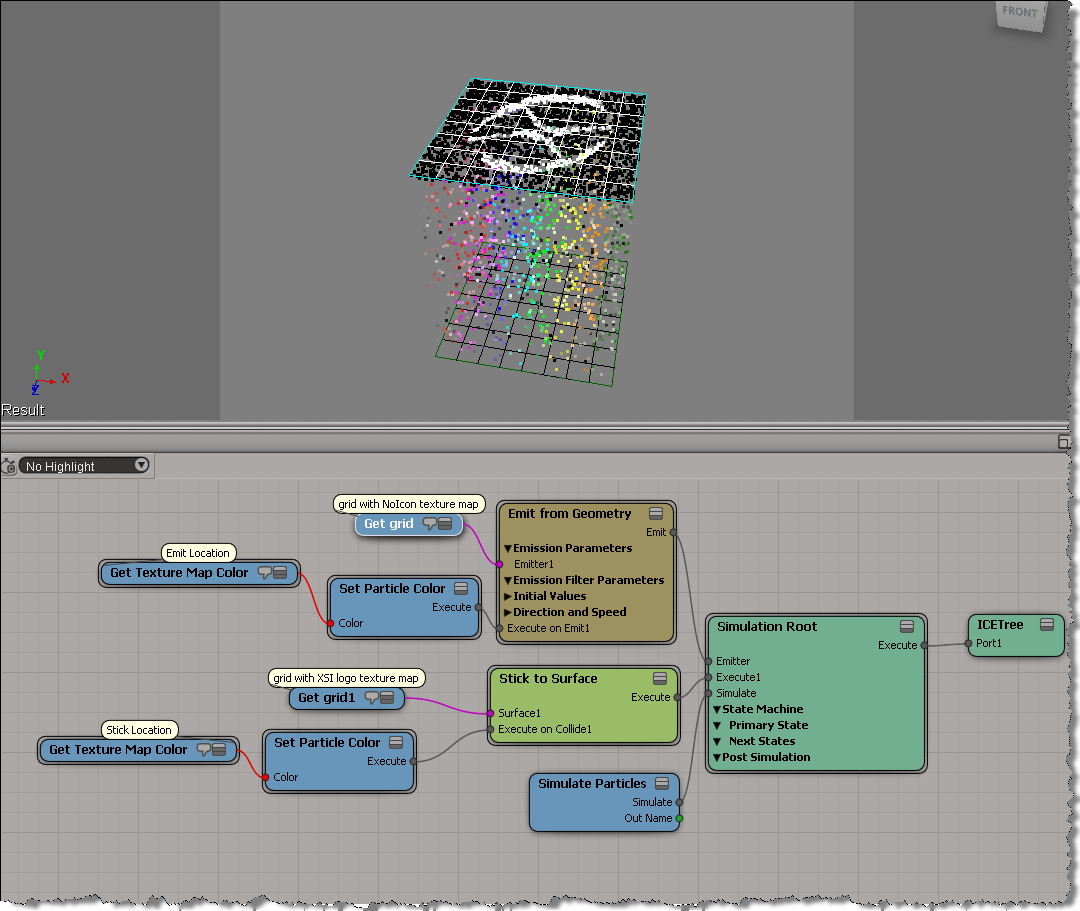
Here’s a basic example that shows how to get texture map colors. First, from the Emit Location, and then later from the Stick Location.
In this example, the emitter grid has NoIcon.pic as a texture map, and the second “stick-to” grid has the XSI logo.
From the curiosity drawer. This python snippet uses “v1.5 command” functionality from back in the day to disable command logging for a specific command invocation.
from siutils import si		# Application
from siutils import log		# LogMessage
from siutils import disp	# win32com.client.Dispatch
from siutils import C		# win32com.client.constants


sClassID = "{19085F81-CDD6-471C-9CA1-7C7F4F2A0166}"

# This command is logged
si.FindObjects( "", sClassID )

log( "--------------------------" )
# Get the command and disable logging
oCmd = si.Commands("Find Objects")
oCmd.SetFlag( C.siNoLogging, True )

# Not allowed to update existing commands with Update()
# so we have to manually set arguments and execute the command
oCmd.Arguments(0).Value = ""
oCmd.Arguments(1).Value = sClassID

oICETrees = oCmd.Execute();    # Execute - nothing logged
for t in oICETrees:
	log( t.FullName )
log( "--------------------------" )

# This still is logged, no need to reset flag because we never updated the command
si.FindObjects( "", sClassID )
The typical way to [temporarily] disable command logging is by setting the cmdlog preference:
Application.Preferences.SetPreferenceValue( "scripting.cmdlog", False )
Application.CreatePrim("Cone", "MeshSurface", "", "")
Softimage resets the pref automatically.
You could use a Python decorator to do this.
In this video, I do a walk through of a scene posted by Guillaume Laforge on the XSI mailing list. In the scene, Guillaume uses a point cloud to drive the polygons of a mesh, so that the polygons follow that transformations (pos and ori) of the particles. ICE modeling is used to “break up” the mesh into polygons. Includes a description of how vector subtraction is used to locate points relative to a polygon center.
String to Array is handy for testing when you need some sample data. Why bother adding ports to a Build Array node and typing in values, when you can just paste in a string. Depending on where you get the raw array data, sometimes all you need to do is a little search/replace magic in your favorite text editor, and then you’ve got a string you can paste into String to Array.
Here’s a couple of examples:
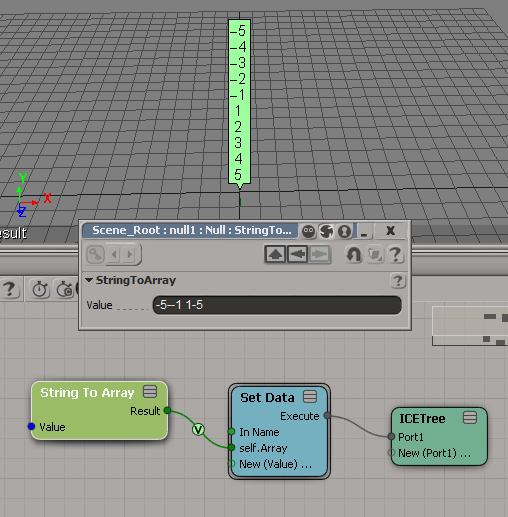

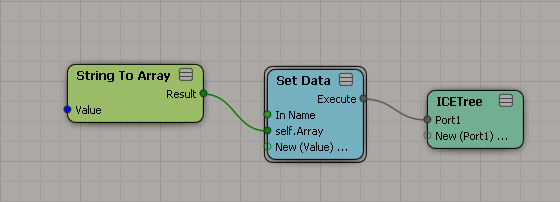
Note that the type of the array elements is defined by where you plug in String to Array. So if you want to put the array into an attribute, you’ve got to define the type of the attribute first.
A new attribute has no type:
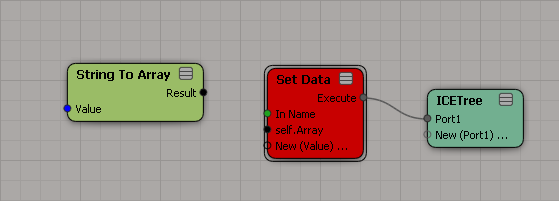
Use a constant node to set the attribute type:

Now plug in String to Array:
Unique items to index
by Martin Chatterjee

RGBA Smooth Keyer
by rray

Deformer to instance
Edy Susanto

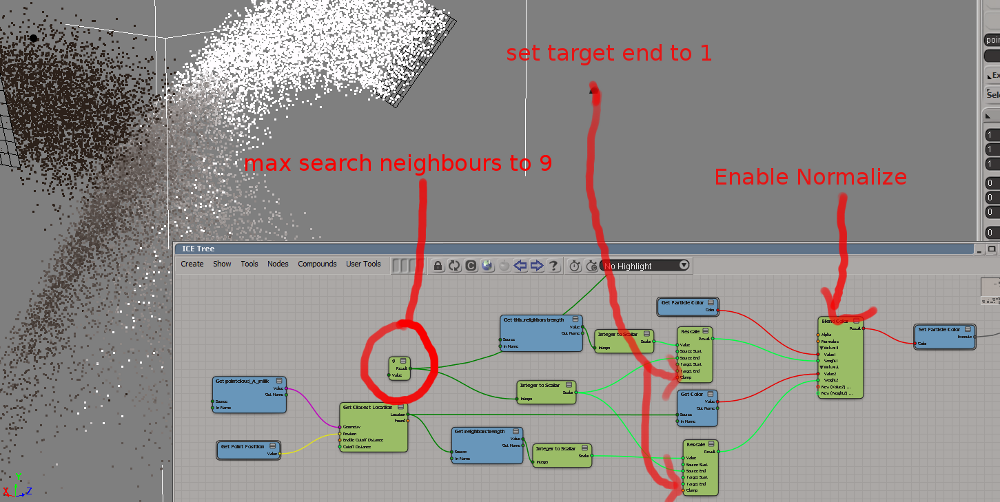
Blend particle colors of different point clouds
by Rob Chapman
Avoiding divide-by-zero errors with a divisor test
by Daniel Brassard


formula |cos(x) + cos(z)| ^ (1/2) in Parametric Sandbox ICE representation
by Daniel Brassard

Introductory-level video that shows you how to daisy chain Get Data nodes when you’re getting data from a scene.
Daisy chaining (connecting Out Name to In Name) is a way to separate out and isolate the different scene references that combine together to pull in scene data.
A look back at the last six years of the XSI mailing list, from 2006 to 2011.

The top 50 posters accounted for 54% of all posts on the XSI mailing list. Scroll down to see the list of the top 50.

To put the relative size of the words in context, here’s some word counts:
2006 Top 10 topics
2007 Top 10 topics
2008 Top 10 topics
2009 Top 10 topics
2010 Top 10 topics
2011 Top 10 topics
The top 50 posters accounted for 54% of all posts on the XSI mailing list.
Continue reading
Early this week, this ICE “brain teaser” was posted on the XSI mailing list.
Given an array like this:
8,8,8,2,2,2,2,5,5,5,5,9,9,9,9,1,1,1,1,1,1
how can can I –without using any loops–convert it to an array like this
1,1,1,2,2,2,2,3,3,3,3,4,4,4,4,5,5,5,5,5,5
Martin Chatterjee came up with a nice solution using arrays.
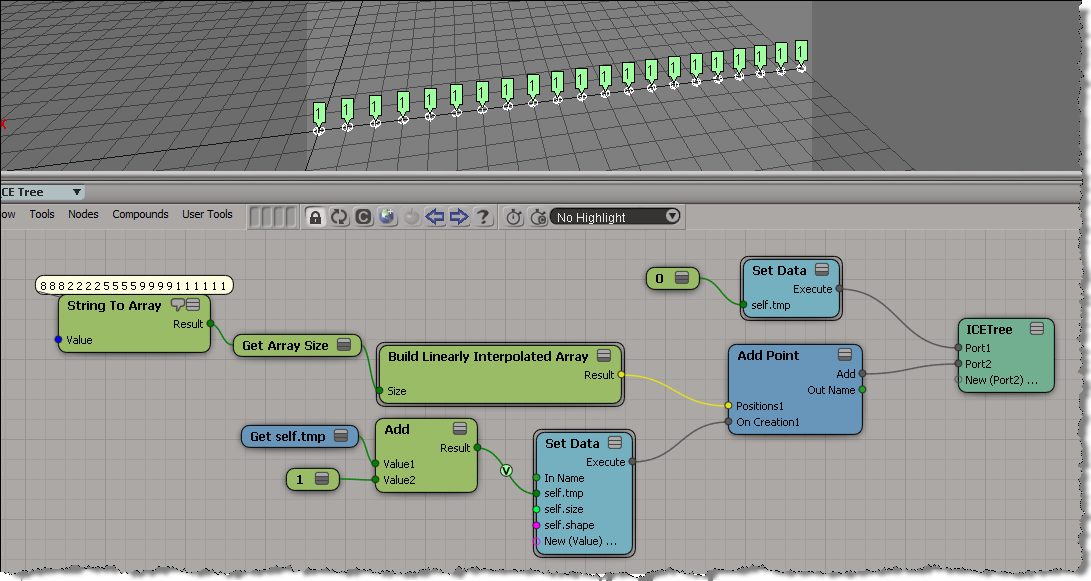
As an exercise, I tried to do it using a [non-simulated] point cloud. Basically, the idea is to use the particle self.ID data set to index into the array without using a Repeat node.
Here’s what I ended up with. First, I set a boolean flag on each point to indicate whether the corresponding array element is the same as the previous, and then I do a cumulative sum of array elements.

My first try at this ended up as an ICE tree version of this algorithm, plugged into the On Creation port of Add Point.
var a = [8,8,8,2,2,2,2,5,5,5,5,9,9,9,9,1,1,1,1,1,1];
var a1 = new Array(a.length);

var val = -1;
var ix = -1;
for (var i=0;i<a.length;i++)
{
	if ( a[i] != val )
	{
		val = a[i];
		ix++;
	}
	a1[i] = ix;
}
LogMessage( a );
LogMessage( a1 );
// INFO : 8,8,8,2,2,2,2,5,5,5,5,9,9,9,9,1,1,1,1,1,1
// INFO : 0,0,0,1,1,1,1,2,2,2,2,3,3,3,3,4,4,4,4,4,4
But that didn’t work, because as I found out, I wasn’t able to carry attribute values over from one point to the next. In the example below, you can see that self.tmp is local to each point (which means it starts off at zero for each point). Instead of incrementing self.tmp each time, I end up setting it to 1 every time.