ICE modeling


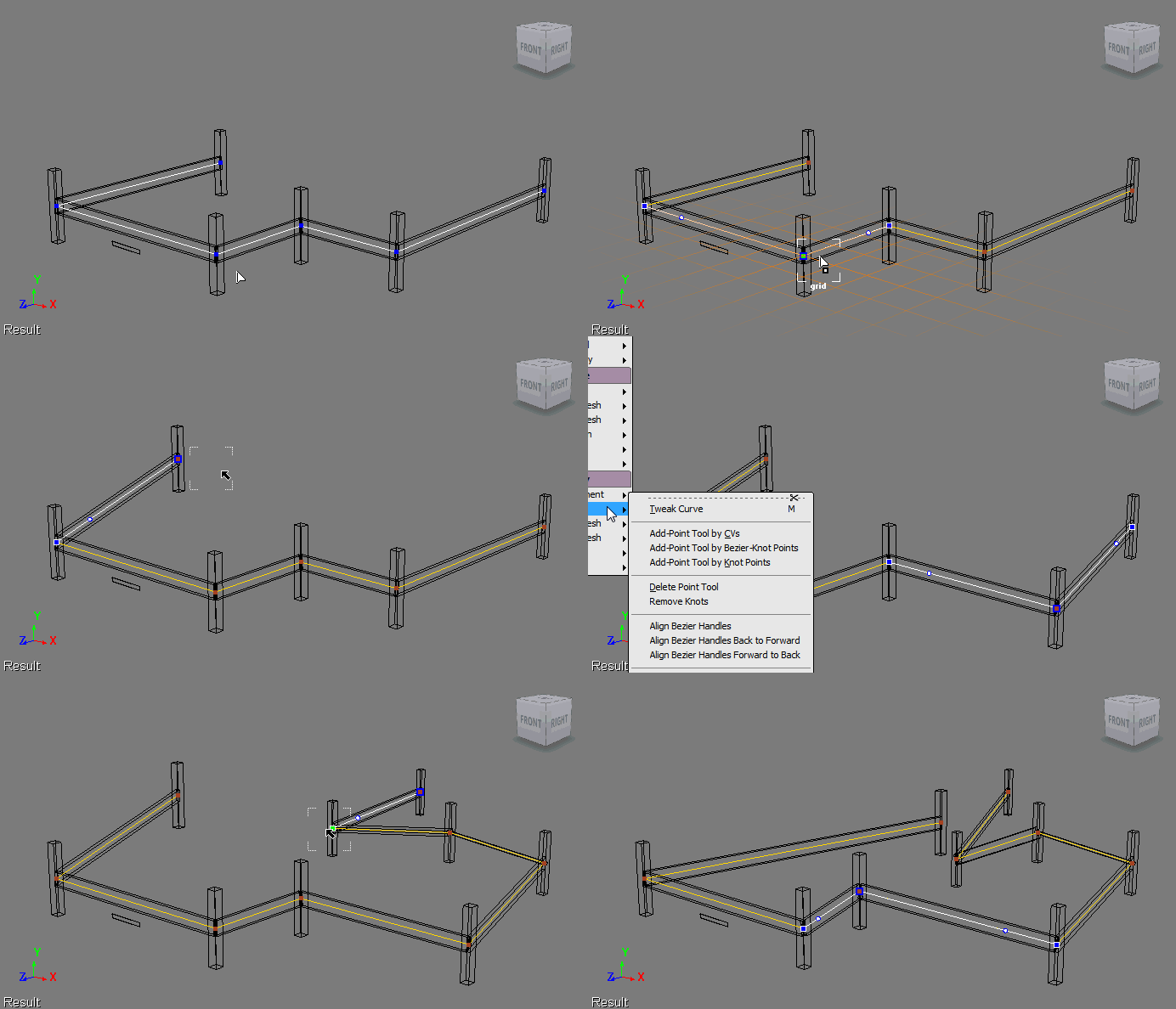
I had a bit of time yesterday, so I started playing with ICE procedural modeling and I managed to put together a rough prototype of an auto-fencer. Given a curve, I use ICE to build a fence by placing posts and rails. I’ve still got some problems with the rotations of the rail, but it’s a lot better than it was yesterday 😉

Disconnected shaders and HotFix2 redux


HotFix2 cannot fix render trees that are already broken. You’ll have to repair those materials after you remove the corruption.

Here’s how to recover a scene and remove the material corruption with HotFix2.

It is critical to restart Softimage during this procedure.

  1. Load the corrupted scene into Softimage 2011 (with HotFix2).
  2. Save the scene.
  3. Restart Softimage.
  4. Load the scene again.
  5. Now you can start repairing your materials.

The connections of corrupted materials are broken upon initial load, but corrupted shaders themselves still remain. After saving, restarting XSI.exe, and reloading the scene, corrupted shaders that are not salvageable have been removed and whatever shaders remain can be used to reconstruct materials.

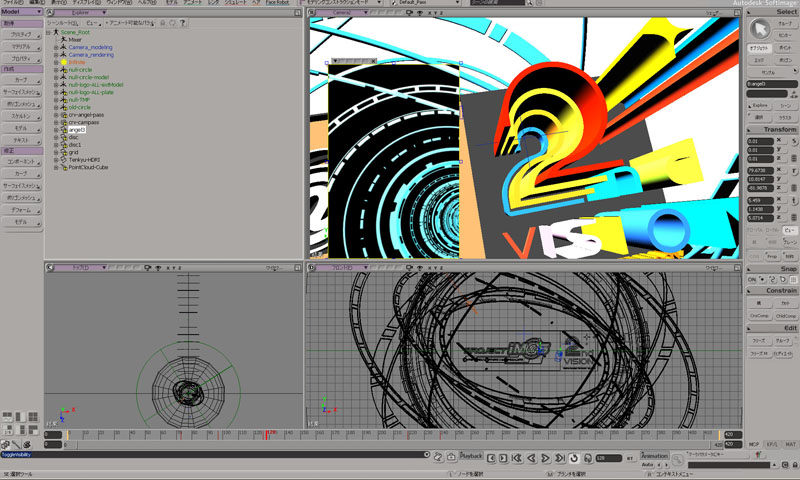
Bandai Namco Games uses Softimage for promotional videos of THE IDOLM@STER


This customer story was recently posted on the Japanese autodesk.com.

If, like me, you cannot read Japanese, here’s the Google page translation.

“Bandai Namco Games” used Softimage for creating promotion videos of / THE IDOLM@STER.

Softimage was used to create nifty effects in PV and it was also used for animating in-game cameras to capture idols. All the characters and most of other area works were done in Maya in this game at Bandai Namco.

Anyway, be ready for a unique Japanese culture!

via http://www.autodesk.co.jp/adsk/servlet/item?id=16307549&siteID=1169823

The case of the missing scripting engines


In this case, the customer reported that 64-bit Softimage abruptly shut down just after the splash screen appeared, with no errors and no sign of the actual UI. 32-bit Softimage, however, worked just fine.

This didn’t sound like the usual runonce/rename user folder/reinstall graphic driver case, so I asked him to try to run a script with xsibatch, to see if 1) xsibatch also crashes and 2) whether there is a problem with VBScript (because Softimage cannot run without VBScript).

echo LogMessage "Hello" > %TEMP%\test.vbs
xsibatch -processing -script %TEMP%\test.vbs

It turned out that there were problems with both JScript and VBScript on his system:

=======================================================
Autodesk Softimage 9.5.184.0
=======================================================

' ERROR : 2000 - Failed creating scripting engine: VBScript.
' ERROR : 2000 - Failed creating scripting engine: JScript.

To show that this was system problem, not just a Softimage problem, we tried using wscript to run a VBscript:

echo wscript.echo "Hello" > hello.vbs
wscript hello.vbs

We tried re-registering the VBScript and JScript DLLs with regsvr32, with no luck.

After some googling and experimentation on my own system, I narrowed it down to the specific registry keys:

  • HKCR\CLSID\B54F3741-5B07-11cf-A4B0-00AA004A55E8 (VBscript)
  • HKCR\CLSID\F414C260-6AC0-11CF-B6D1-00AA00BBBB58 (JScript)

So I exported those keys from my registry and sent them to the customer.
And after he imported them, Softimage worked!

I would have preferred to get it working without doing that (manually importing reg values), but it beats reinstalling windows. I guess.

Note that on Windows 7, you may need to change the ownership and permissions on the registry key HKEY_CLASSES_ROOT\CLSID\ before you can edit any keys.

Using Exclude Particles in the Particle Density shader


The Particle Density shader has a Visible in render boolean that can control visibility on a per-particle basis.

So how do you apply this setting on a per-particle basis? One way to access individual particles would be to use an attribute shader to look up a per-particle attribute, and then use that to set the Visible in render value. For example, I used a Color Attribute shader to get the particle color, plugged that into a Color Math Logic, and plugged that into the Visible in render port of the Particle Density shader. In the screenshots below, I’m simply testing whether the particle color is blue.

Getting the contents of docked views


I was recently asked whether it’s possible to find docked FxTree views and figure out 1) what specific tree is loaded, and 2) what nodes are selected in the Fx tree.

You can find docked Fx Tree views, but unfortunately there’s no way to find out what’s in that view.
Here’s a Python snippet that finds docked Fx Tree views:

# Find docked Fx Tree views
oVM = Application.Desktop.ActiveLayout.Views.Filter( "View Manager" )
oFxTreeViews = oVM(0).Views.Filter( "Fx Tree" )

for view in oFxTreeViews:
    Application.LogMessage(view.Name+": "+view.Type)

In the XSI SDK, you use attributes to access the contents of a view, and there are no attributes defined for Fx Tree views.

For example, here’s how it works for an ICE Tree view:

# Find docked ICE Tree views
oVM = Application.Desktop.ActiveLayout.Views.Filter( "View Manager" )
oICETreeViews = oVM(0).Views.Filter( "ICE Tree" )

# Get the ICE tree that is loaded into the view
Application.LogMessage( oICETreeViews(0).GetAttributeValue( "container" ) );

# Get the selected nodes in the ICE tree
Application.LogMessage( oICETreeViews(0).GetAttributeValue( "selection" ) );

Friday Flashback #8


GDC 1997

Theme: STONE FREE – Create any game you think. Think what you want.
Stone free is a rebellious attitude of confidence and freedom

Create any game you think: Softimage has the capabilities help create any game you can think of
Think what you want: With Softimage you do not have to limit your imagination

GDC 2000

Themes:
Softimage Sumatra: Animation redefined
Softimage|3D 3.9: Production proven, 3D workhorse
XSI Viewer Tools: Art pathway for interactive media

GDC 2001

Theme: Innovate. Create. Collaborate.
Softimage games tools offering: Softimage provides a complete, open toolset for game creation that lets users pick and choose functionality to integrate with their existing pipelines and custom engines:

GDC 2004

Theme: Better Faster XSI

GDC 2006

Themes:
Characters at work, characters at play
Getting into characters: building performances for Next-Generation Productions.
All about being the leader in innovation

GDC 2007

Theme: Play Together

GDC 2008

Theme: ??? I don’t remember ???