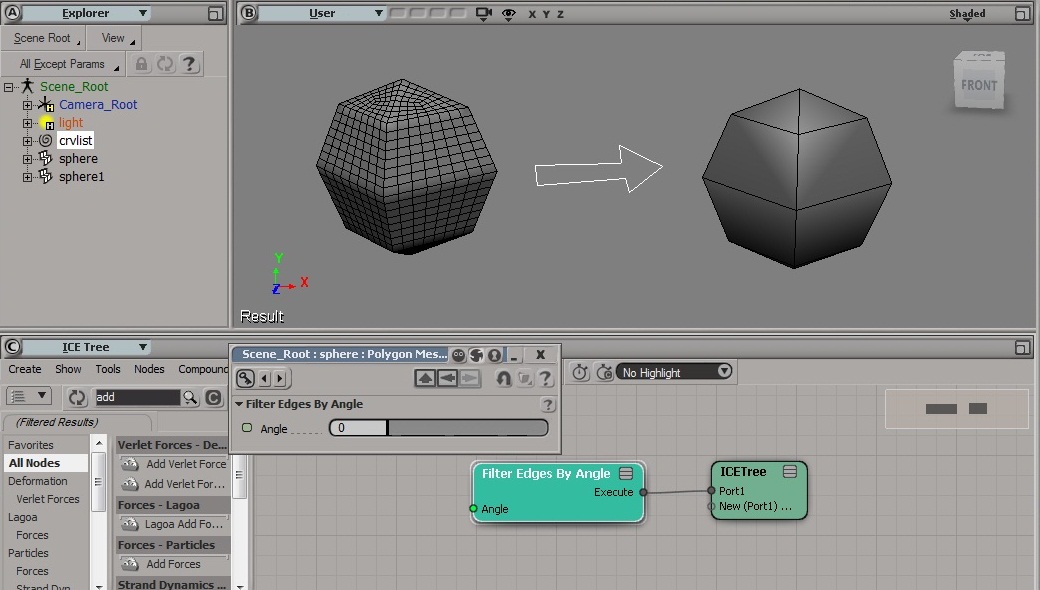
You can press “.” (period) to repeat the last command (apart from selection, navigation, interactive manipulation, etc.) and “,” (comma) to reactivate the last tool (apart from selection, navigation, SRT).

You can press “.” (period) to repeat the last command (apart from selection, navigation, interactive manipulation, etc.) and “,” (comma) to reactivate the last tool (apart from selection, navigation, SRT).
Here’s a few shots of the old SOFTIMAGE|3D UI:
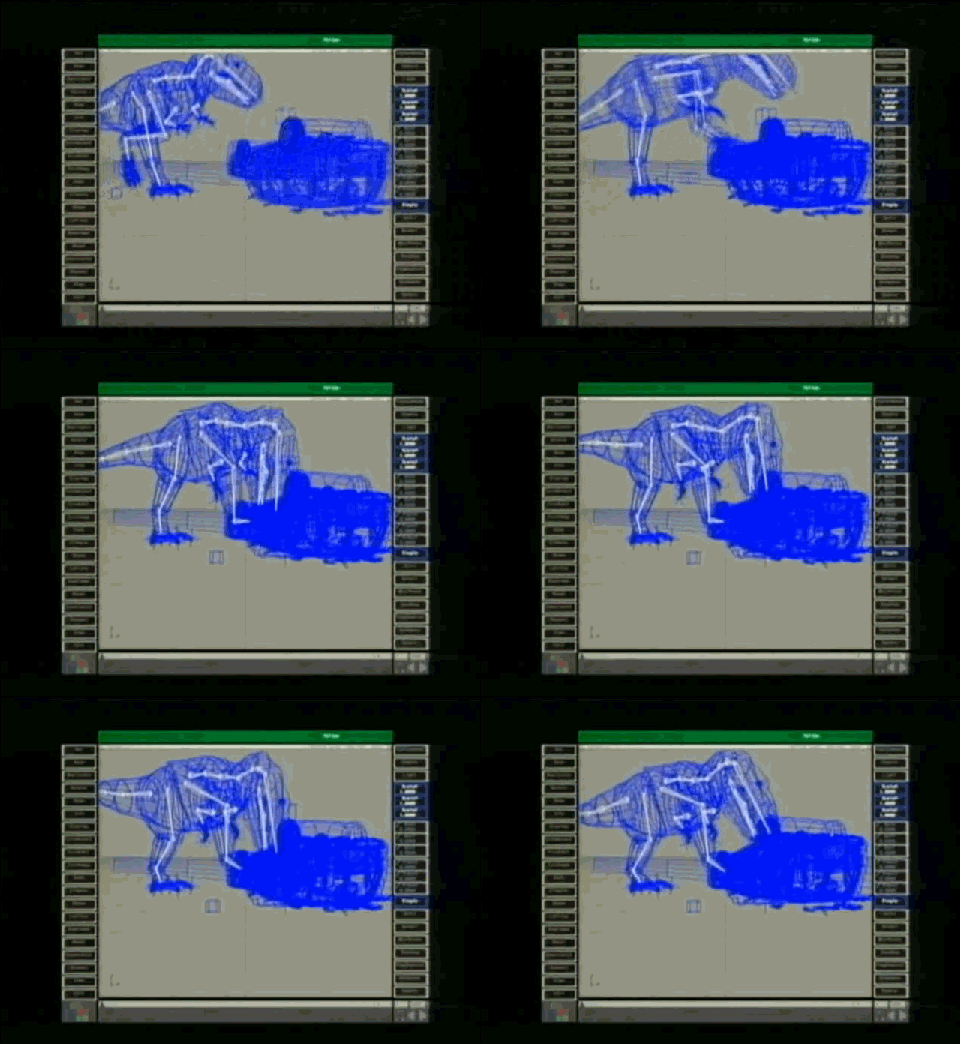
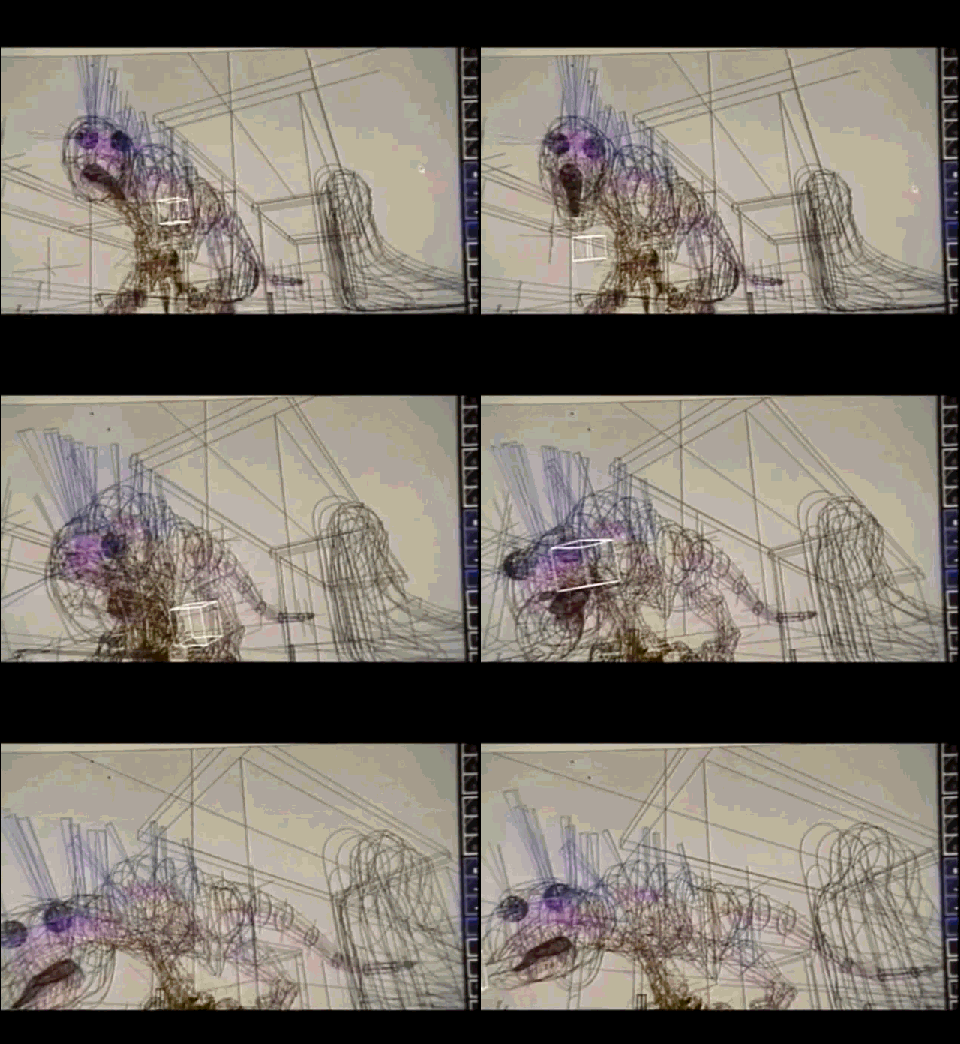
pulled from this “Jurassic Park – ILM – CGI before & after” video:
Thanks to Alan Fregtman for sending this in.
Basic troubleshooting for when you cannot start Softimage, or you get strange errors at startup, or you cannot perform basic tasks such as creating primitives or duplicating objects. Or for fixing Softimage after you run a registry cleaner.
Run runonce.bat to re-register the Softimage DLLs and SPDL files (SPDL files describe the parameters of objects and operators in Softimage).
runonce.bat does a lot of what happens during installation and it is a lot faster than removing and then reinstalling Softimage.
runonce.bat mentions on xsibase, si-community, the AREA, and the XSI list
or how I learned to love binary search…

In this case, a customer uploaded a scene that always crashed at a certain point in the playback.
After poking around the scene for awhile, I deleted a model and that fixed the crash. The only problem was that the model contained a thousand (1000) objects, so deleting the model wasn’t really a solution. So my next step was to isolate the problem use a “divide and conquer” approach. Sort of like a binary search:
In the end, I narrowed it down to a single mesh object. We weren’t able to save that mesh (it had to be deleted and then recreated), but we did save the scene.
A binary search halves the number of items to check with each iteration, so locating an item (or determining its absence) takes logarithmic time. A binary search is a dichotomic divide and conquer search algorithm.
Dividing and conquering the problem space:

Here’s a quick demo of the Post-Simulation region, and how it relates to an ICE simulation. In this video, I use a lattice deformation to demonstrate why you might put something in the Post-Simulation region.
If you’re using Add Point, does it matter where you put your ICE tree in the construction stack? Do you understand the different construction stack regions and how they relate to the evaluation of ICE trees?
This video gives a quick answer to those questions.
This week, I’m off to Autodesk University in Las Vegas. Four days of non-stop lectures, courses, and networking events/lunches/dinners. I’ll study hard, I promise 😉
There’ll be no time for sight-seeing, not like last time, when I took a couple of days to check out the surrounding desert:

I’ve pre-written and scheduled posts, so the blog will keep updating…
The ImportModel command pops up a PPG when it imports a model.
Since there is no OM equivalent of ImportModel, if you don’t want the pop-up PPG, you have to either turn off autoinspect in your script, or use the undocumented SIImportModel command. (SOme commands have a “SI” equivalent that doesn’t require any UI interaction or pop up any PPGs.)
If you want more info on SIImportModel (like what are the arguments), run this Python in the script editor:
Application.EditCommand("SIImportMOdel")
Here’s a way to turn off autoinspect using a Python decorator:
def no_autoinspect(func):
	def wrapper(*arg):
		Application.Preferences.SetPreferenceValue("Interaction.autoinspect", False)
		res = func(*arg)
		return res
	return wrapper


@no_autoinspect
def importmodels():
	Application.ImportModel("C:\\Users\\blairs\\Documents\\MyProject\\Models\\dodecahedron.emdl", "", "", "", "", "", "")

importmodels()
More about decorators:
https://xsisupport.wordpress.com/2011/01/27/python-decorators/
http://www.xsiblog.com/archives/357
Manta short from back in 2001 and the days of XSI 2.0. The Manta character was used in a variety of different marketing collateral. Looking back over the previous flashbacks, I see that Manta has already appeared twice, in flashbacks #12 and #34.


From Manta stuff from here and there on the Internet:
Softimage Hints At New Products, Highlights XSI
On April 23, 2001, at NAB, the annual international conference of the National Association of Broadcasters in Las Vegas, Softimage demonstrated version 1.5 of its SOFTIMAGE|XSI software and hinted that a new release would be ready for SIGGRAPH in July. “I can’t say much more,” program manager Michael Smith commented, “but this next release will be big.” Softimage introduced its “INNOVATE::CREATE::COLLABORATE” tagline and displayed the power of XSI with images of Manta, a 3D character created in XSI.
xsibase: What about Manta short
the manta short is already a few years old, and was never released in any form so you can watch it as a video or something. One of the guys who worked on it had some images on his website. There were at the time also some images on the Softimage website for wallpapers and such..
http://www.creativecrash.com/forums/xsi-general/topics/manta-video
Atyss
Jan 13, 2003Post id: 130287 You’re never gonna see Manta, or if you do, it will be unfinished. This is what I was told by Michael Sheasby, the marketing guy at Softimage. Manta was developed to demo (understand sell) XSI 2.0, and they left it unfinished after that.
http://www.xsibase.com/articles.php?detail=5
We had the great privilege of seeing the Manta storyboards. However, even if all of them were on the wall, we couldn’t see the end. Michael started to tell us the story, but when he reached the last boards he nearly threw us out of the office! It’s strange, because he told us that the Manta project will never be finished.
http://www.3dbuzz.com/vbforum/showthread.php?6315-Manta/page2
I went to an Avid confrence last week (london 26 june 2002) and spoke to someone from the softimage dept. and asked them about this. They said that the Manta animation/film was initially being completed by 15 artists, but now just one person is left working on it as the others are completing other projects and it hopefully (probably not was the impression given) will be finished for siggraph 2002.
On the Experience CD (free when registered at the softimage.com site) there are very short snippets of animation during the turials for texturing and the fx tree, and they look quite good. I was told at the Avid confrence that an entire CG film made in soley XSI would be released in a year or so (cant remember what its called though)
I also textured the manta character and gave him some hair last year at the computer arts show in angel islington 2001 as a workshop tutorial using a beta of version 2.