Customer story from IBC 2000 featuring Toonx, SOFTIMAGE 3D, and XSI.
FUNNY BUSINESS: ComicHouse Keeps Them Laughing
by Michael Abraham

I used to sneak comic books into class. That’s right, I admit it. More often than not, secreted behind my in-class copy of Lord of the Flies or The Decline and Fall of the Roman Empire would be the antics of Archie ‘n Jughead, the X-Men or, best of all, Mad Magazine. On occasion, while engrossed in my verboten reading, I would be discovered and scolded by teachers. It was worth it, of course, but I have to say that my regret today is more than palpable.
Don’t get me wrong. I feel no remorse for perusing comics when I was supposed to be studying the classics. No, my regret stems from the fact that, when my teachers told me comics wouldn’t pay the rent, I believed them. As it turns out, just as I was writing off all those panels of primary-colored excitement as the stuff of childhood, other people were planning a whole new world.
How’s this for timing? I graduated high school in 1984. In 1985, Hans Buying and Marcel Bosma – two aspiring comic strip artists living in Amsterdam – founded a cooperative especially for those underestimated and underappreciated comic strip artists and cartoonists. They called it ComicHouse.
Although Bosma elected to leave the company just a year after its inception, Buying worked hard to keep the dream alive. That faith has definitely paid off. Having recently moved to their new offices in Oosterbeek, ComicHouse is now the largest cartoon and animation agency in the Netherlands. Perhaps more importantly, however, is the fact that Buying and ComicHouse actively promote and protect the interests of over 30 prominent cartoon artists. In addition, the ComicHouse studio produces unrivaled traditional and digital animation for television and movie commercials, CD-ROMs, PSAs, computer games and Internet applications.
“We do somewhere around 10 commercials, 10 multimedia productions and 150 cartoon productions a year,” Buying says casually. “We also work a great deal with the art buying departments of all the major advertising agencies. We’ve been doing so much of that, in fact, that I seriously considered changing my first name to ‘Art.’ My wife wouldn’t let me though. She was too attached to Hans.”
Puns aside, the funny business of comic strips has changed since Buying set up shop a decade and a half ago: “
“In the beginning, using traditional animation for commercial purposes had some definite drawbacks,” Buying remembers. “Perhaps the biggest problem was establishing some sort of believable interaction between animated characters and the live-action product you were trying to sell. When SOFTIMAGE|3D was initially introduced to us, we saw that we could model, stage, light and animate products in a way that was completely unthinkable in a traditional environment. Keeping the dialectics of progress in mind, we came to a quick conclusion: ComicHouse had to invest in the best talent and state-of-the-art technology. As a result, our animation production process has changed dramatically in order to adapt both to new developments in the industry and to the heightened expectations of our clients. Working with Toonz and SOFTIMAGE|XSI, ComicHouse is better prepared than ever to compete with the world’s best-equipped studios. Both systems allow a company like ours to cut back on production time and budgets, keeping us competitive with similar European and Asian studios.”
In 1990, Buying partnered with Miriam van Velthoven, who now handles the agency’s daily production schedule. Recently, that schedule has included some striking work for well-known Pepsi Co. and Yazoo, a popular flavored milk kids’ drink in Europe. Both projects put ComicHouse and their technology to the test.


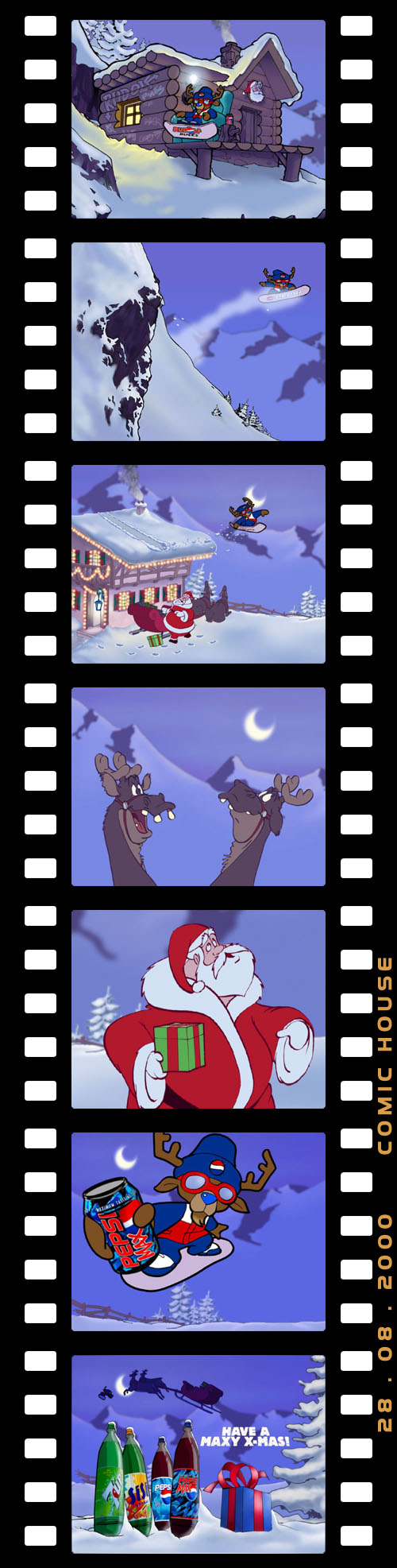
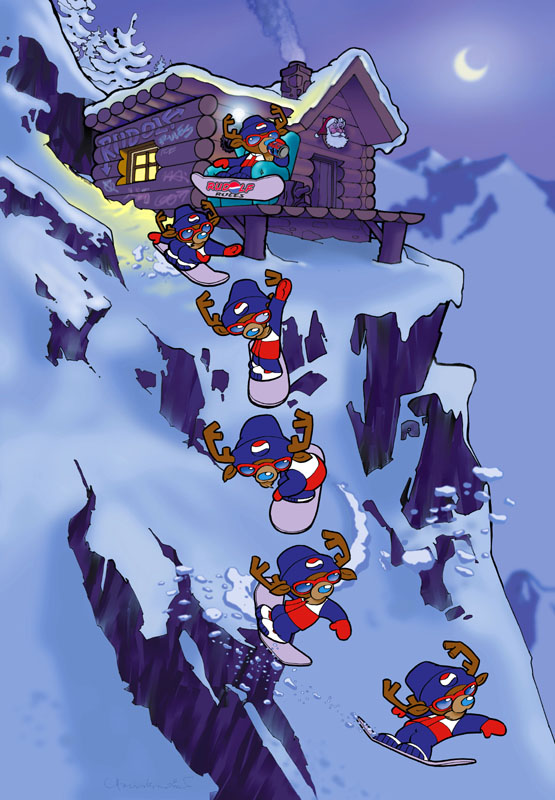
The Pepsi spot gave a new twist to an old theme. “Rudolph the Blue-Nosed Reindeer” offers a decidedly more hip version of the classic Christmas character. Forget all those reindeer games: this Rudolph finds his own fun, snowboarding to a grungy version of Jingle Bells, and using his boss’ house as a ski jump. This Rudolph is definitely the choice of a new generation.


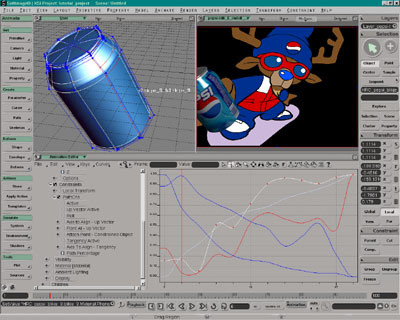
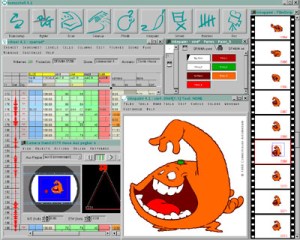
“As with most of our projects, all the animation on ‘Rudolph’ was first done by hand, then processed by cleanup and ink artists,” Buying explains. “The inked artwork was then scanned into Toonz and painted using the Ink and Paint module. All the Pepsi cans were created using SOFTIMAGE|3D. We used the rotoscope to load all the pencil tests into perspective view then, using the pencil animation frames as a reference, we positioned, rotated and scaled each can frame-by-frame. We rendered the cans and the packshot with the SOFTIMAGE cartoon renderer, matching the cartoon style as close as we could.”
While not as well-known as Rudolph – at least on this side of the ocean – the Yazoo character adorning bottles of the beverage was created by ComicHouse in 1988. When Campina, the company that produces Yazoo, wanted to repackage and remarket the product for the new millennium, they decided to go back to the source.
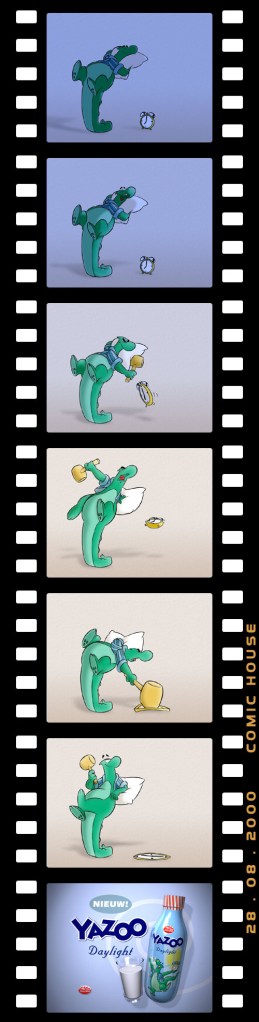
Aiming to make Yazoo a friendly and likable character, ComicHouse realized the unique nature of the task at hand: “It’s very unusual to shift the marketing focus away from the product to an animated character,” Buying admits readily. “Right from the very beginning, however, everybody wanted to make Yazoo a well-known and loved character. If we could do that, we figured that establishing a secondary link with the product would then be a logical and simple next step.”
To create a Yazoo for the next generation, ComicHouse used their substantial contacts to create a team of international animation talent. Top animators from the Netherlands, Great Britain and Canada all came to the ComicHouse studios in Amsterdam, where they worked on some fourteen Yazoo commercials.
According to Buying, the biggest challenge on the Yazoo spots turned out to be not with the character, but with the beverage itself. Faced with the seemingly innocuous task of modeling a glass filling with milk, the ComicHouse team worked for days without success. After numerous failed attempts – and more than one system crash – Buying and his team arrived at a novel solution:
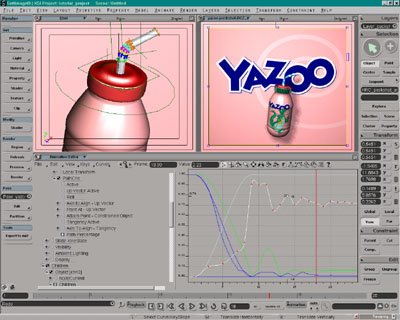
“In the end, it went something like this,” says Buying. “We started by modeling the milk itself, then split the model horizontally and applied some waves and animated the top half of the model. After creating a modeling relation, we extracted the top and bottom curves created and combined them into a believable milk flow. All other animation was done by keyframing and some minor tweaking of function curves. The character animation and all the inking of cells was done by hand. We then scanned all the artwork into Toonz and colored everything digitally. To get a good 3D look for the character, we animated an FX level for the shadows, then used the Toonz plug-in for the highlights.”
Whether it’s Rudolph or Yazoo, ComicHouse characters and animation have been delighting clients and garnering awards for many years now. The company is also a founding member of the Society of Artists Agents Holland (SAAH) and a member of the Dutch Designers Association (BnO). And the activity and adulation don’t seem destined to slow down anytime soon. ComicHouse seems ready to keep people laughing for many years to come.